

The evolution of the smartphone interface has been marked by incremental improvements in user comfort and accessibility. Among the most significant recent additions is the system-wide Dark Mode, a feature that dramatically reduces eye strain in low-light conditions and conserves battery life on OLED displays. While standard operating systems, including Android, have embraced scheduling—allowing users to toggle themes based on the time of day—this solution often proves too static for the dynamic realities of daily life. Users frequently move between environments, transitioning abruptly from sun-drenched outdoor settings to dimly lit rooms or theaters, forcing manual intervention to maintain visual comfort. This rigidity highlights a conspicuous void in native Android functionality: the lack of a built-in, real-time theme switching capability based on ambient light intensity.
Into this functional gap steps a compelling third-party solution: the application known as Adaptive Theme. This utility offers precisely the dynamic control that many power users have long sought, translating the physical environment directly into a visual preference for the operating system’s interface. It utilizes the device’s inherent ambient light sensor to govern theme transitions, moving beyond simple time-based triggers to offer a truly responsive user experience. For those accustomed to setting a strict nocturnal dark mode, this application introduces a layer of proactive adaptation that feels less like a customization and more like an essential, missing piece of the platform itself.
The Mechanics of Adaptive Environmental Theming
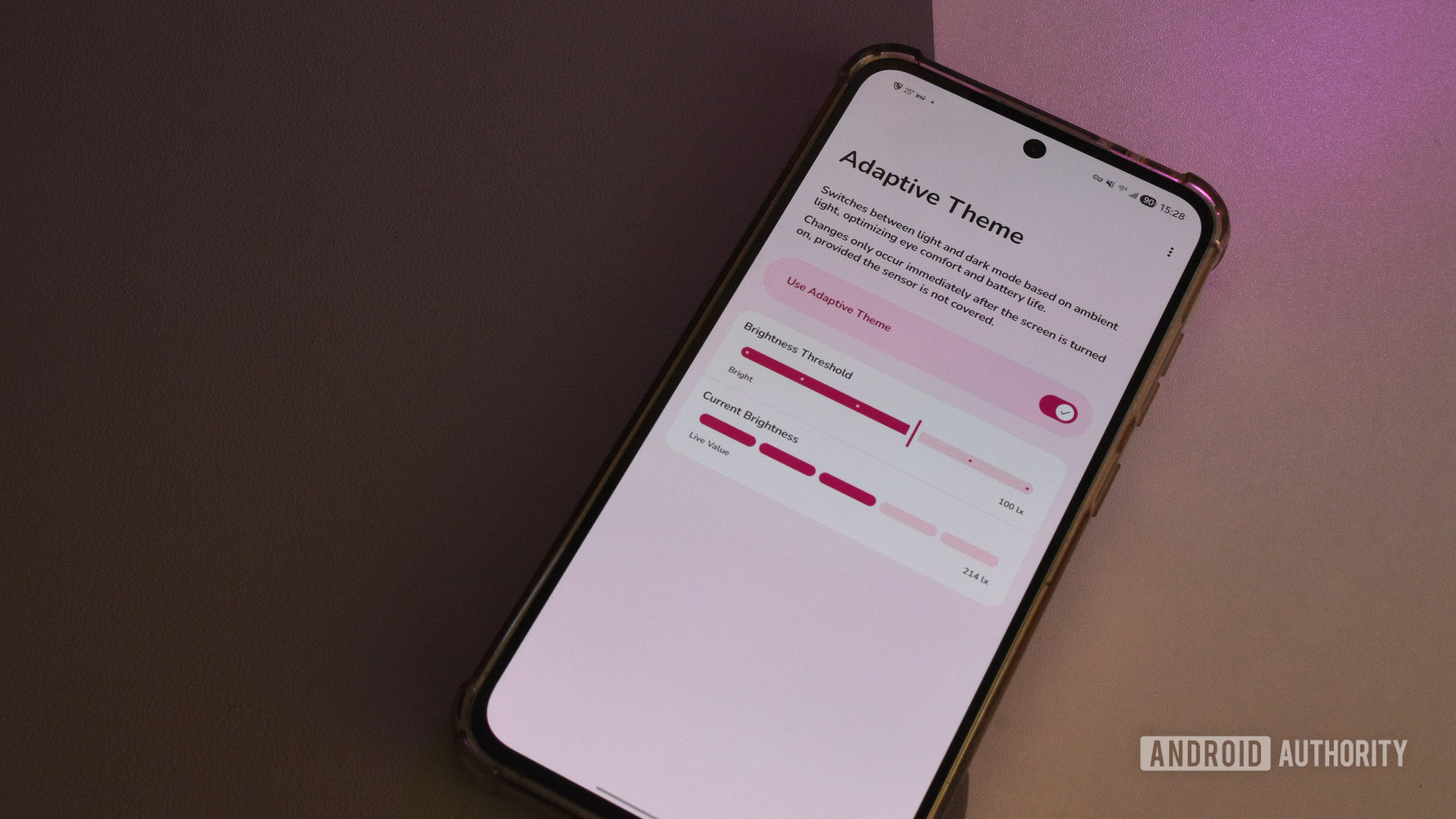
Adaptive Theme operates on a straightforward yet powerful principle: reading the environment and responding accordingly. Unlike scheduling, which operates on a fixed clock, this application continuously monitors the illuminance measured by the phone’s proximity and light sensor. When the ambient light level falls below a user-defined threshold, the system invokes Dark Mode across supported UI elements. Conversely, when the surrounding light increases—such as stepping outside on a bright day—the interface instantly reverts to Light Mode. This immediate responsiveness is the core appeal, eliminating the jarring effect of bright screens in dark spaces or washed-out interfaces under direct sunlight.
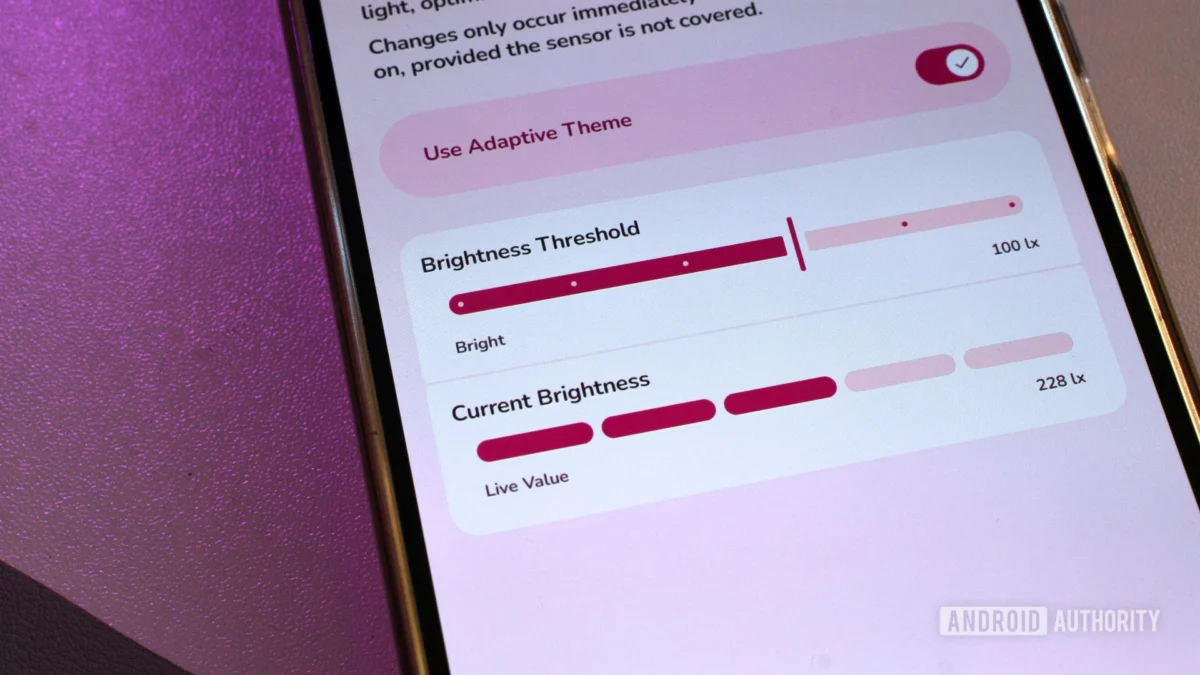
The application’s interface, reflecting modern design tenets, employs Material You aesthetics, ensuring it feels native despite its external origin. Functionally, it is minimalist, centered around a single primary control panel. A master toggle enables or disables the adaptive switching functionality. The crucial configuration elements are the Brightness Threshold and the Current Brightness indicators.
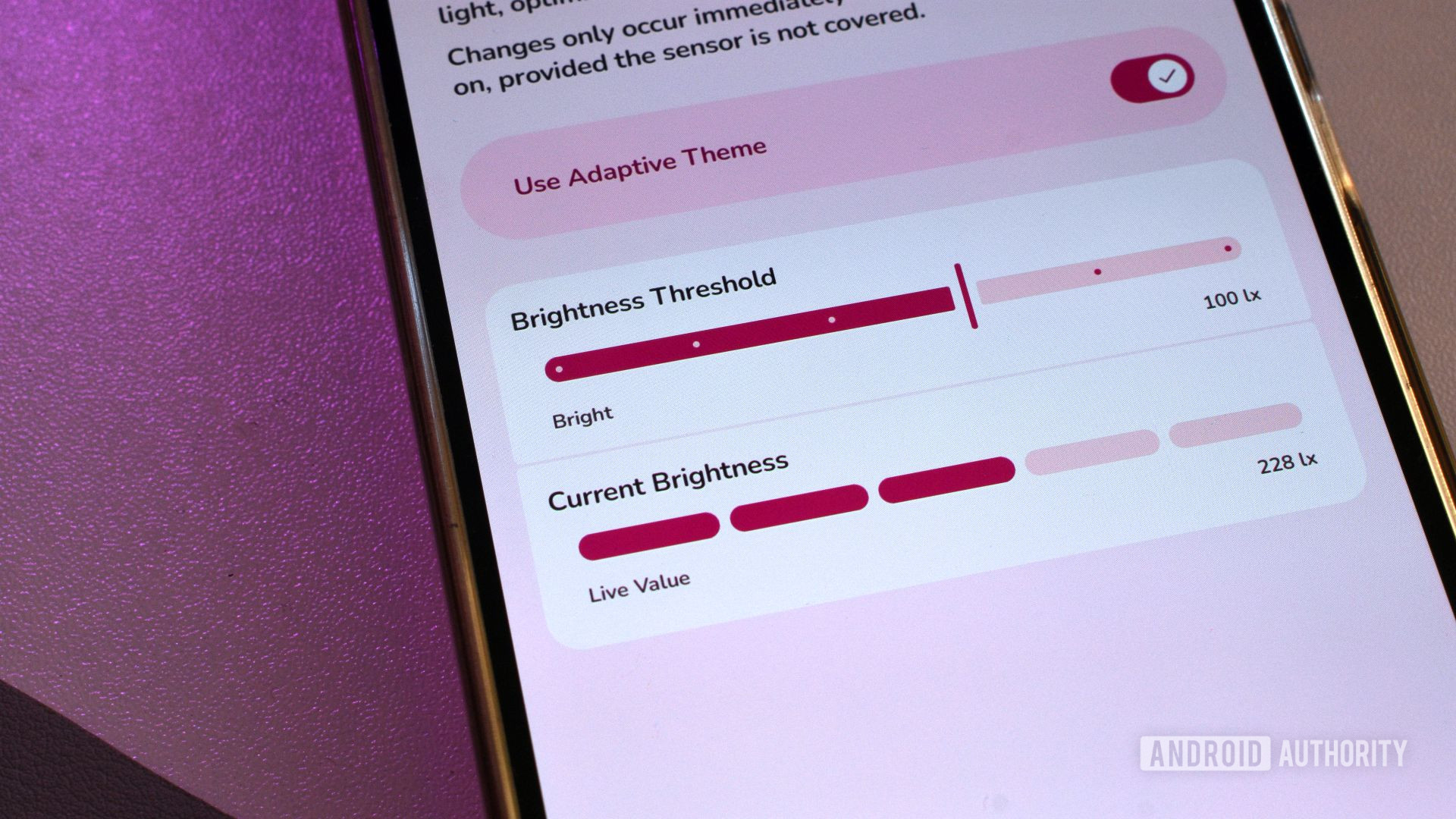
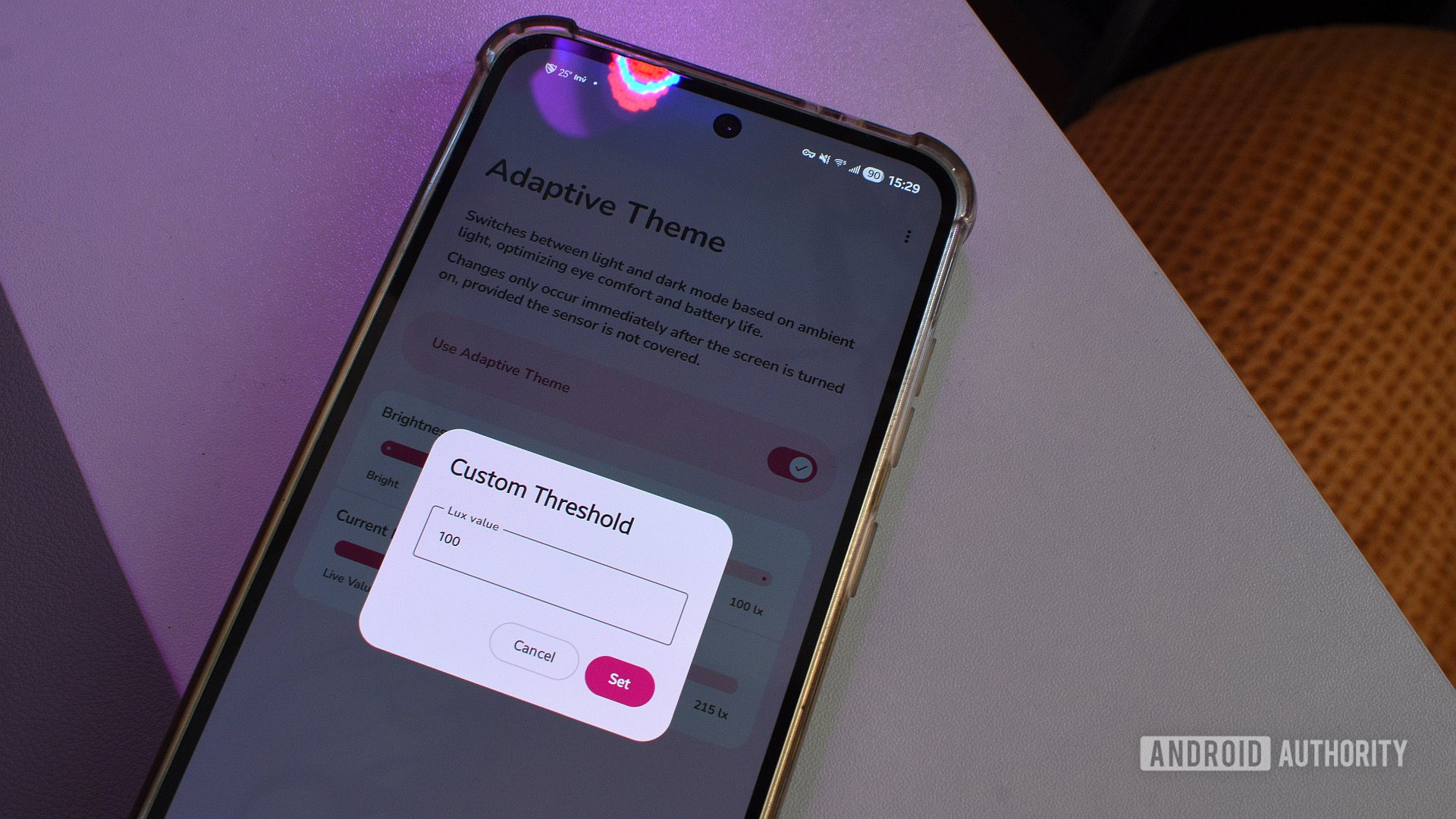
The Brightness Threshold offers users granular control over the trigger point. While the app provides six preset sensitivity levels, the true power lies in setting a custom lux value. The lux scale, the standard unit for measuring illuminance, allows users to specify the exact level of ambient light at which the theme switch should occur—a range spanning from near total darkness (0 lux) to intensely bright conditions (up to 10,000 lux). This level of precision is vital because user tolerance for brightness varies widely, and the sensitivity of device sensors differs across manufacturers and models. Observing the Current Brightness reading in real-time assists users in calibrating this threshold, allowing for empirical testing to find the "sweet spot." For example, many users find a crossover point between 300 and 400 lux to be optimal, balancing eye comfort against screen legibility.
Bridging the Permissions Gap: The Shizuku Dependency
A significant aspect of any powerful third-party utility on Android relates to system-level access. Changing the global theme state—a function deeply integrated into the core OS settings—is typically restricted from standard applications to maintain system integrity and security. Adaptive Theme, to achieve its goal without requiring device rooting, must navigate these security boundaries.
This necessity introduces a dependency on Shizuku, another specialized third-party utility. Shizuku functions as a secure bridge, leveraging advanced Android debugging capabilities (often activated via ADB or similar privileged methods) to grant specific applications elevated permissions temporarily or persistently, bypassing standard restrictions. While Shizuku itself is a recognized and powerful tool within the Android customization community, its integration adds a layer of complexity that contrasts sharply with Adaptive Theme’s otherwise streamlined user experience. The setup process for Shizuku is notably more involved than Adaptive Theme’s direct configuration, presenting a hurdle for less technically inclined users. This prerequisite setup, while a testament to the ingenuity required to circumvent OS limitations, inherently detracts from the plug-and-play simplicity one might expect from an ambient-sensing feature.
Furthermore, the trial-and-error phase in setting the correct lux threshold is inevitable. Overly aggressive settings can lead to "theme flickering," where the phone rapidly switches between light and dark modes as slight environmental variations occur, which is more distracting than having no automation at all. Conversely, a threshold set too high means the feature remains dormant, failing to provide the intended convenience.
Perhaps the most notable functional limitation stems from Android’s security protocols concerning system state changes: theme switching is generally only executed when the device is unlocked. While this is a minor inconvenience—requiring a simple screen-on and unlock action—it interrupts the flow state. If a user moves from a bright area to a dark one while the phone is locked, the theme will only update once the user engages with the device. This restriction, imposed by the OS architecture, means the environmental adaptation is reactive to user interaction rather than purely passive.
Industry Implications and the Demand for Native Integration
The existence and popularity of applications like Adaptive Theme underscore a significant divergence between user expectation and current native platform offerings. In the modern mobile ecosystem, users expect personalization to be context-aware. We see this trend in adaptive battery management, adaptive screen refresh rates, and dynamic color palettes (like Material You’s dynamic coloring). Theme switching based on ambient light is a logical extension of this context-aware design philosophy.
From an industry perspective, the reliance on external tools for such a fundamental visual control suggests an oversight by platform developers. Integrating ambient light sensing directly into the Dark Mode scheduler would provide several key advantages:
- Deeper System Integration: A native feature could interact more seamlessly with all system elements, including lock screens, notification shade transitions, and potentially even dynamic wallpaper switching, which third-party apps struggle to manage comprehensively due to sandboxing.
- Security and Stability: Bypassing permission restrictions via tools like Shizuku introduces external variables and potential instability. A native solution guarantees robust, optimized performance directly managed by the OS kernel.
- Accessibility Compliance: While Dark Mode is beneficial for general eye strain, true context-aware theming significantly enhances accessibility for users with specific light sensitivities or visual impairments, making native support a compliance necessity.
The current state forces users to choose between the rigid simplicity of scheduled theming or the powerful, yet complex, configuration of a third-party solution requiring elevated permissions. This dilemma is a classic indicator of an unmet user need that platform developers often address in subsequent OS revisions once third-party solutions prove the concept’s viability.
Expert Analysis: The Ergonomics of Light and Display Technology
The push for dynamic theming is rooted in established principles of visual ergonomics. The human eye adapts to varying light levels through pupil constriction and dilation—a process known as adaptation time. Rapidly shifting between high-luminance (bright) and low-luminance (dark) environments forces the eye to work harder, leading to fatigue, glare sensitivity, and potentially visual discomfort, especially for users staring at small, bright screens in the dark.
Dark Mode mitigates this by reducing the overall light output, but an adaptive system optimizes the display luminance relative to the surroundings. In essence, the system should strive to maintain a consistent perceived contrast ratio between the screen and the immediate environment, not just between foreground and background elements on the screen.
For devices utilizing OLED or AMOLED screens, Dark Mode offers tangible energy savings because black pixels are entirely unlit. An application that intelligently switches to Dark Mode when ambient light is low capitalizes on this efficiency gain without user input, extending battery life passively. Conversely, in bright daylight, the operating system must maximize screen brightness to overcome solar glare, making a light theme functionally superior for visibility. Adaptive Theme effectively manages this trade-off between visual comfort, system efficiency, and raw legibility.
Future Trajectories and Extended Contextual Interfaces
Looking ahead, the concept pioneered by Adaptive Theme is likely to mature into a core Android feature, potentially evolving beyond simple light/dark toggles. Future iterations could incorporate more complex contextual awareness:
- Color Temperature Integration: Current systems often offer "Night Light" or "Eye Comfort Shield" features that shift the screen’s color temperature towards warmer hues after sunset. A fully integrated system could link ambient light intensity and time of day to control both theme (light/dark) and color temperature simultaneously, creating a holistic "Visual Comfort Profile."
- App-Specific Overrides: While Adaptive Theme applies system-wide, deeper integration might allow developers to define specific light-level behaviors for their own applications, recognizing that certain apps (like mapping services or photography tools) might require unique handling regardless of ambient conditions.
- User Behavior Modeling: Advanced machine learning could learn user behavior—for instance, consistently overriding the light mode setting in a specific room at a specific time—and preemptively suggest or implement theme changes, moving beyond simple sensor readings to predictive adaptation.
The current limitations, particularly the need for Shizuku and the lock-screen delay, serve as a clear roadmap for where operating system developers need to focus. The goal is to abstract the complexity of permissions management away from the end-user while ensuring that environmental adaptations are instantaneous and comprehensive across all interactive states of the device.
In conclusion, Adaptive Theme is more than just a niche utility; it is a proof of concept demonstrating a highly desirable, ergonomic interface behavior that Android currently lacks. It successfully leverages existing hardware sensors to deliver superior user experience, forcing the question: Why must a feature this intuitively beneficial remain reliant on the ingenuity of the enthusiast community rather than being a standard offering from the platform creator? For now, users seeking this seamless environmental adaptation must embrace the small complexities of this third-party tool to enjoy an interface that truly responds to the world around it.
