

The rapid integration of artificial intelligence into everyday software ecosystems has fundamentally transformed how consumers interact with digital tools. Tech giants are racing to embed large language models across every conceivable touchpoint, striving to position their proprietary ecosystems as ubiquitous assistants. However, this aggressive expansion strategy often prioritizes corporate technological momentum over consumer autonomy. As conversational agents like Google’s Gemini permeate core productivity tools, web browsers, and cloud storage utilities, a growing demographic of users is pushing back against the lack of granular control.
Nowhere is this friction more palpable than within personal communications. The unsolicited appearance of artificial intelligence shortcuts inside default messaging clients highlights a broader design philosophy: maximum visibility by default, granular control as an afterthought. For users who prefer a streamlined, distraction-free environment for text messaging, the permanent fixture of digital assistant overlays can transform a utilitarian interface into a persistent marketing vehicle for generative artificial intelligence. Fortunately, despite architectural limitations imposed by platform developers, targeted workarounds exist to prune these intrusive additions and restore visual minimalism to daily communications.
The Macro Trend: The Forced March Toward Pervasive AI Integration
To fully understand the frustration surrounding unsolicited feature deployments in mobile applications, one must examine the strategic imperatives driving the modern technology sector. Generative artificial intelligence represents the most significant paradigm shift since the widespread adoption of mobile computing. Consequently, companies are under intense pressure from shareholders, market analysts, and boardrooms to demonstrate continuous engagement and utilization metrics across their respective software portfolios.
Embedding proprietary assistants directly into default applications—such as email clients, web search interfaces, and text messaging platforms—serves as a primary catalyst for driving user adoption. By placing interactive conversational prompts directly in the line of sight during routine daily workflows, developers effectively engineer high exposure rates. For the average consumer, this means that turning off artificial intelligence features is rarely a simple, one-click global preference. Instead, it often requires a tedious, piecemeal approach across disparate menu systems, assuming the necessary toggle switches even exist.
This dynamic creates a challenging environment for digital minimalism. When a productivity suite or messaging client bundles advanced algorithmic processing directly into core functionality, users frequently face an all-or-nothing proposition. Granular permission architectures are often neglected in favor of sweeping ecosystem access. For instance, tying calendar synchronization permissions to email analysis capabilities forces individuals to choose between useful organizational tooling and unwanted automated data processing. This architectural rigidity breeds user resentment, transforming what should be a seamless technological upgrade into an exercise in software management fatigue.
The Messaging Dilemma: When Artificial Intelligence Enters Private Conversations
Text messaging remains one of the most intimate and direct forms of digital communication. Unlike professional email threads or cloud-based document repositories, personal chats are spaces reserved for unvarnished, direct human interaction. The intrusion of conversational intelligence into this specific context has proven particularly jarring for privacy-conscious consumers.
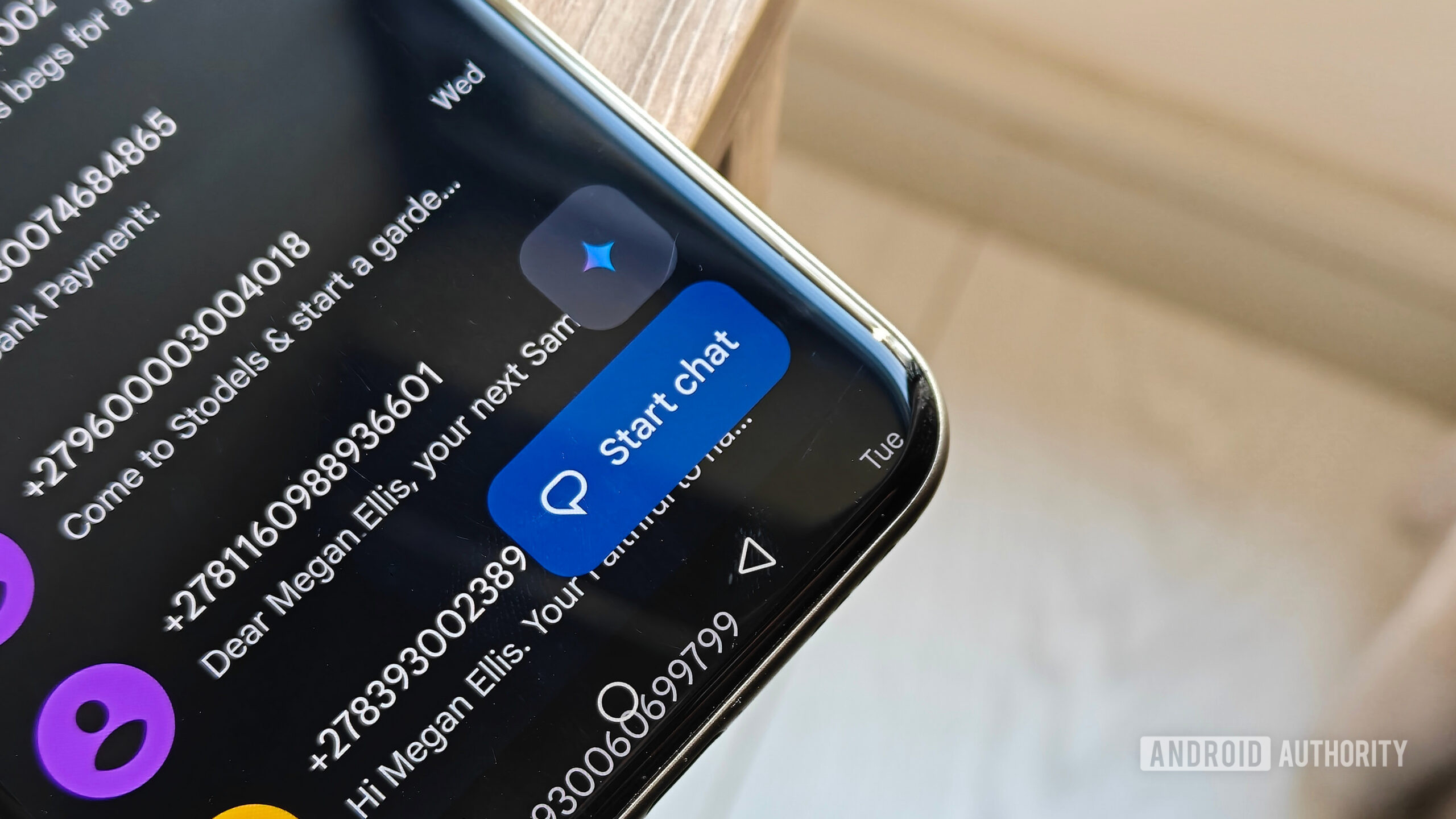
When an interactive machine learning shortcut hovers persistently above the primary conversation creation button, it alters the psychological landscape of the application. Rather than serving purely as a gateway to human contacts, the software interface subtly encourages users to converse with an algorithm instead. This design choice underscores a fundamental philosophical divide between software developers and end-users. While developers view ambient intelligence as a value-add enhancement designed to accelerate drafting and summarization, many consumers view it as digital clutter that introduces unnecessary cognitive load and potential privacy vulnerabilities.
Furthermore, the lack of centralized management compounds the issue. While users can manage various connected services through dedicated online account dashboards, mobile applications frequently operate with a degree of architectural autonomy. Features introduced via server-side updates can materialize inside local app clients without prior notification or explicit consent, leaving individuals scrambling through nested settings menus to reverse changes they never asked for.
Step-by-Step Guide: Purging the Shortcut from Your Messaging Interface
Although completely eradicating every trace of algorithmic infrastructure from heavily integrated client software can prove challenging, users are not entirely powerless. Specific configuration paths allow individuals to clean up their visual workspace and banish the intrusive shortcut from their primary text messaging home screen.
To initiate the cleanup process within the default Android messaging client, users must navigate past the standard conversation list and delve into application-level parameters:
- Access the Account Menu: Open the application and tap your profile icon, typically located in the upper right-hand corner of the display interface.
- Navigate to General Preferences: Select the settings menu associated with the messaging platform, then proceed to the general configuration tier. (Note: Depending on device configuration and single versus dual SIM setups, this specific sub-menu might bypass intermediate steps on certain hardware configurations).
- Locate the Assistant Toggle: Look for the specific configuration entry dedicated to conversational intelligence within the messaging environment.
- Disable the Visual Element: Locate the toggle governing the visibility of the primary shortcut button and switch it to the off position.
Upon returning to the primary application screen, the persistent overlay hovering above the chat creation button will be gone, providing an immediately cleaner and more focused user experience.
Limitations and the Ongoing Battle for Digital Autonomy
While hiding the shortcut successfully declutters the primary interface, transparency advocates and power users quickly note the limitations inherent in these minor configuration adjustments. True autonomy requires the ability to completely decouple optional services from core utilities. In the case of modern messaging applications, hiding the visual trigger does not always equal a total cessation of background architectural presence. Certain entry points may persist within contact initiation menus, serving as a reminder that platform developers view these integrations as permanent structural pillars rather than temporary add-ons.
This persistent implementation mirrors broader industry practices observed across web search environments and mobile operating systems. When companies invest heavily in foundational models, those capabilities are woven deeply into the fabric of the software stack, making total removal nearly impossible without migrating to entirely alternative, open-source ecosystems. This reality has driven a subset of tech-savvy consumers toward privacy-focused alternative browsers, stripped-down communication clients, and decentralized platforms designed specifically to respect user boundaries.
Looking Ahead: The Future of Consumer Choice in Software Design
As the dust settles on the initial wave of artificial intelligence adoption, the technology sector faces a critical reckoning regarding user experience and software fatigue. The next generation of software design will likely be judged not merely by the sophistication of its underlying models, but by the respect it affords to consumer preferences.
Developers must recognize that forced engagement strategies often backfire, alienating loyal user bases who value speed, predictability, and privacy over automated assistance. Moving forward, true innovation will involve offering sophisticated capabilities as opt-in enhancements rather than default overlays. Until the industry universally adopts this philosophy, users must remain proactive, carefully auditing permissions, disabling intrusive shortcuts, and utilizing every available setting to customize their digital environments on their own terms.
