

Smartphone users typically exhibit a high degree of software inertia. When unboxing a fresh handset, the path of least resistance involves relying on pre-installed factory defaults for fundamental utilities like calendars, messaging interfaces, and clock applications. OEMs such as Samsung and Google invest heavily in curating these native environments, ensuring they integrate seamlessly with proprietary ecosystems. Consequently, millions of consumers never venture beyond the software pre-loaded onto their devices. However, a thriving ecosystem of independent developers continues to prove that third-party utilities can execute these routine tasks with superior precision, heightened privacy, and advanced feature sets. Within the realm of timekeeping software, an open-source project named Chrono has steadily emerged as a compelling alternative to mainstream solutions, challenging the hegemony of pre-installed clock applications despite its conspicuous absence from mainstream storefronts.
The Problem with Default Timekeeping Software
For years, stock clock applications offered by major ecosystem architects have adhered to a philosophy of minimalist functionality. While Google Clock and Samsung Clock have evolved to include basic sleep tracking, weather integration, and Spotify or YouTube Music integration for morning audio alarms, they remain fundamentally constrained. Customization options are frequently restricted to a handful of theme accents or dark mode toggles dictated by the overarching operating system guidelines. For power users, personalization enthusiasts, or individuals who struggle to wake up using conventional alarm mechanics, these factory offerings often fall short.
Furthermore, proprietary ecosystem apps are inextricably linked to telemetry, data collection frameworks, and corporate policy updates. Users seeking absolute software transparency, zero advertisements, and complete freedom from behavioral tracking are forced to look outward. This ongoing friction between corporate software design and user autonomy has fueled the rise of open-source software (OSS) communities, where applications are built by developers driven by utility rather than monetization metrics. Chrono exemplifies this shift, operating as a community-driven project that prioritizes user agency, granular controls, and robust reliability.
Architectural Excellence and Feature-Rich Design
At first glance, Chrono does not radically reinvent the wheel of user interface design. Launching the application presents a familiar navigation schema, dropping the user directly into their scheduled alarms with a persistent bottom navigation bar housing four primary tabs: Alarm, World Clock, Timer, and Stopwatch. This deliberate familiarity lowers the barrier to entry, allowing users to transition away from stock applications without enduring a steep learning curve.
Beneath this accessible surface, however, lies a profound depth of customization that eclipses mainstream competitors. Chrono delivers an expansive suite of visual themes, including deep OLED-friendly dark modes, dynamic Material You styling adapted from open-source design systems, and various bespoke layouts. Little aesthetic flourishes—such as subtle day, evening, and night icons that dynamically accompany scheduled intervals—introduce visual distinction without cluttering the interface. Furthermore, the application introduces robust tag-based organization, allowing users to categorize alarms into distinct groups such as work, workouts, or travel, drastically simplifying schedule management for complex weekly routines.
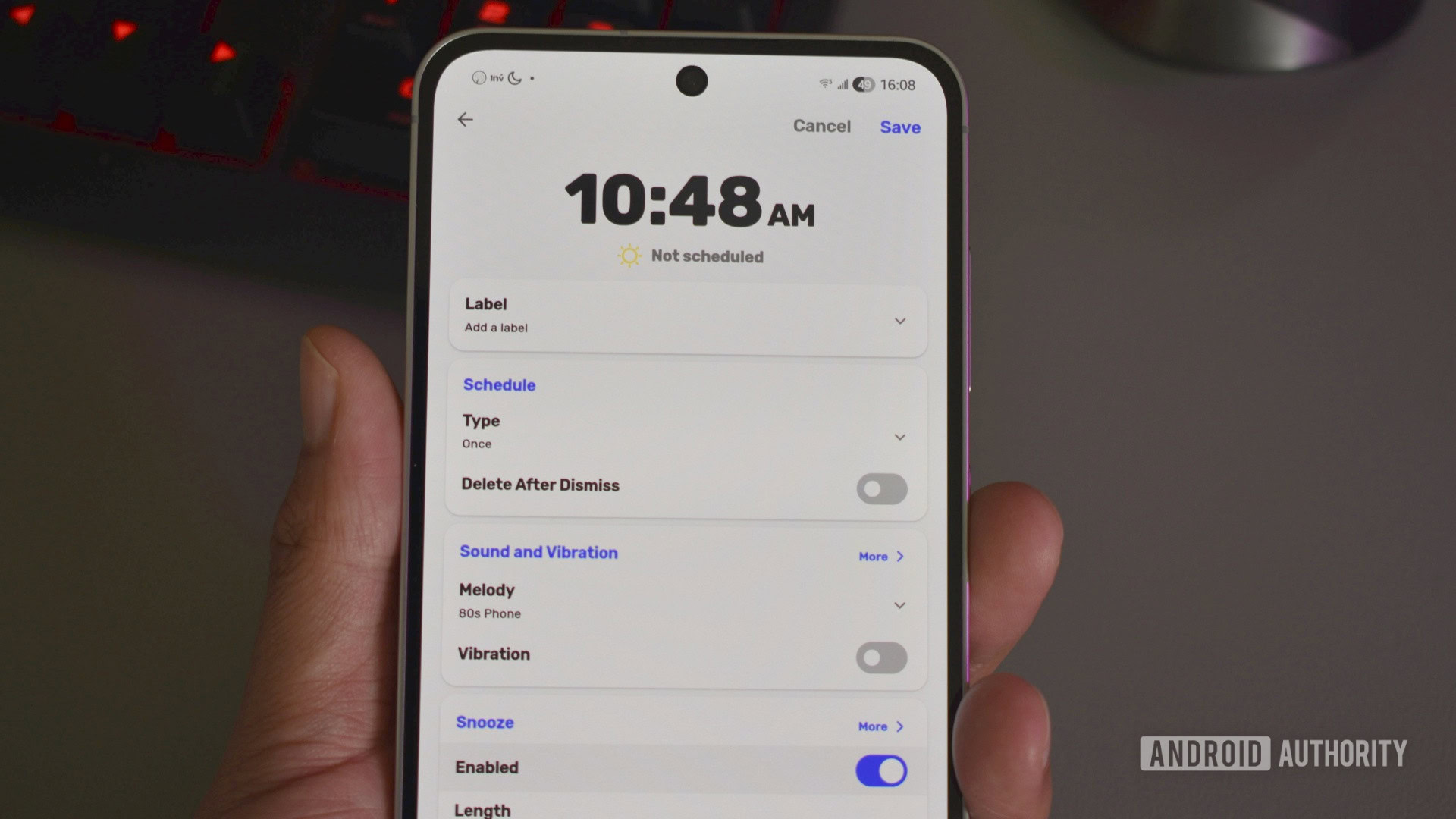
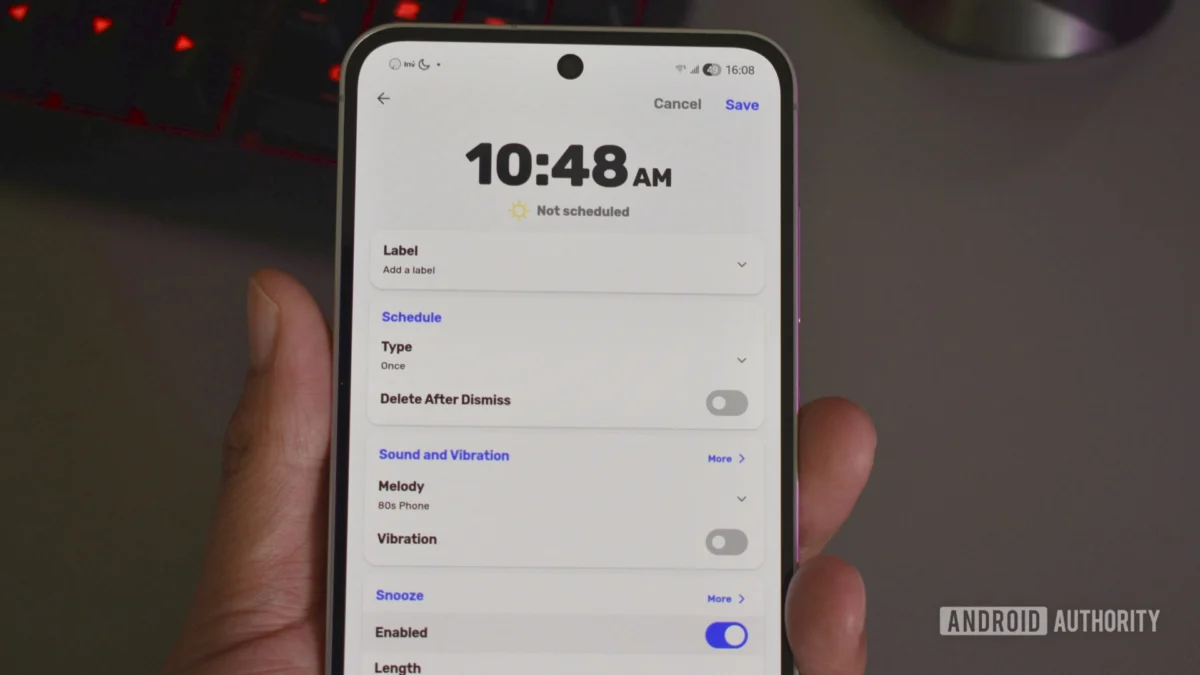
The true differentiator for Chrono, however, lies in its aggressive, uncompromising approach to alarm dismissal. While standard clock apps rely on a simple swipe or tap to silence a morning chime, Chrono empowers users to combat chronic oversleeping through mandatory verification tasks. By attaching specific cognitive challenges to an alarm, the software ensures that the user’s brain is actively engaged before the audio ceases. Sufferers of deep sleep inertia can configure alarms that refuse to turn off until the user successfully completes a numerical sequence test, solves a matching puzzle, or accurately retypes a randomized alphanumeric phrase.
Additionally, Chrono incorporates granular snooze constraints, allowing intervals to be shortened down to a single minute or extended up to 30 minutes, alongside an alarm-locking mechanism that prevents accidental dismissals or deletions. These thoughtful engineering choices transform a routine smartphone utility into a dependable productivity and wellness instrument, successfully bridging the gap between passive notification delivery and active morning behavior modification.
Navigating the Open-Source Ecosystem: Sideloading Realities
The primary hurdle facing Chrono is not its feature set or user interface, but its distribution model. Because the project is developed entirely under an open-source ethos without corporate backing, monetization, or commercial advertising, it bypasses the Google Play Store entirely. For casual consumers accustomed to the frictionless "one-tap install" pipeline of mainstream app stores, procuring software outside this walled garden introduces a paradigm shift.
Sideloading applications on Android has faced increasing regulatory and security friction over recent years. As mobile operating systems tighten security perimeters to protect non-technical users from malicious software, legitimate open-source utilities often get caught in the broader crossfire of anti-malware safeguards. Installing Chrono requires users to step outside the conventional app store pipeline, utilizing alternative open-source repositories or manual package installation.
The most streamlined pathway for acquiring and maintaining Chrono involves utilizing F-Droid, a dedicated, community-maintained app repository specifically curated for free and open-source Android software. Users who do not already have F-Droid installed must first acquire the package installer directly from the project’s official web portal. Navigating this process requires granting explicit browser permissions to install unknown applications—a security prompt engineered by operating system developers to ensure user awareness. Once the F-Droid client is active on the device, searching for "Chrono" within the repository yields the official package, initiating a secure download and installation sequence that mirrors traditional app store behavior.
Sustainable Lifecycle Management and Update Strategies
Securing an initial installation is only half the battle; maintaining long-term software hygiene requires an established update strategy. In the mainstream application ecosystem, the Google Play Store automates background updates silently, ensuring security patches and feature deployments occur without user intervention. Open-source applications distributed via alternative channels demand a slightly more deliberate approach to lifecycle management.
For those who manage their installation through the F-Droid client, update automation remains entirely viable. The F-Droid application features a dedicated updates management interface capable of periodically querying software repositories for newer package releases. By navigating to the application’s internal settings menu and verifying that the "Automatically install updates" toggle is active, users can replicate the hands-off maintenance experience of commercial app stores. This menu also allows individuals to configure the polling frequency, balancing battery preservation against rapid version adoption.
Conversely, users who choose to bypass alternative app stores entirely and sideload standalone installation files must adopt alternative management protocols. To bridge this gap, the modern Android power-user community frequently relies on specialized utilities such as Obtainium. This advanced open-source sideload manager acts as a localized tracking hub, monitoring independent developer repositories—such as GitHub or GitLab—and alerting users the exact moment an upstream developer pushes a newer release of Chrono. By cutting out middleman app stores while retaining automated change notifications, tools like Obtainium preserve the pristine privacy of open-source software without sacrificing the convenience of modern software maintenance.
The Broader Implications for Mobile Software Diversity
The narrative surrounding Chrono extends far beyond a simple utility preference; it highlights a broader philosophical debate regarding digital sovereignty and software diversity. As major technology conglomerates tighten their grip on mobile operating systems, creating increasingly insular ecosystems, independent open-source developers serve as vital counterweights. They prove that consumer technology does not have to be dictated by ad-driven monetization models, telemetry collection, or the lowest common denominator of design.
By opting for specialized utilities like Chrono, users reclaim agency over their personal devices, transforming their smartphones from commercial consumption portals back into personalized tools. While the initial friction of sideloading and managing alternative app repositories may deter casual adopters, the long-term payoff—an ad-free, highly customized, exceptionally reliable timekeeping experience—demonstrates why looking beyond the factory defaults remains one of the best ways to elevate the modern mobile experience.
