

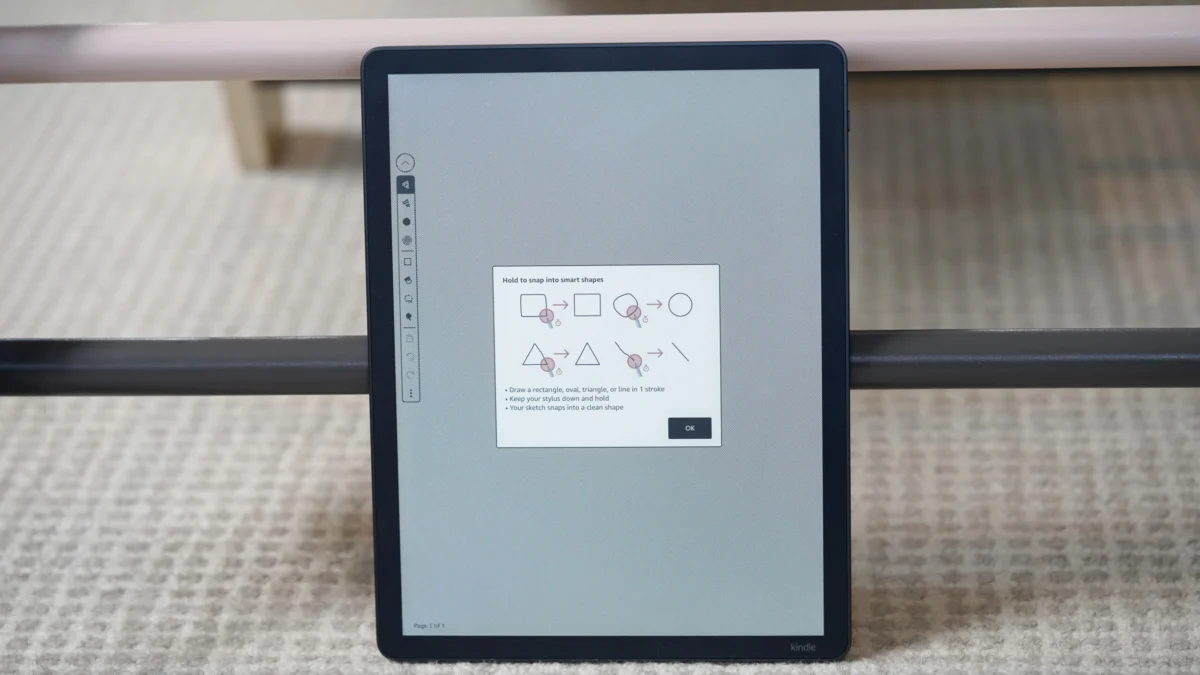
The evolution of the digital notebook has reached a significant milestone for Kindle Scribe owners, as a long-awaited feature finally bridges the gap between casual note-taking and professional diagramming. With the introduction of "Smart Shapes," Amazon is addressing one of the most frequently cited pain points for power users: the inherent messiness of freehand sketching on an E-Ink display. By integrating intelligent shape recognition, the device now elevates rough, shaky manual inputs into crisp, geometrically perfect figures, transforming the Scribe from a simple digital notepad into a more robust tool for visual thinkers, project managers, and creative professionals.
This functionality arrives quietly as part of the most recent firmware update, version 5.19.3.0.1. While official release notes from the manufacturer remained somewhat opaque, burying the update’s most transformative feature behind general mentions of PDF optimization, the community was quick to identify the change. The rollout, typical of Amazon’s phased deployment strategy, has seen users gradually receiving the update, with many confirming the new capability by observing a tutorial prompt upon opening their existing notebook files.
The Mechanics of Precision
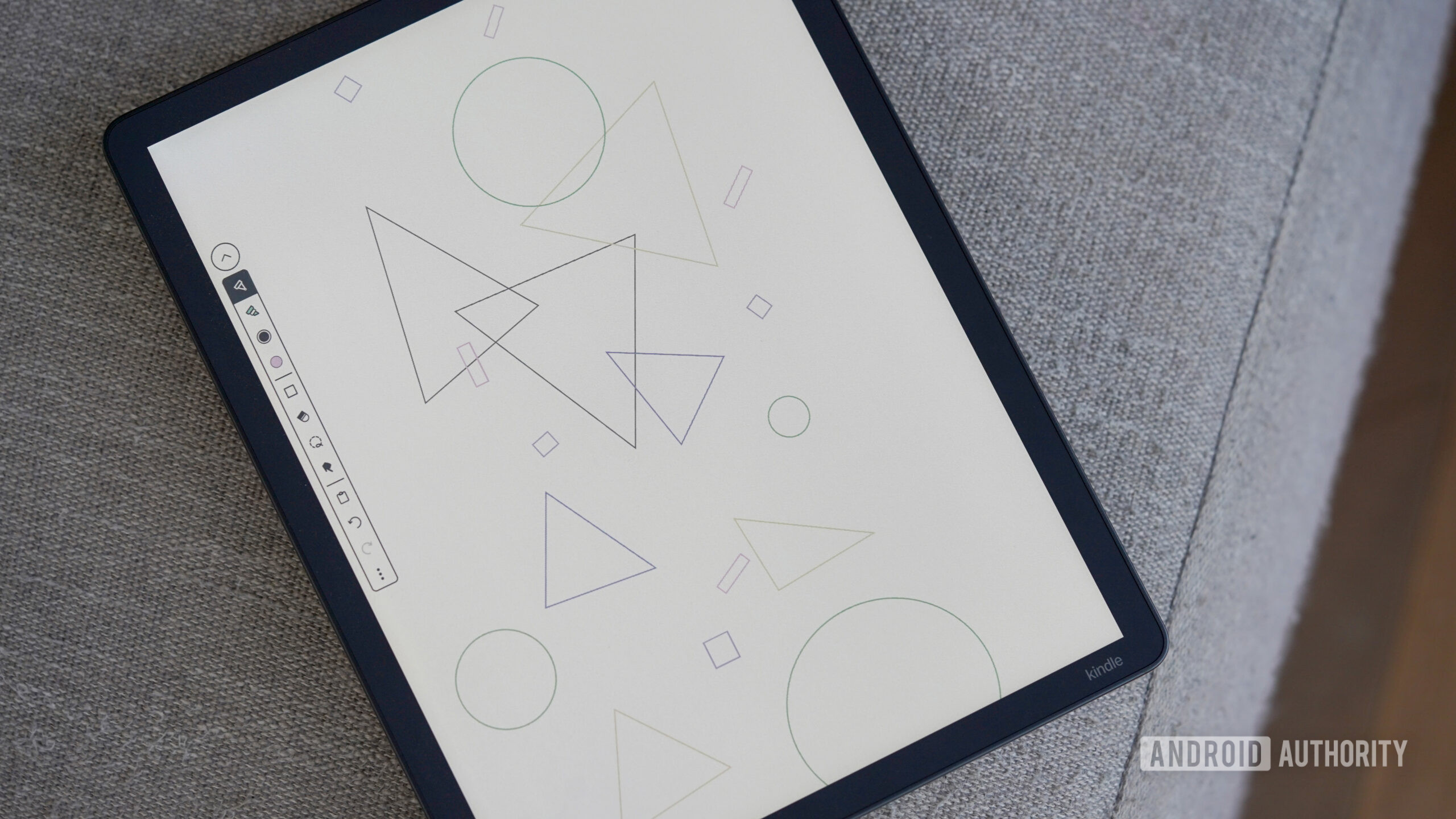
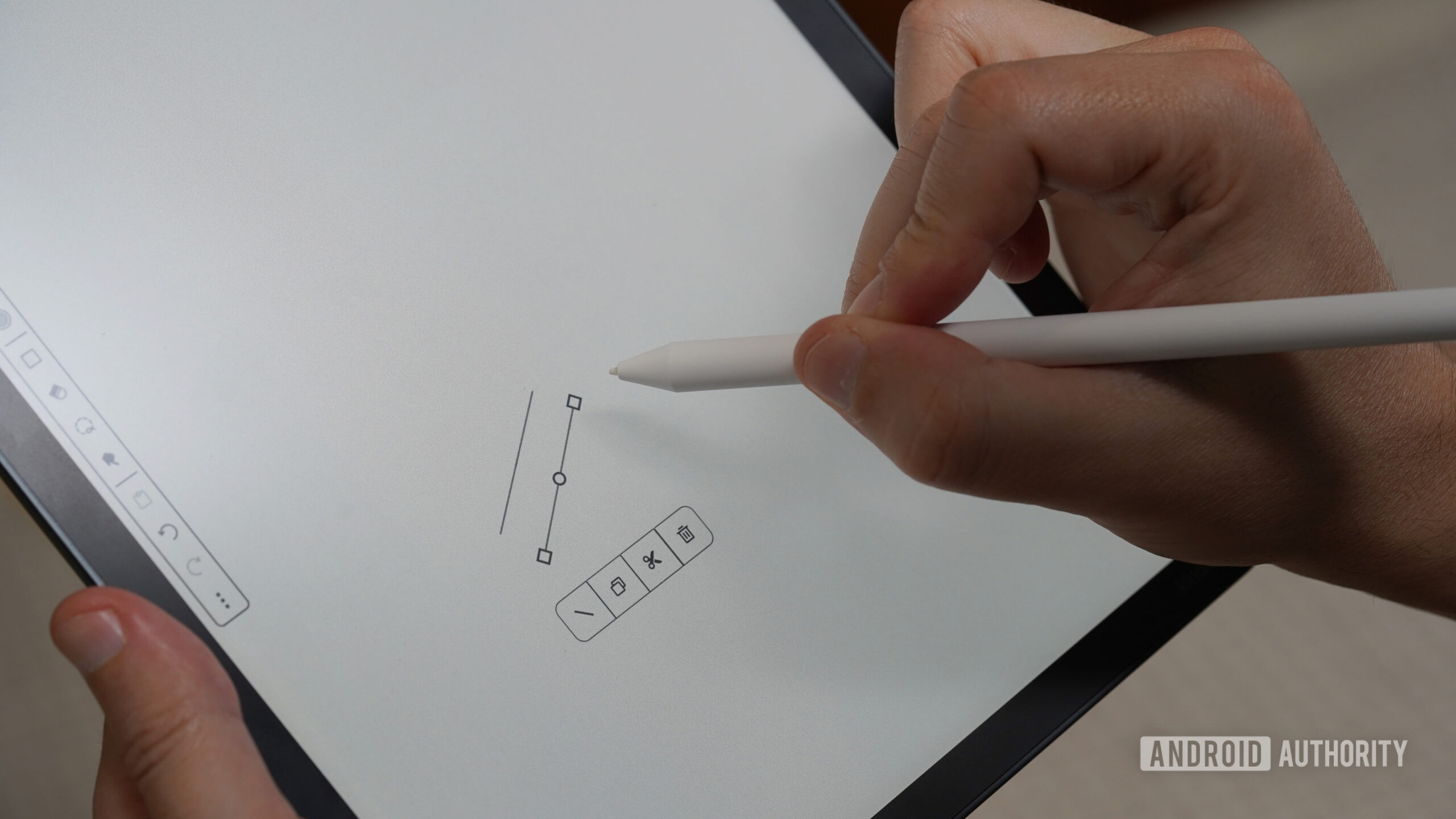
At its core, the Smart Shapes tool operates on a latency-based recognition algorithm. The user interface remains minimalist; there are no complex menus to navigate or toolbars to toggle. Instead, the interaction is intuitive and gestural. When a user draws a shape—whether it be a rectangle, circle, triangle, straight line, or arrow—and holds the stylus tip against the E-Ink surface for a fraction of a second, the software intervenes. The rough, potentially erratic stroke snaps instantly into a mathematically accurate version of the intended geometry.
Once a shape has been digitized and "locked" into place, the Scribe provides a suite of secondary editing options. A context-sensitive menu appears, granting the user control over the shape’s properties. This includes the ability to resize, rotate, or reposition the object, as well as fundamental file management actions like cutting, copying, and deleting. For users operating on newer models with expanded capabilities, the software also allows for the adjustment of line thickness and the application of fills, turning simple whiteboard-style brainstorming sessions into polished, presentable diagrams.
Closing the Competitive Gap
For years, the Scribe occupied a somewhat paradoxical space in the E-Ink market. While it excelled at reading and long-form writing, it lagged behind competitors—such as those offered by Remarkable or Boox—in the realm of advanced sketching and schematic organization. For professional users, the inability to draw a straight line or a perfect circle without the aid of a physical ruler was a notable omission that hindered the device’s utility in corporate or engineering environments.
By implementing shape recognition, Amazon is effectively signaling that it intends for the Scribe to be viewed as a serious productivity asset rather than merely a premium e-reader with a stylus. The "perfectionist’s dilemma"—the frustration of seeing a well-thought-out concept marred by messy, shaky handwriting—has been systematically solved. This alignment with industry standards is crucial for maintaining market share as tablets become increasingly specialized for specific workflows, such as architecture, education, and technical documentation.
Industry Implications and User Experience
The broader implications of this update speak to the maturity of E-Ink software development. Historically, E-Ink devices have been criticized for their slow refresh rates and limitations in rendering complex graphics. However, the move toward "smart" software—where the device interprets user intent rather than just recording coordinates—is a turning point. It suggests that Amazon is leveraging better hardware-software synergy to overcome the inherent physical constraints of E-Ink displays.
Furthermore, this update reflects a shift in how we conceive of "notes." We are moving past the era of linear, text-only journaling. Modern workflows require a synthesis of text, data, and visual hierarchy. By enabling users to organize their thoughts with clean arrows and distinct shapes, Amazon is facilitating a more structured way of thinking. This is particularly valuable for users who utilize the Scribe for wireframing, flowcharting, or mind mapping. The ability to manipulate these shapes post-drawing means that a user can iterate on a design without having to erase and restart, saving significant time during meetings or planning sessions.
Future Trends: The Path Toward AI Integration
Looking ahead, the introduction of Smart Shapes is likely just the beginning of a broader trend toward "intelligent ink." As neural networks and machine learning models continue to shrink in size and power requirements, we can expect to see more sophisticated handwriting-to-text features, perhaps even real-time diagram-to-digital-asset conversion.
Imagine a future where a sketch on a Kindle Scribe could be automatically exported into a professional software format like SVG or Visio, maintaining the exact dimensions and relationships defined on the screen. While we aren’t quite there yet, the current update lays the foundational architecture for such capabilities. It changes the Scribe from a passive receptor of input into an active participant in the creative process.
Assessing the Update: A User’s Guide
For those currently awaiting the update or looking to verify its arrival, the process is straightforward. First, ensure the device is connected to a stable Wi-Fi network to facilitate the OTA (over-the-air) download. Users should check their settings to ensure they are running firmware version 5.19.3.0.1 or later. Once the device is updated, navigating to a blank notebook page should trigger the new tutorial. If the tutorial does not appear, it is recommended to restart the device, as some caches require a full power cycle to recognize new software modules.
The adoption of this feature among the Scribe user base has been overwhelmingly positive. Early reports from forums and social media indicate that the sensitivity of the shape detection is tuned well; it is rarely intrusive, triggering only when the user intends it to. This balance of control—where the user is in charge of when the "smart" feature kicks in—is essential for maintaining the tactile, natural feel of writing on paper that defines the Kindle Scribe experience.
Ultimately, the addition of Smart Shapes is a testament to the fact that hardware is only as good as the software that powers it. By listening to the needs of its most demanding users—those who view the Scribe as a canvas for their professional ideas—Amazon has significantly extended the lifecycle and value proposition of the device. As the digital notebook market continues to heat up, these incremental, user-focused improvements will be the defining factor in determining which devices remain on the desk and which end up in a drawer. For the perfectionist, the professional, and the visual thinker, the Scribe has finally become the tool it was always intended to be.
