

The release of any new flagship smartphone generation invariably brings a wave of software refinements, but Google’s latest iteration of its flagship imaging suite signifies a particularly thoughtful evolution in mobile photography ergonomics. Rolled out alongside the Pixel 11 hardware lineup, Pixel Camera 11 introduces a comprehensive visual and functional overhaul. Among its most notable additions are a completely reimagined Quick Access control layout and a versatile Launch mode designed to streamline everyday workflows. However, beneath the polished exterior lies a complex interplay between interface minimalism and user discoverability that highlights ongoing challenges in mobile software design.
For years, computational photography has dominated the conversation surrounding smartphone cameras. Google, widely recognized as an industry pioneer in algorithmic image processing, has traditionally focused its development efforts on backend intelligence—pushing boundaries with features like HDR+, Night Sight, and generative AI editing tools. Yet, as hardware capabilities plateau and physical sensors reach impressive maturity, user experience (UX) and interface (UI) design have taken center stage. Photographers and casual shooters alike increasingly demand granular manual control without sacrificing the speed and accessibility that define mobile snapshots. Pixel Camera 11 addresses this dual mandate, though its implementation requires careful navigation.
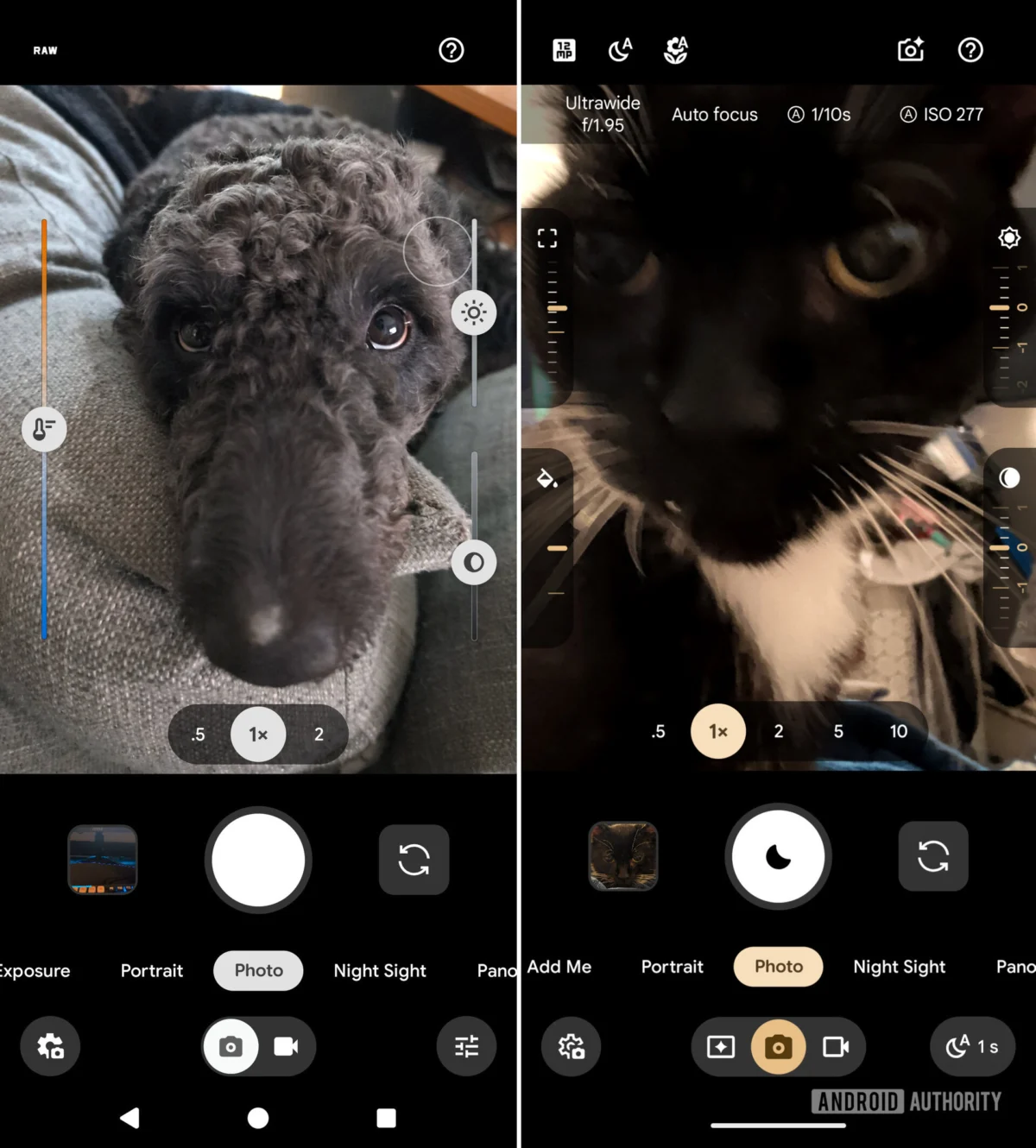
The most striking visual modification in the Pixel Camera 11 update involves the Quick Access controls. In previous iterations, such as version 10.4, these granular parameters were represented by prominent, traditional slider bars anchored directly to the shooting interface. While functional, these elements frequently cluttered the viewfinder, obstructing the composition and creating a visually busy environment that detracted from the shooting experience.
With the latest software version, Google has transitioned these linear sliders into sleek, dial-like rotary controls. This aesthetic shift aligns closely with contemporary design languages that favor clean lines and reduced visual noise. The expanded suite of parameters accessible via these dials includes critical photographic variables: Focus, Looks, Exposure, Shadows, White Balance, Shutter Speed, and ISO. By refining these inputs, Google has bridged the gap between automated point-and-shoot simplicity and the deliberate precision demanded by enthusiasts who prefer hands-on adjustments.
Despite the elegance of the new dials, acquiring and utilizing them introduces an unexpected UX hurdle. On newly activated Pixel 11 devices, the Quick Access controls are disabled by default. Users must actively venture into the camera application’s settings menu to unearth the feature. Furthermore, the settings structure has evolved; whereas previous versions housed the toggle as a standalone option, Pixel Camera 11 elevates Quick Access to its own dedicated submenu, granting users precise placement customization.
The friction point, however, lies in activation and visibility. Even after a user successfully navigates the settings menus and enables the feature, the controls do not immediately populate the screen. Instead, they remain entirely invisible until the user deliberately taps the viewfinder. At that exact moment, the refined dial controls populate on either side of the display.
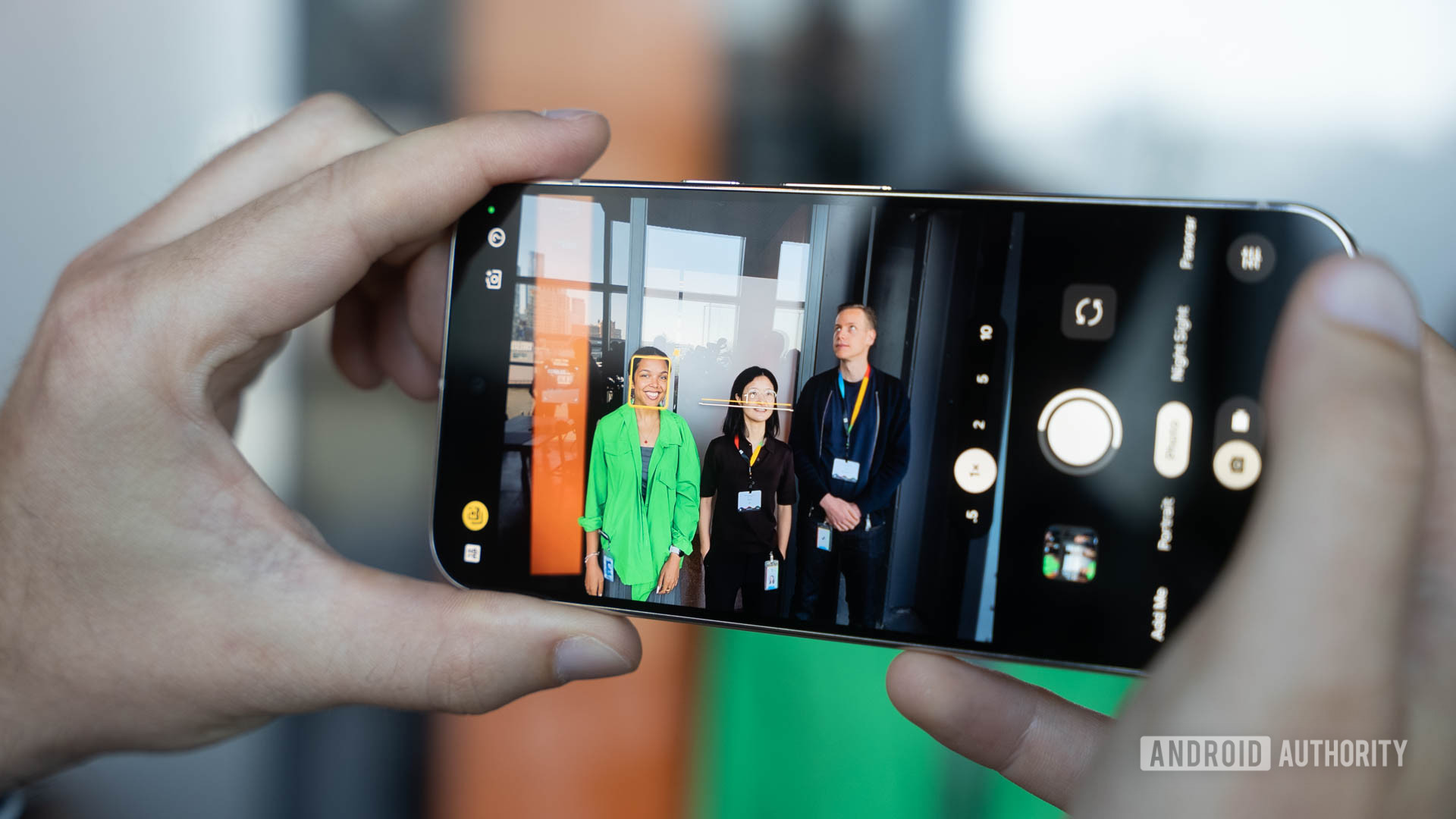
This design choice represents a classic UX dilemma. By keeping the interface clean and free of persistent UI elements by default, Google ensures an unobstructed, immersive preview window. This philosophy mirrors professional dedicated mirrorless cameras, where display information can be toggled on or off to prioritize framing. Nevertheless, this hidden-by-default methodology creates a steep discoverability barrier for users unfamiliar with the software’s eccentricities. Without an explicit on-screen tutorial, contextual tooltip, or explanatory text within the configuration menu detailing the "tap-to-reveal" mechanism, many users may incorrectly assume the feature is malfunctioning or entirely absent. Industry analysts note that while minimalist interfaces are visually appealing, bridging the gap between minimalism and intuitive onboarding remains one of mobile software engineering’s toughest challenges.
Beyond the compositional controls, Pixel Camera 11 introduces another highly requested quality-of-life enhancement: customizable Launch modes. Traditionally, launching the camera application via the app drawer icon or the double-tap power button shortcut invariably defaulted the system to standard Photo mode. For content creators, mobile videographers, and power users whose primary use case involves capturing motion, this mandated an extra manual swipe or tap every single time the camera was initialized.
The new Launch mode setting effectively solves this workflow inefficiency. Users can now explicitly designate whether the application opens in traditional Photo mode, standard Video mode, or the newly introduced, hardware-exclusive Magic Capture mode. This configuration persists whether the camera is initiated through the standard software icon or the physical hardware shortcut, shaving precious seconds off the capture process. In fast-paced shooting environments—such as street photography, spontaneous family gatherings, or unexpected news events—eliminating that single operational step can mean the difference between capturing a fleeting moment and missing it entirely.
Magic Capture itself represents a major selling point for the Pixel 11 hardware generation. While current implementation restricts the advanced feature strictly to the newest devices, historical precedent strongly suggests that Google will eventually trickle down both the feature and the underlying interface paradigms to legacy Pixel smartphones. The modular nature of modern Android software architecture means that updates to the Pixel Camera app are rarely permanently siloed, offering hope to owners of older flagship generations who anticipate receiving the refreshed Quick Access menus and Launch mode capabilities in subsequent feature drops.
The broader industry implications of the Pixel Camera 11 update point toward a maturing mobile imaging landscape. As raw image quality hits a point of diminishing returns across competing tier-one manufacturers, software differentiation has shifted decisively toward workflow customization and ergonomics. Competitors like Apple, Samsung, and various Chinese original equipment manufacturers (OEMs) are similarly exploring ways to cater to hybrid shooters who demand professional-grade manual overrides without alienating the mainstream consumer base.
Google’s approach with Pixel Camera 11 underscores a commitment to pleasing both demographics, albeit with minor growing pains regarding user onboarding. By cleaning up the viewfinder and introducing granular, dial-based telemetry alongside workflow accelerators like Launch mode, the tech giant is steadily shaping the future of computational capture. As mobile devices continue to displace traditional dedicated cameras for the vast majority of consumers, the refinement of software interfaces will ultimately determine which platforms truly empower creative expression. For now, mastering the nuances of Pixel Camera 11 will require a brief learning curve, but the long-term payoff for mobile photography enthusiasts is a cleaner, faster, and far more precise photographic instrument.
