

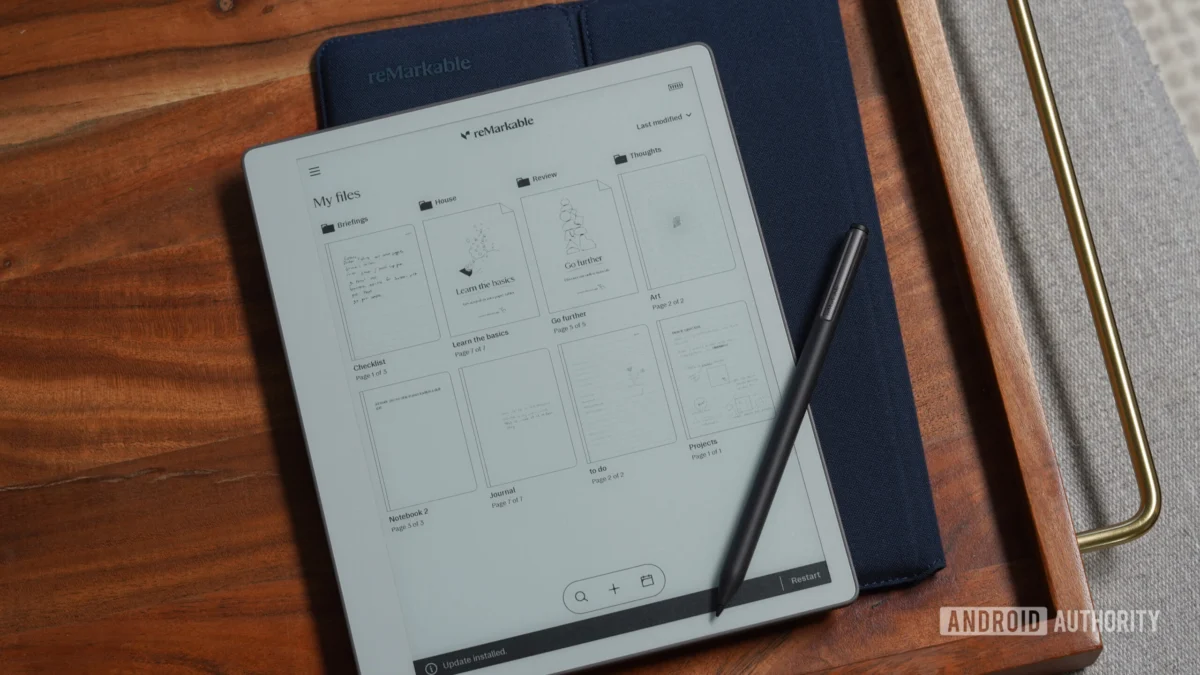
The niche market of specialized electronic paper tablets has long balanced between two competing philosophies: the radical minimalism of pure, distraction-free note-taking and the feature-rich versatility of modern consumer electronics. For years, Norwegian hardware pioneer reMarkable staked its reputation firmly on the former. By crafting devices designed to mimic the tactile friction, latency-free response, and visual calmness of physical paper, the company carved out a dedicated global following among academics, writers, and executives weary of the notification-heavy environments found on traditional iPads and Android slates. However, absolute purity can sometimes border on functional limitation. With the rollout of its latest major firmware release, reMarkable is carefully expanding its horizons, introducing structural software enhancements that bridge the gap between analog simplicity and digital efficiency without sacrificing the core ethos that made the hardware popular in the first place.
At the center of this software distribution is an innovative utility that nods to contemporary interface trends popularized by smartphone giants. Dubbed the capture tool, this newly minted function bears a conceptual resemblance to mobile visual query systems, yet it has been heavily re-engineered to serve a productivity-first workflow. Instead of routing a user’s gesture to a web search engine to yield shopping links or definitions, the reMarkable mechanism acts as an on-device clipping engine. By drawing a loose boundary around any graphical asset, text block, or chart displayed on the electronic paper canvas, users can instantly isolate and duplicate that segment into a standalone image object.
The practical implications of this addition for everyday workflows are substantial. Previously, extracting a diagram from an imported academic PDF or moving a handwritten sketch from one distinct notebook to another required cumbersome workarounds involving multi-step export processes or desktop companion applications. Now, content can be sectioned off dynamically, re-scaled, translated across pages, and integrated natively into active writing sessions. Crucially, the engineering team behind the feature opted for flexibility over strict geometric compliance. While users can easily trace a circular motion to invoke the capture sequence, any continuous freehand enclosure will suffice to trigger the boundary-detection algorithm. Accessing the function requires only a brief interaction with the Selection Tool foldout embedded directly within the primary navigation toolbar, ensuring it remains out of sight until needed, thus preserving the unblemished canvas view.
Beyond visual manipulation and clipping capabilities, the latest software patch addresses several long-standing requests from the professional writing community concerning typography, color expression, and file format handling. For an enterprise that built its brand on monochrome displays, expanding the utility of color—even on devices equipped with grayscale electronic paper or when exporting to external color-managed screens—represents a crucial maturity milestone. The inclusion of fresh pen and highlighter profiles provides creators with finer granular control over document hierarchy. When notes are later exported to digital formats like PDF or SVG for distribution to colleagues or publication, these distinct color assignments remain intact, ensuring that visual emphasis survives the translation from hardware device to corporate workstation.
Simultaneously, the enhancements directed at EPUB handling signal a strategic acknowledgment that digital paper tablets are increasingly utilized as reading and research hubs, not merely as digital legal pads. Electronic Publication files have historically presented formatting hurdles on specialized E-Ink screens due to inconsistent CSS styling, rigid typography trees, and unpredictable pagination. The updated software framework introduces a more robust parsing engine that optimizes text reflow, improves margin control, and accommodates a wider array of embedded font weights and scaling preferences. This means that dense, text-heavy publications and reference manuals render with greater typographic fidelity, reducing eye strain and bringing the reading experience closer to traditional paperback volumes.
Analyzing these developments within the broader context of the personal technology sector reveals a fascinating trajectory for single-purpose hardware devices. The consumer electronics landscape is currently oversaturated with multi-modal computers capable of running thousands of disparate applications. Tablets, foldables, and hybrid laptops routinely attempt to replace everything from a desktop workstation to a movie theater screen. Yet, this relentless push toward convergence has inadvertently fostered a counter-movement. Burnout driven by context-switching, constant notifications, and blue-light fatigue has driven professionals toward specialized appliances that do one thing exceptionally well.
Yet, specializing in a single task is a tightrope walk. If an appliance remains too rigid, consumer fatigue sets in as users encounter modern bottlenecks that older, analog workflows handled with ease. Conversely, if an appliance adopts too many features, it risks morphing into a mediocre tablet, losing the unique psychological comfort that justified its purchase price in the first place. reMarkable’s strategy with this release demonstrates a nuanced understanding of this delicate balance. The company is not introducing web browsers, video playback, or third-party app stores. Instead, it is doubling down on cognitive infrastructure—improving how information is captured, organized, and referenced within the device’s closed ecosystem.
Industry analysts monitoring the electronic paper segment note that competition has intensified significantly over the last twenty-four months. Rivals from both established consumer tech giants and specialized regional manufacturers have entered the fray, offering color E-Ink panels, front-lighting systems, and open-source Android environments that permit the installation of third-party software like Kindle, Notion, or Slack. Against this backdrop, reMarkable’s stubborn adherence to a proprietary, closed Linux-based operating system might seem like a disadvantage to spec-sheet-driven consumers. However, this architectural discipline guarantees long-term battery endurance, zero background process bloat, and an uninterrupted writing latency that few Android-based competitors can consistently match.
By refining the software layer through targeted updates rather than wholesale platform overhauls, the manufacturer is building a sustainable moat based on user habituation and workflow integration. When a professional relies on a tool for hours every day, minor friction points—such as the inability to quickly grab an image from a reference text—accumulate into noticeable frustrations. Eliminating these friction points deepens user loyalty far more effectively than flashy marketing campaigns or speculative hardware revisions.
Looking forward, the integration of advanced capture mechanisms and enhanced document parsing points toward an even more interconnected future for digital stationery. As artificial intelligence models and on-device processing become more prevalent, one can easily anticipate a trajectory where captured visual snippets are automatically indexed, summarized, or cross-referenced with related notes across an entire digital library. While reMarkable has traditionally remained cautious about introducing heavy automated layers that might compromise user privacy or responsiveness, the foundational infrastructure being laid today makes such capabilities technically feasible down the road.
For the immediate future, the current software distribution stands as a testament to mature product stewardship. It validates the user base’s investment by proving that existing hardware can continue to evolve and acquire sophisticated capabilities through thoughtful engineering. As the boundary between physical writing and digital archiving continues to blur, tools that respect the human cognitive process while quietly removing logistical barriers will inevitably define the gold standard of productivity hardware. This update ensures that the Norwegian manufacturer remains firmly at the vanguard of that quiet, paper-like revolution.
