


Unboxing a brand-new flagship smartphone is universally exhilarating, yet the out-of-the-box experience rarely reflects the true capabilities of modern hardware. Google’s latest hardware generation brings a comprehensive suite of hardware and software advancements, particularly leaning into advanced on-device artificial intelligence, revamped photographic tools, and deep system-level customizability. However, many of the most compelling capabilities remain dormant or hidden behind default configurations that prioritize broad accessibility over power-user efficiency.

Transitioning to a contemporary device demands a thorough audit of system preferences. Industry observers note that while Google has successfully streamlined the initial setup wizard over successive Android iterations, the sheer volume of niche features means that standard users frequently miss out on tailored functionality. To bridge the gap between stock operation and an optimized daily driver, here are ten vital adjustments to configure immediately on your new Pixel 11.
1. Tailor Photographic Output with Camera Looks
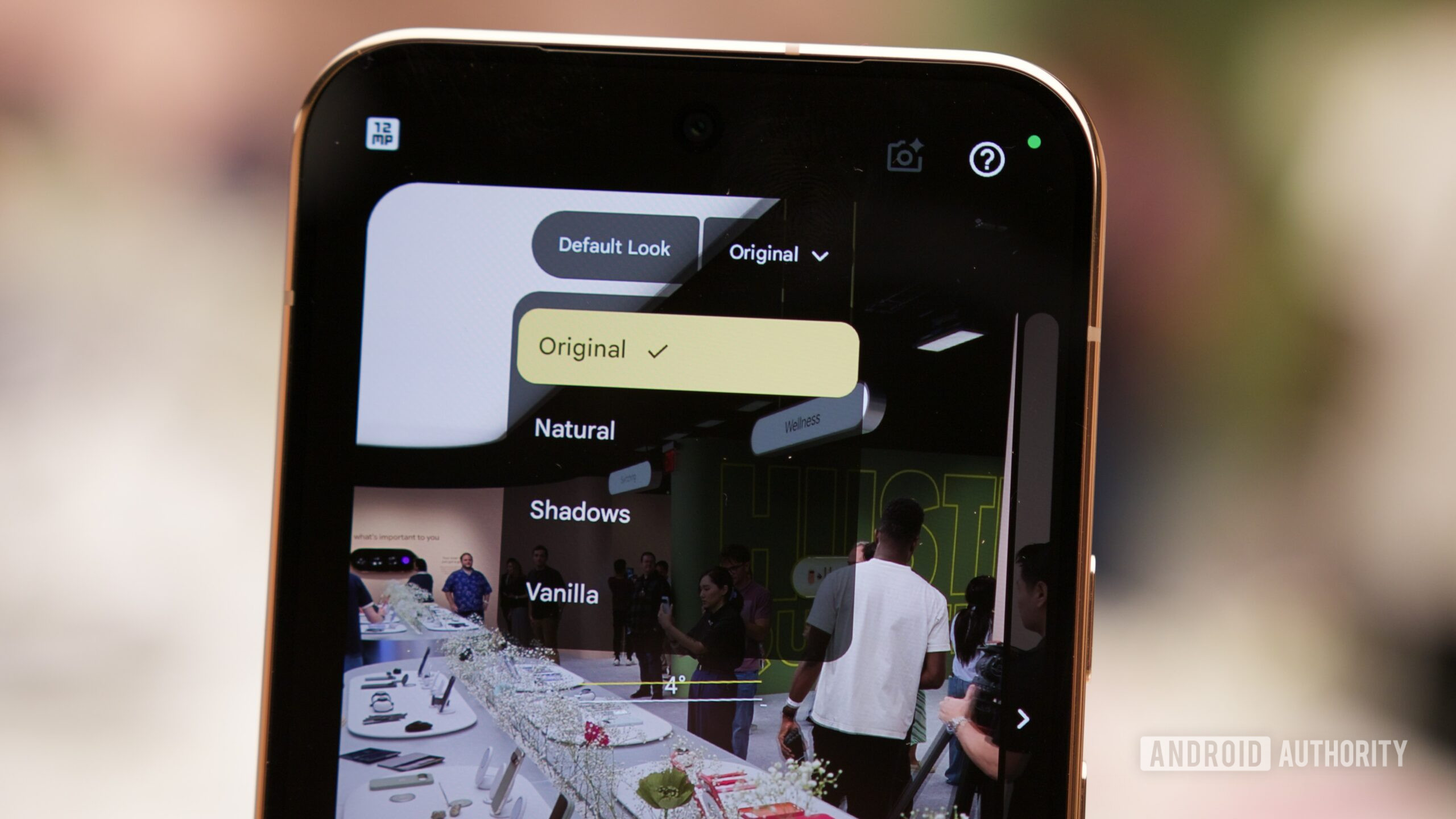
Computational photography has long defined the ecosystem’s market dominance, but historical iterations often drew criticism for an overly aggressive, standardized aesthetic. The latest generation addresses this by introducing Camera Looks, a powerful mechanism shifting tonal adjustments from post-processing filters to pre-capture parameters. Users can now pre-select specific HDR intensity levels across four distinct tiers alongside stylized profiles that fundamentally alter contrast, color science, and highlights before depressing the shutter. Because the device defaults to the legacy standard profile, navigating the camera settings menu to establish a preferred aesthetic ensures your imagery matches your personal creative vision instantaneously.
2. Activate the Creator Suite Toolset
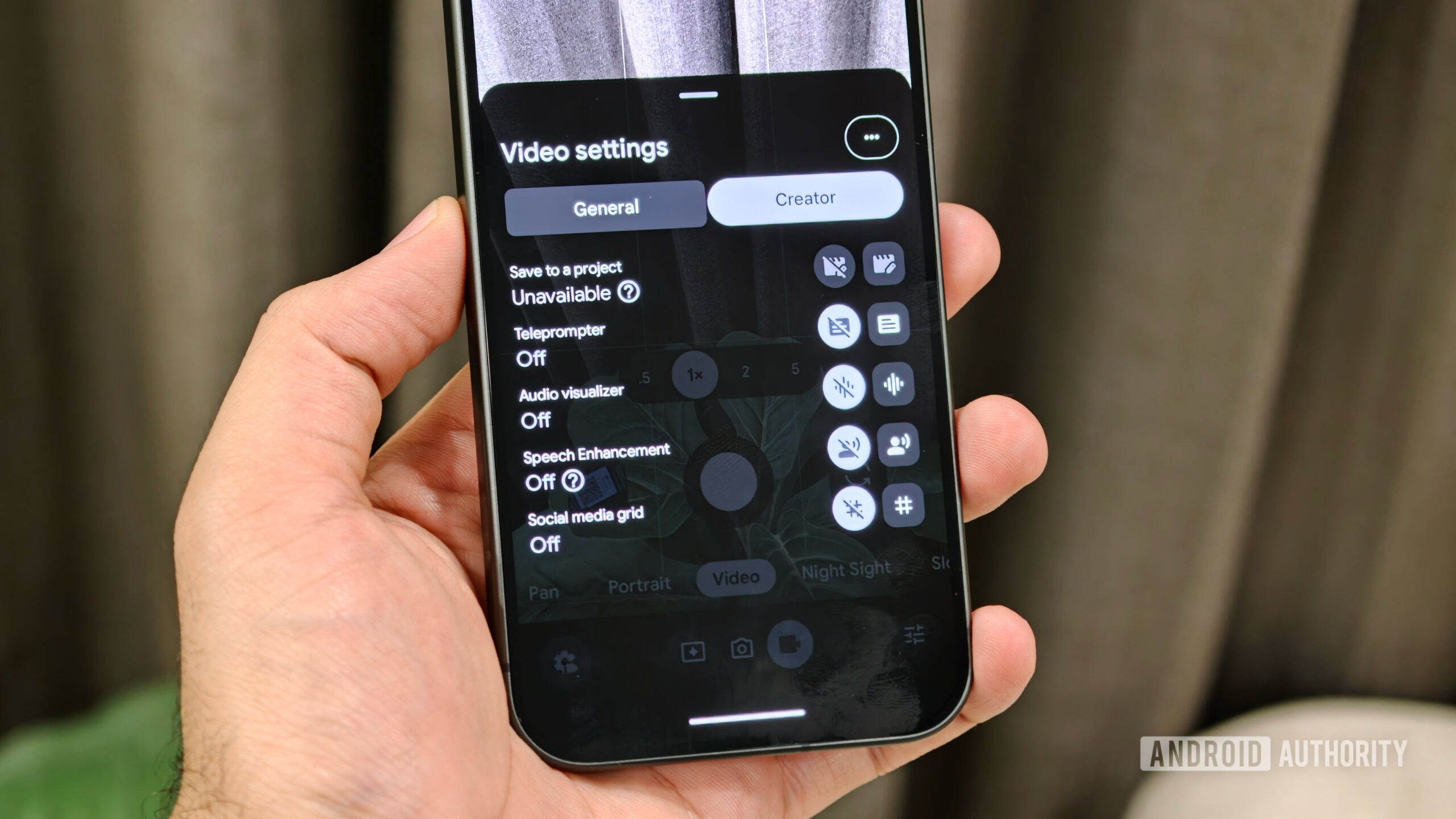
Recognizing the massive shift toward mobile-first content creation, the manufacturer has engineered a dedicated suite of tools specifically catering to digital creators and social media influencers. Features such as an integrated on-screen teleprompter and dynamic social media grid lines—which visually map out where interface overlays like user handles, captions, and engagement buttons will sit upon upload—offer distinct advantages over competing platforms. These production-focused utilities remain inactive by default, requiring a brief expedition into the video parameter settings to unlock a streamlined, professional-grade mobile studio environment.
3. Harness the Efficiency of Extreme Charging
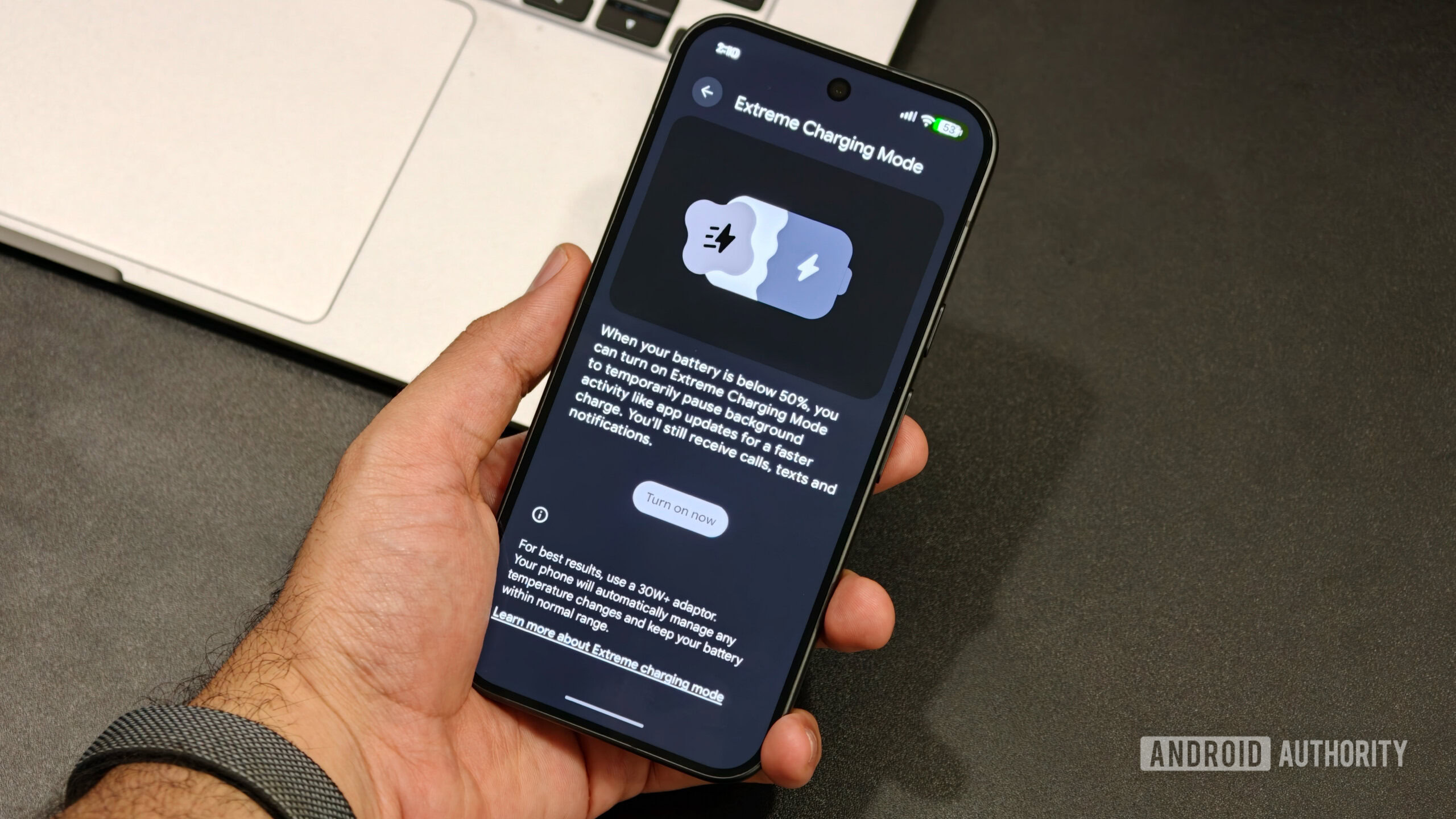
Battery anxiety remains a persistent pain point in mobile computing, and while generational power cell capacities see incremental gains, charging speeds are paramount. The inclusion of Extreme Charging introduces a rapid-energy protocol reminiscent of advanced charging topologies seen in other sectors of the mobile industry. When activated under a fifty percent charge threshold, the system temporarily prioritizes electrical throughput to restore operational capacity rapidly. Because this utility requires manual initiation during low-battery states via the battery configuration menu, integrating it into your routine when pressed for time significantly minimizes tethered downtime.
4. Expose the Precise Battery Percentage
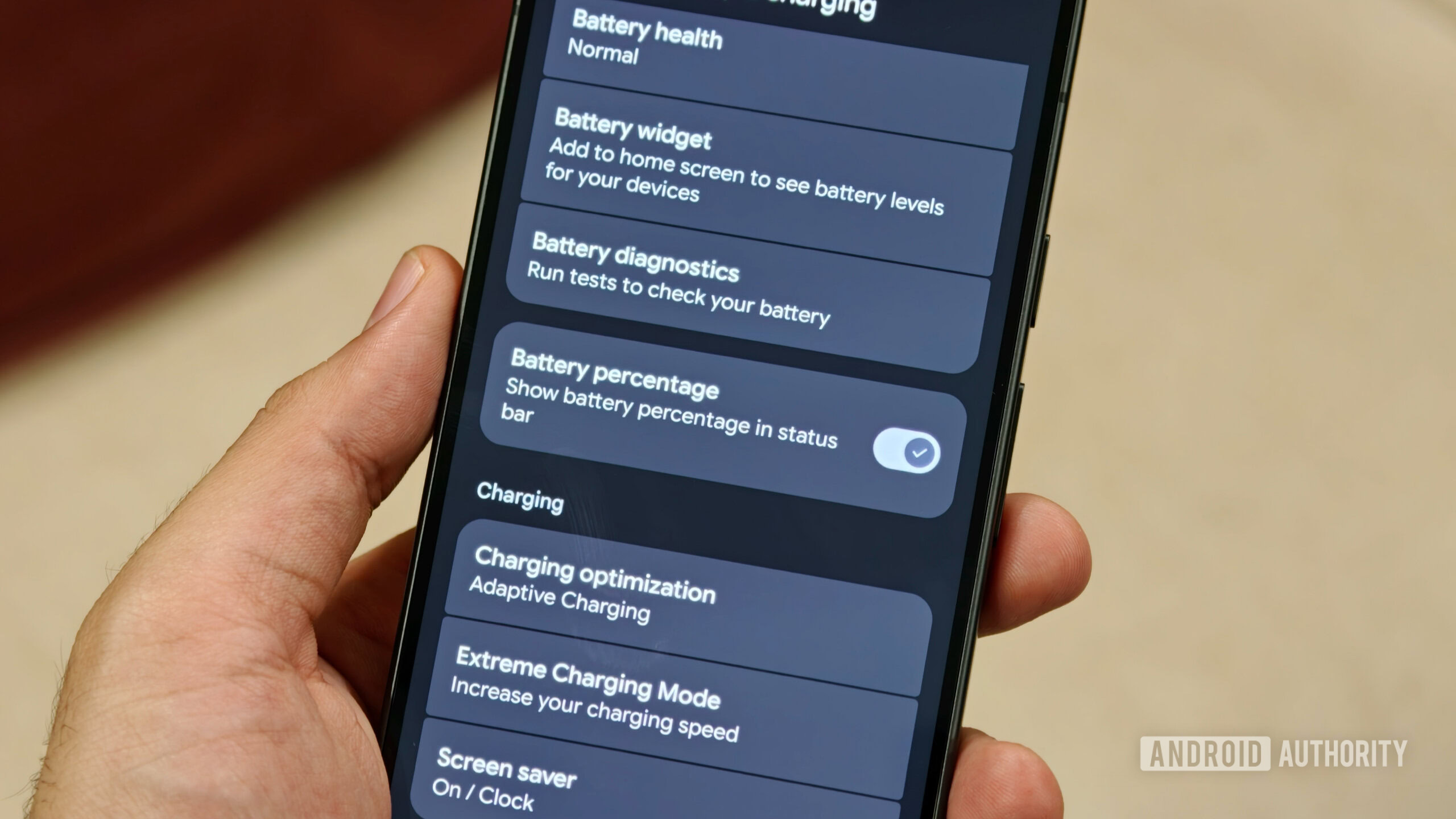
For reasons defying minimalist logic, stock interfaces continue to obscure exact power metrics behind graphic battery icons in the status bar. Relying on visual estimation for remaining power introduces unnecessary guesswork during intense workdays. Navigating directly to the power management panel to enable the explicit percentage readout restores vital data transparency, allowing for precise tracking of power consumption trends throughout the day.
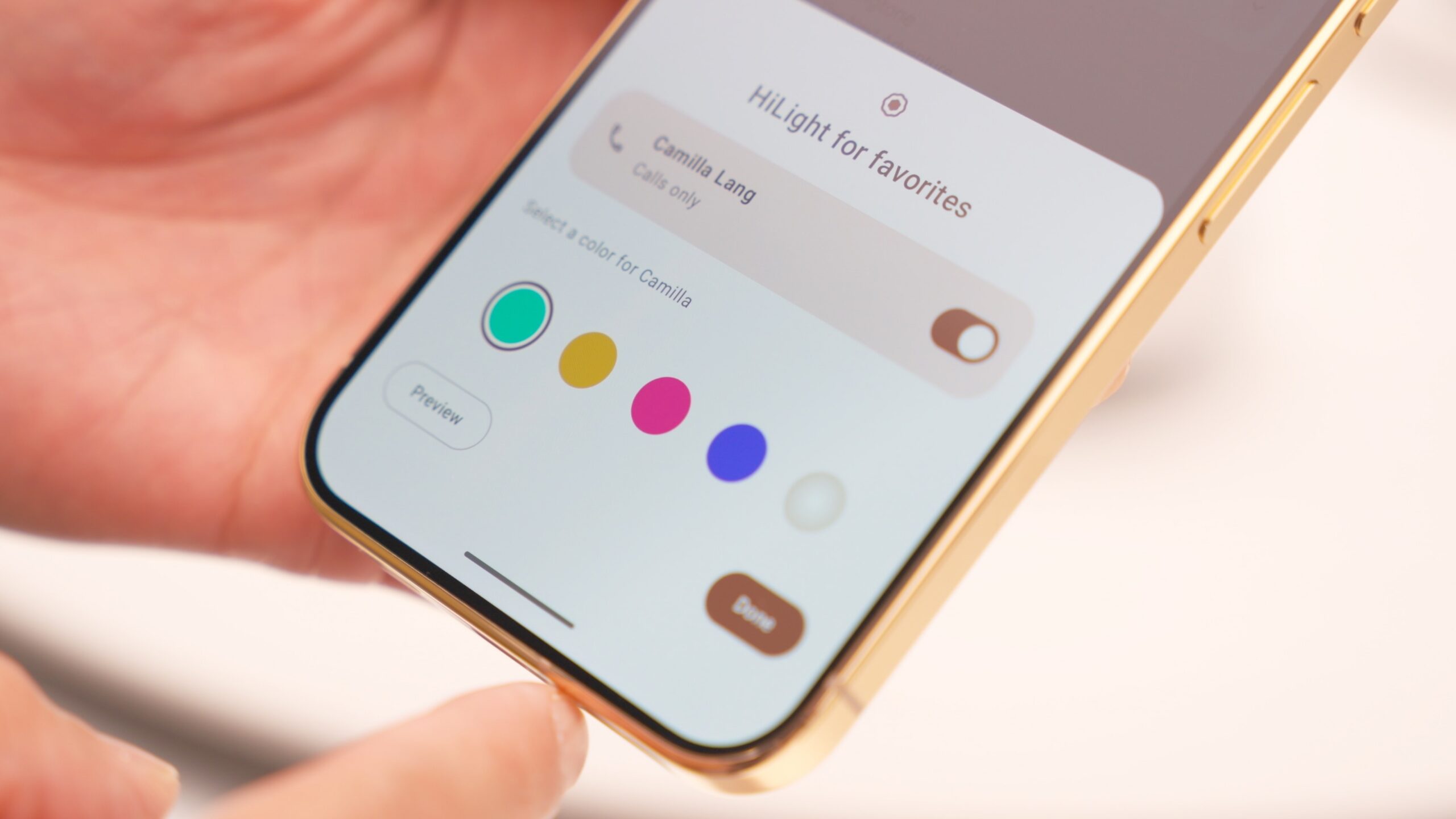
5. Personalize the HiLight Notification Array
Exclusive to the high-end Pro iterations, the introduction of the multi-colored rear LED matrix—dubbed HiLight—represents a tangible shift in how users interact with ambient device alerts. Beyond visual feedback during localized AI operations when the device is inverted, this hardware addition enables customized chromatic assignations for incoming communications from specific individuals. Because these visual identifiers must be mapped manually and restricted to designated favorite contacts within your address book, setting up this feature requires a brief curation of your priority relationships.
6. Deploy Adaptive Connectivity for Seamless Networking
The integration of advanced modem architectures in the latest hardware wave has markedly improved cellular stability. Nevertheless, navigating environments with fluctuating wireless signal integrity can still cause frustrating connectivity bottlenecks. Adaptive Connectivity serves as an intelligent bridge, proactively shifting operational traffic from a faltering wireless network to cellular data without user intervention. Activating this protocol within the network management settings ensures uninterrupted media streaming, zero-lag navigation, and reliable synchronization when moving between strong and weak signal zones.
7. Secure Your Digital Footprint with Notification History
Accidentally dismissing a crucial operational alert is a universally frustrating experience, often resulting in missed appointments or lost messages. While Android architecture features a robust notification logging capability, it is notably deactivated out of the box to preserve minimal resource overhead. Enabling Notification History guarantees that a comprehensive, searchable archive of every dismissed alert remains accessible. Coupled with on-device AI-powered notification summarization, this adjustment turns chaotic alert streams into an organized, easily digestible timeline.
8. Revitalize the Lock Screen with Functional Widgets
The formal reintroduction of lock-screen widgets bridges the usability gap between passive device wakefulness and active task management. Even on contemporary firmware, these glanceable utilities remain disabled by default. Configuring lock-screen widgets allows users to swipe directly into personalized data feeds—such as financial market trackers, real-time meteorological reports, and task lists—without ever executing biometric authentication. Taking an extra moment to organize custom lock-screen shortcuts further accelerates access to frequently utilized device functions.
9. Optimize Ambient Awareness via Now Playing
As background utility features mature, Now Playing stands out as an indispensable, battery-efficient marvel of modern software engineering. Operating entirely on-device, the system passively recognizes ambient musical tracks playing in coffee shops, vehicles, or public spaces, discreetly displaying track details on the idle display. Ensuring this utility is active and tied to its dedicated management application preserves a chronological ledger of every song encountered throughout your day, eliminating the need for third-party audio recognition tools.
10. Fortify Personal Safety with Automated Emergency Protocols
While technical optimizations frequently focus on performance and aesthetics, configuration of robust safety mechanisms remains paramount. Features such as integrated Car Crash Detection utilize internal sensor arrays to identify severe impact events, subsequently initiating automated alarms and distress signals alongside precise geolocation data to designated emergency contacts and first responders. Enabling these protocols within the safety and emergency preferences requires minimal effort yet establishes a critical safety net that functions silently in the background, safeguarding your well-being wherever your daily travels take you.
