


The mobile web browser landscape has evolved far beyond basic URL bars and rendering engines. For years, Google’s flagship browser maintained an uncontested dominance across the Android ecosystem, benefiting from deep integration and pre-installation ubiquity. However, taking a closer look at the current market reveals a surprising reality: Chrome on Android has stagnated.
While everyday users might stick with the default option out of sheer habit, exploring alternatives such as Firefox, Microsoft Edge, Brave, and Samsung Internet exposes a stark feature disparity. Competitors have aggressively innovated, introducing robust extension support, granular interface customizability, native privacy dashboards, and seamless background media handling. Meanwhile, Google’s mobile offering feels increasingly rigid, prioritizing a minimalist ethos at the direct expense of user empowerment and practical utility.
To maintain its dominant market share and prevent a mass migration of power users to rival platforms, Google must urgently address several critical architectural and functional shortcomings. Examining the current state of mobile web browsing highlights five essential features that Chrome on Android desperately needs to adopt without delay.
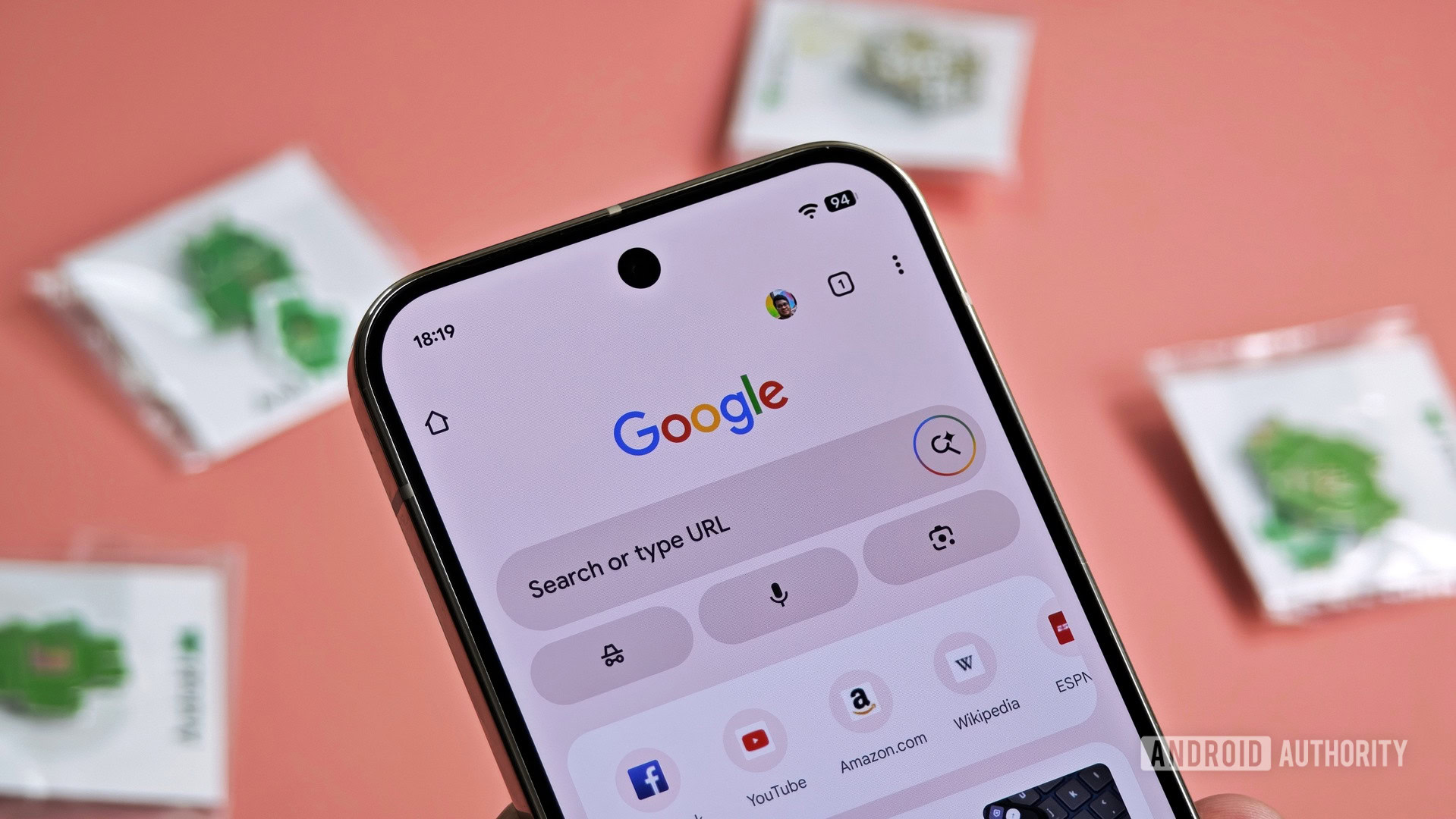
The Extension Conundrum: Unlocking True Flexibility
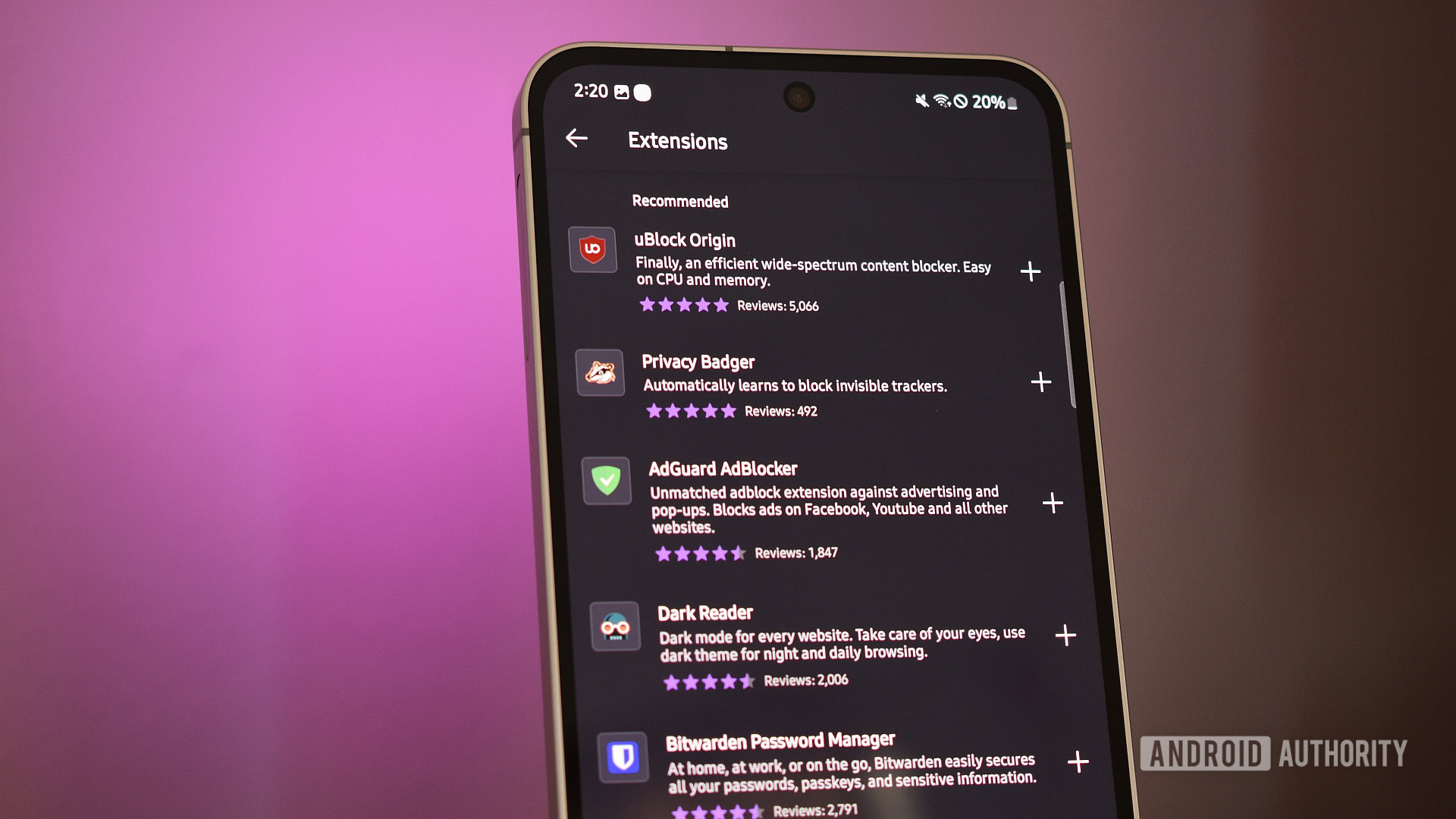
Perhaps the most glaring omission in Chrome for Android is the complete absence of desktop-class extension support. In an era where third-party password managers, cross-platform price trackers, and advanced content filters are considered standard tools for navigating the modern web, Chrome remains stubbornly closed off.
Rival browsers including Firefox, Microsoft Edge, and Kiwi Browser have long embraced extensions, transforming their mobile applications into powerhouse tools tailored to individual workflows. For many users, this single capability serves as the ultimate catalyst for abandoning Google’s ecosystem entirely.
While Google has occasionally experimented with extension frameworks, these efforts have largely remained sequestered within specialized environments or desktop-oriented form factors, ignoring the vast majority of smartphone and tablet users. As long as Google hesitates—arguably driven by corporate incentives tied to its core advertising business—mobile users will continue seeking refuge in platforms that permit ad blocking and script management.
Interface Rigidity Versus Modern Customization
User interface design on mobile operating systems has shifted toward personalization and ergonomic adaptability. Yet, Chrome’s interface remains remarkably uncompromising. When minor tweaks—such as relocating the address bar to the bottom of the screen—generate industry headlines, it underscores just how conservative Google’s design philosophy has become.
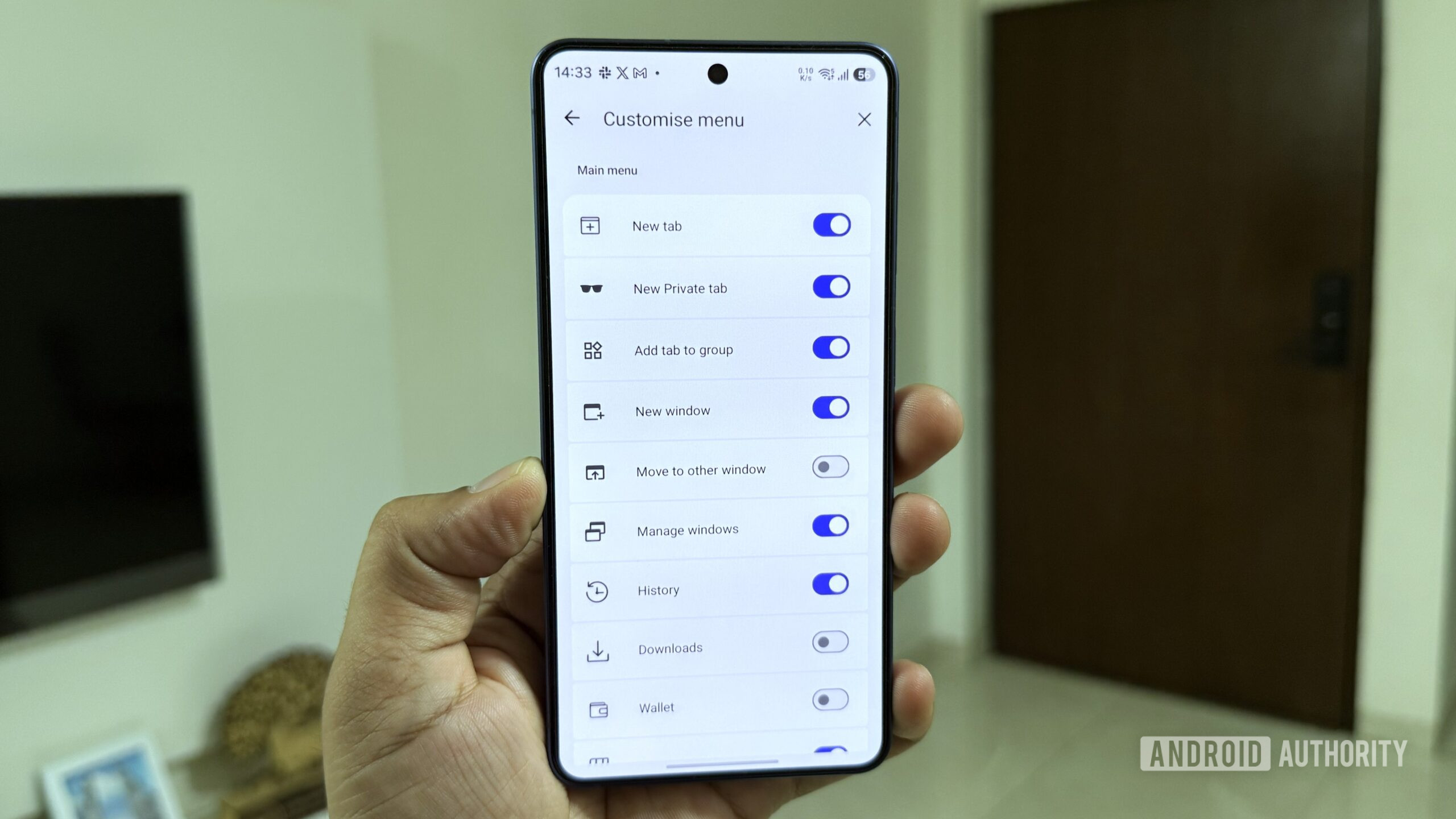
Comparing Chrome to alternatives like Samsung Internet reveals a chasm in functional flexibility. Samsung’s browser allows users to configure a persistent desktop-style tab bar at the top of the display, radically accelerating multitasking across expansive smartphone screens. Furthermore, toolbar personalization in Chrome is exceptionally sparse, restricted to a meager handful of preset shortcuts. By contrast, competitors permit full-scale toolbar remapping, enabling quick access to read-aloud tools, font scaling, text summarization engines, and rapid page translation.
This structural inflexibility extends directly into the primary drop-down menu. Users cannot reorder, remove, or inject custom shortcuts to match their browsing habits, nor can they alter the stark, uniform appearance of the new tab page with personalized themes or backgrounds.
Bridging the Transparency Gap with a Dedicated Privacy Dashboard
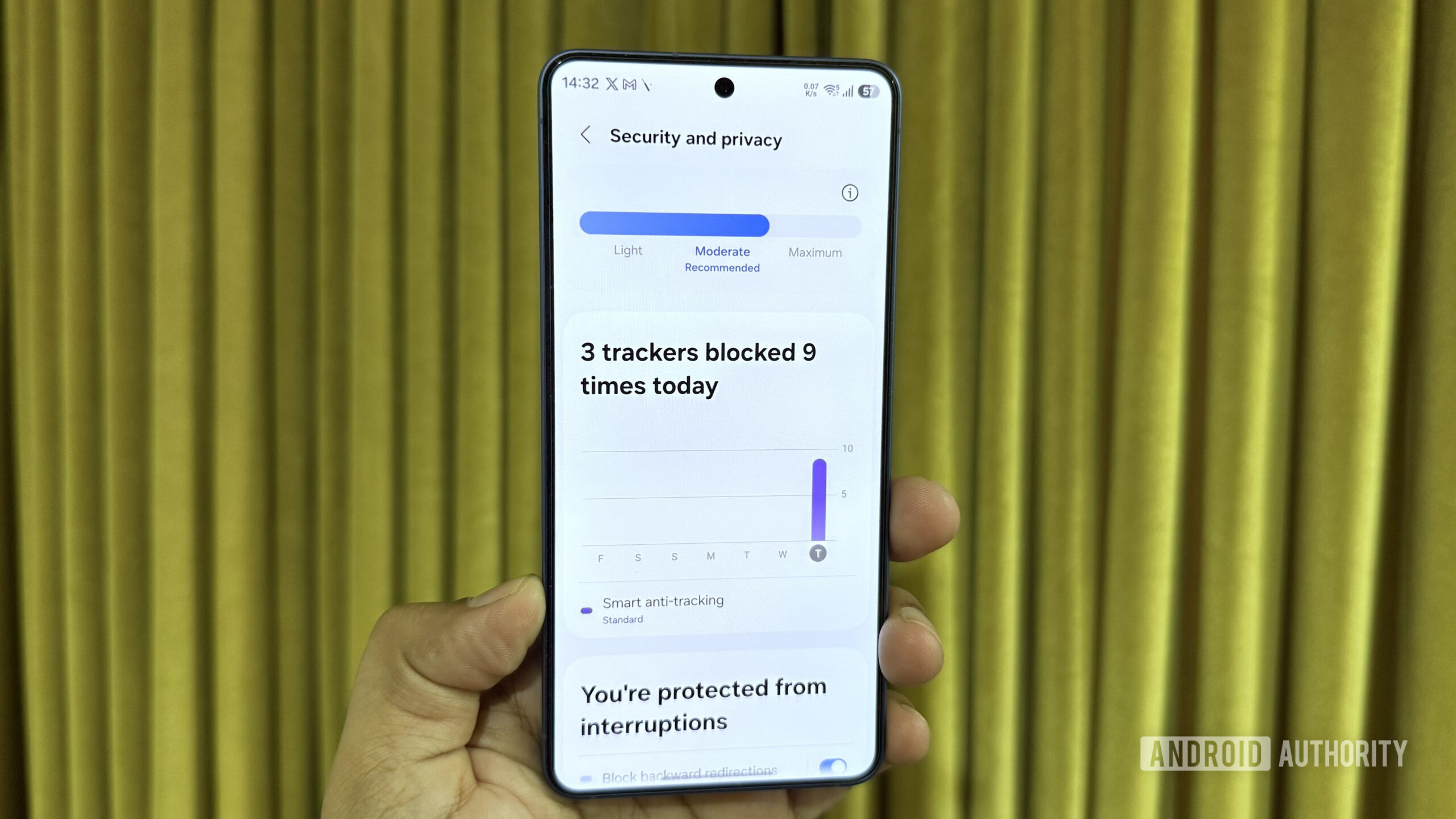
Privacy has transformed from a niche marketing buzzword into a foundational pillar of consumer technology. Chrome incorporates several baseline security measures, including third-party cookie restrictions and Do Not Track protocols. However, it fundamentally lacks a centralized, transparent mechanism to visualize these background operations in real time.
Modern privacy-focused browsers excel by offering comprehensive transparency dashboards. Firefox generates detailed tracker protection reports detailing cumulative blocks across web sessions, while Brave provides granular metrics on cross-site tracking, fingerprinting defenses, and bounce tracking. Similarly, Samsung Internet features an integrated tracker counter directly inside the address bar.
Google possesses the underlying telemetry and blocking mechanisms, but it conceals them behind obscure settings menus. Introducing a sleek, accessible privacy dashboard that highlights blocked scripts, aggressive tracking domains, and data retention metrics would significantly boost user trust and align Chrome with contemporary industry standards.
The Case for an Integrated Virtual Private Network
Historically, virtual private networks operated strictly at the operating system level or through dedicated third-party applications. However, modern browser engineering has increasingly blurred these boundaries. Competitors like Opera and Brave have integrated native VPN functionalities directly into their browser suites for years.
The advantages of an embedded browser VPN are immediate: it eliminates the friction of managing separate software subscriptions, reduces app clutter, and automatically secures unsecured public Wi-Fi connections at coffee shops, airports, or hotels. While a browser-scoped VPN does not encrypt traffic originating from external applications, it offers sufficient protection for casual web browsing.
Crucially, Google does not need to build this infrastructure from the ground up. The corporation already operates established virtual private network services integrated into its hardware ecosystem, such as Pixel devices. Extending this native capability directly into Chrome on Android—and subsequently desktop platforms—would represent a massive value-add for privacy-conscious consumers navigating an increasingly hostile digital threat landscape.
Overdue Quality-of-Life Enhancements
Beyond major structural shifts, Chrome suffers from the absence of several smaller, high-impact utility features that drastically improve daily usability.
Chief among these is forced dark mode. While Chrome technically includes a dark mode toggle hidden within experimental flags, these developer-centric settings are inherently unstable and subject to sudden deprecation. Competitors offer stable, native dark-theme injection for web pages that lack built-in dark styling, a critical feature for reducing eye strain during nighttime reading.
Another notable limitation involves background media playback. Although Chrome supports picture-in-picture mode for video content, locking the device screen immediately pauses audio or video streams originating from embedded media players. This restrictive behavior prevents users from listening to web-based podcasts, lectures, or long-form videos with the screen off—a limitation that competing mobile browsers solved years ago.
Finally, search engine switching introduces unnecessary friction. While Chrome permits changing the default search provider, the process requires navigating multiple submenus. Competitors streamline this workflow by placing quick-switch dropdown menus directly adjacent to the address bar, enabling instant transitions between search engines, video platforms, and custom queries.

Industry Implications and the Road Ahead
Google’s reluctance to rapidly iterate on Chrome for Android signals a broader strategic challenge. When a dominant market player prioritizes unyielding design consistency over feature parity, it inadvertently creates fertile ground for nimble competitors to capture disillusioned power users.
The web browser is no longer a simple window to the internet; it is the primary operating environment for modern computing. As mobile hardware grows increasingly powerful, folding screens expand, and consumer demands for privacy and customization intensify, minimalism can no longer masquerade as simplicity. If Google wishes to secure Chrome’s long-term dominance across the mobile ecosystem, it must pivot from passive maintenance to aggressive, user-centric innovation.
