

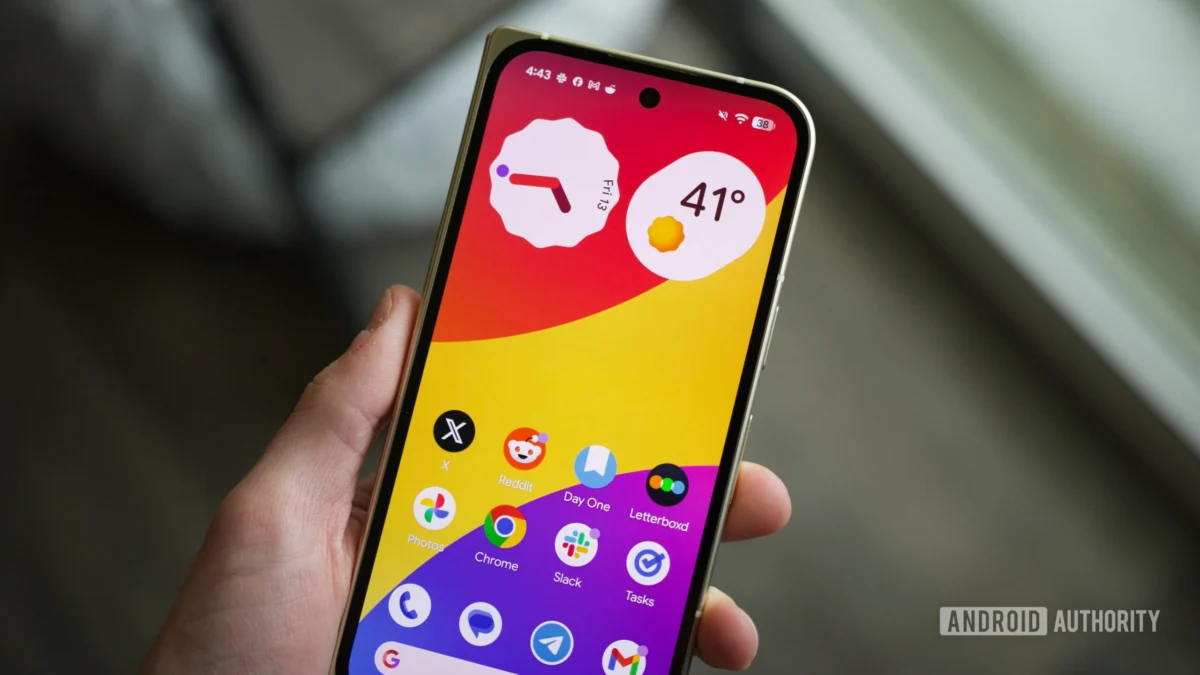
The steady march of Android operating system development, particularly within the Pixel ecosystem, often yields incremental improvements that refine the daily user experience. However, glimpses into pre-release builds occasionally reveal ambitious shifts in core functionality. Following the recent deployment of Android 17 Beta 3, technical deep dives have uncovered a nascent, potentially transformative feature codenamed "organizer." This utility signals a significant pivot by Google toward abstracting the tedious, granular management of home screen layouts, moving toward a system capable of intelligently curating entire screen panels based on user behavior and application classification.
The context for this development lies in the perpetual tension between customization and simplicity that defines modern mobile operating systems. While Android has long championed user choice, allowing users to position every icon and widget exactly where they desire, this freedom often devolves into digital clutter. Power users meticulously craft their interfaces, but casual users frequently struggle with layout maintenance, leading to cognitive overload or stagnation on default, inefficient setups. Google appears to be addressing this friction point directly, exploring tools that inject automation into the foundational layer of device interaction: the home screen.
Initial observations gleaned from examining the Beta 3 build suggest that this "organizer" feature is designed to allow users to dynamically create, discard, and reorder entire home screen pages, a level of bulk management currently unavailable on Pixel devices. Crucially, the proposed workflow involves algorithmic assistance. Instead of dragging individual icons onto a blank slate, users will define the purpose of a new home screen panel—for instance, "Games," "Productivity," or "Social"—and the system will populate that space with contextually relevant applications and suggested widgets.
This process relies heavily on sophisticated application categorization. Preliminary data suggests the system taps into metadata, likely derived from Google Play Store classifications, to sort installed applications into predefined buckets. The visible categories—including "Most used," "Games," "Health & Fitness," "Productivity," "Travel," and "Social"—represent a curated taxonomy of digital life. Once a category is selected, the user is then presented with a selection of pre-designed layouts tailored to optimally arrange those specific app icons and associated widgets.
The implementation details, while clearly in an early, rough-hewn state—evidenced by placeholder graphical elements like unstyled blue circles and pink rectangles observed during testing—underscore the seriousness of the underlying engineering effort. These rough edges are not surprising; foundational system features require extensive iteration before public release. The fact that this capability extends beyond mere suggestion to encompass the ability to delete or rearrange entire screen panels without manual icon-by-icon reconfiguration marks a notable advancement in Android’s desktop metaphor. Currently, managing multiple screens often involves laborious, sequential dragging and dropping, a process ripe for automation, especially for users transitioning between devices or resetting preferences.
The industry implications of such a feature are considerable, touching upon the evolving relationship between users and their digital environments. For Google, enhancing home screen efficiency on Pixel devices serves as a strategic differentiator. In the fiercely competitive smartphone market, where hardware innovation often plateaus, software experience—especially deep integration and thoughtful utility—becomes a primary battleground. By offering superior personalization tools that require less manual input, Google reinforces the value proposition of the Pixel line as the purest, most intelligently managed Android experience.
Furthermore, this automation pushes the boundaries of ambient computing. If the system can reliably predict what apps a user needs at a specific context (e.g., opening a "Travel" screen before an upcoming flight), the interface moves closer to being a proactive assistant rather than a passive repository of shortcuts. This aligns with broader industry trends favoring context-aware computing, where the device anticipates needs based on time, location, or aggregated usage patterns.
From an expert analysis standpoint, the reliance on Play Store categorization for automatic layout generation presents both an opportunity and a risk. The opportunity is immediate efficiency; developers already categorize their apps for discoverability. The risk lies in classification ambiguity. An app might serve multiple functions (e.g., a photo editor that also manages cloud storage). If the system misclassifies an application, the resulting auto-generated screen might feel irrelevant, leading to user frustration and forcing them back into manual correction mode, thereby defeating the purpose of the "organizer." Successful implementation will require robust machine learning models that analyze actual in-app usage frequency and sequence, rather than relying solely on static developer metadata.
The capability to rearrange and delete entire screens in a batch operation addresses a fundamental usability bottleneck. Consider a user who installs a suite of new professional tools for a temporary project. Currently, these might be scattered across existing screens or necessitate creating a temporary, manually managed folder structure. With the "organizer," they could spin up a dedicated "Project X" screen, populate it automatically, complete the work, and then delete the entire screen configuration with a single action, leaving the rest of their established interface untouched. This "ephemeral organization" capability is a significant feature for sophisticated multi-taskers.
Looking toward the future impact, this development suggests a potential reshaping of how third-party launcher developers might approach their own offerings. If Google bakes highly intelligent, category-based organization directly into the core operating system for Pixel devices, it raises the bar for competing launchers. It also hints at deeper integration with Google Discover and the broader AI stack within Android. If the system can correlate a user’s calendar entry about a marathon with the "Health & Fitness" category, it might suggest that screen proactively on the morning of the event.
The codename "organizer" is likely provisional. In the lifecycle of Android development, feature names are frequently placeholders, often replaced by more marketable or descriptive titles upon final release. However, regardless of the final branding—perhaps "Smart Layouts" or "Contextual Dashboards"—the underlying functionality represents a mature step toward making the Android home screen less of a static grid and more of a dynamic, curated workspace.
It is essential to maintain the caveat surrounding all pre-release feature discoveries: these elements, unearthed via APK teardowns of beta software, are not guaranteed to reach the stable channel. Development priorities shift, unforeseen bugs arise, or strategic decisions may lead to features being shelved indefinitely. The rough state of the current build, marked by those UI placeholders, suggests this feature is still undergoing substantial internal refinement. If it ships with the stability expected of a core OS function, a stable release accompanying the final Android 17 launch later this year seems plausible, though not certain.
This pursuit of automated configuration also reflects a broader industry acknowledgment that the current paradigm of static icon placement is becoming obsolete in an era defined by complex digital ecosystems. Users interact with dozens of applications daily, often switching contexts rapidly. The effort Google is investing here is an attempt to build a more adaptive software shell that minimizes the cognitive load associated with digital navigation. It moves the operating system from being a passive canvas to an active participant in information management, a crucial evolution for maintaining user engagement as device functionality continues to expand exponentially. This work on home screen automation is, therefore, not merely about rearranging icons; it is about redefining the fundamental user interaction model for mobile computing environments. The success of this "organizer" will hinge on its ability to feel helpful rather than intrusive, seamlessly integrating categorization logic without sacrificing the user’s ultimate control.
