

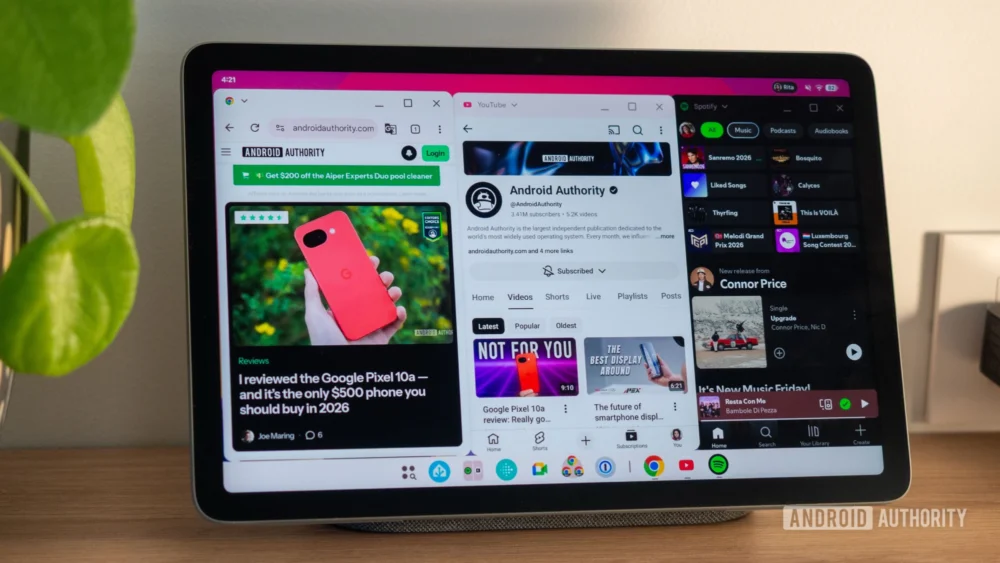
Google’s long-standing ambition to transform Android from a mobile operating system into a true desktop contender has reached a significant milestone with the rollout of native desktop windowing in Android 16 QPR3. This feature, which moves beyond the constrained multi-window and split-screen paradigms of the past, represents a fundamental shift in how large-screen Android devices—specifically tablets like the Pixel Tablet—can handle complex workflows. Historically, efforts to introduce freeform windows, dating back to early iterations like Android Nougat, were often relegated to developer previews or niche manufacturer customizations like Samsung DeX. Now, with this latest Quarterly Platform Release (QPR), Google is embedding a robust, multi-desktop environment directly into the core OS, signaling a serious commitment to the tablet and foldable markets as viable productivity platforms.
This integration moves the needle considerably. Instead of merely offering a scaled-up phone experience or rigid side-by-side applications, desktop windowing introduces a fluid, dynamic interface that more closely mimics traditional desktop operating systems. The immediate impact on the user experience, particularly on devices with expansive canvases like the Pixel Tablet, is transformative. It forces a re-evaluation of the tablet’s role, shifting it from a content consumption device to a genuine multi-tasking powerhouse capable of managing distinct workspaces simultaneously.
Technical Sophistication and Interface Fidelity
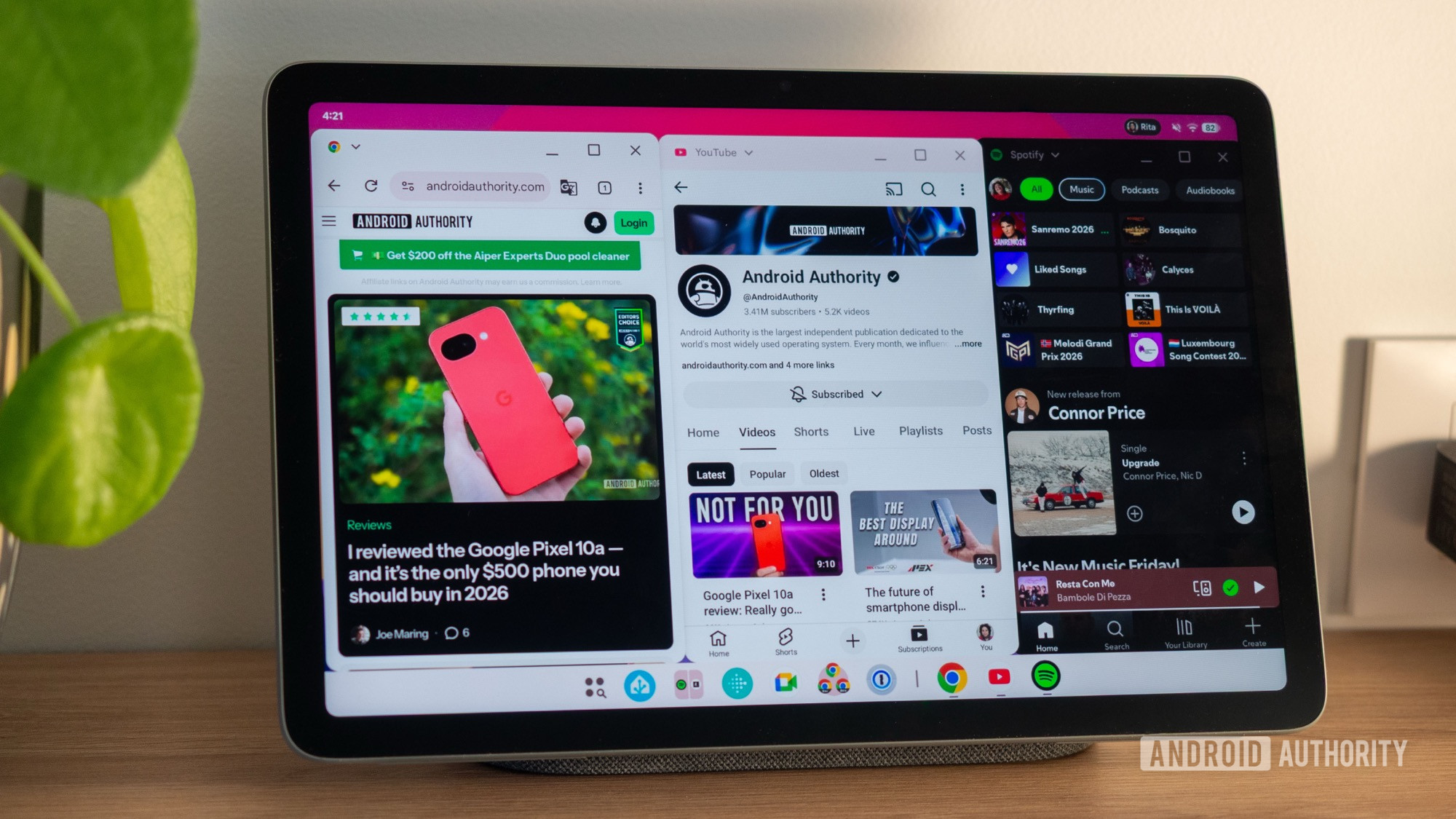
The initial testing reveals a level of polish that belies the feature’s relatively recent stable deployment. The fluidity of the animations and transitions is perhaps the most immediately striking element. Resizing application windows, while inherently more challenging via direct touchscreen manipulation than with a precision mouse cursor, feels remarkably smooth. The system handles the dynamic allocation of screen real estate with minimal stuttering, a crucial element for maintaining user trust in a desktop-like environment.
One of the key architectural successes is the implementation of the persistent bottom taskbar. This element serves as the anchor for the desktop experience, aggregating running applications across all active virtual desktops. Crucially, tapping an icon in this bar doesn’t just bring the application to the foreground; it intelligently navigates the user to the specific virtual desktop where that application resides, instantly bringing the relevant window forward. This single mechanism drastically accelerates context switching, sidestepping the often cumbersome gymnastics required in previous Android multitasking modes.
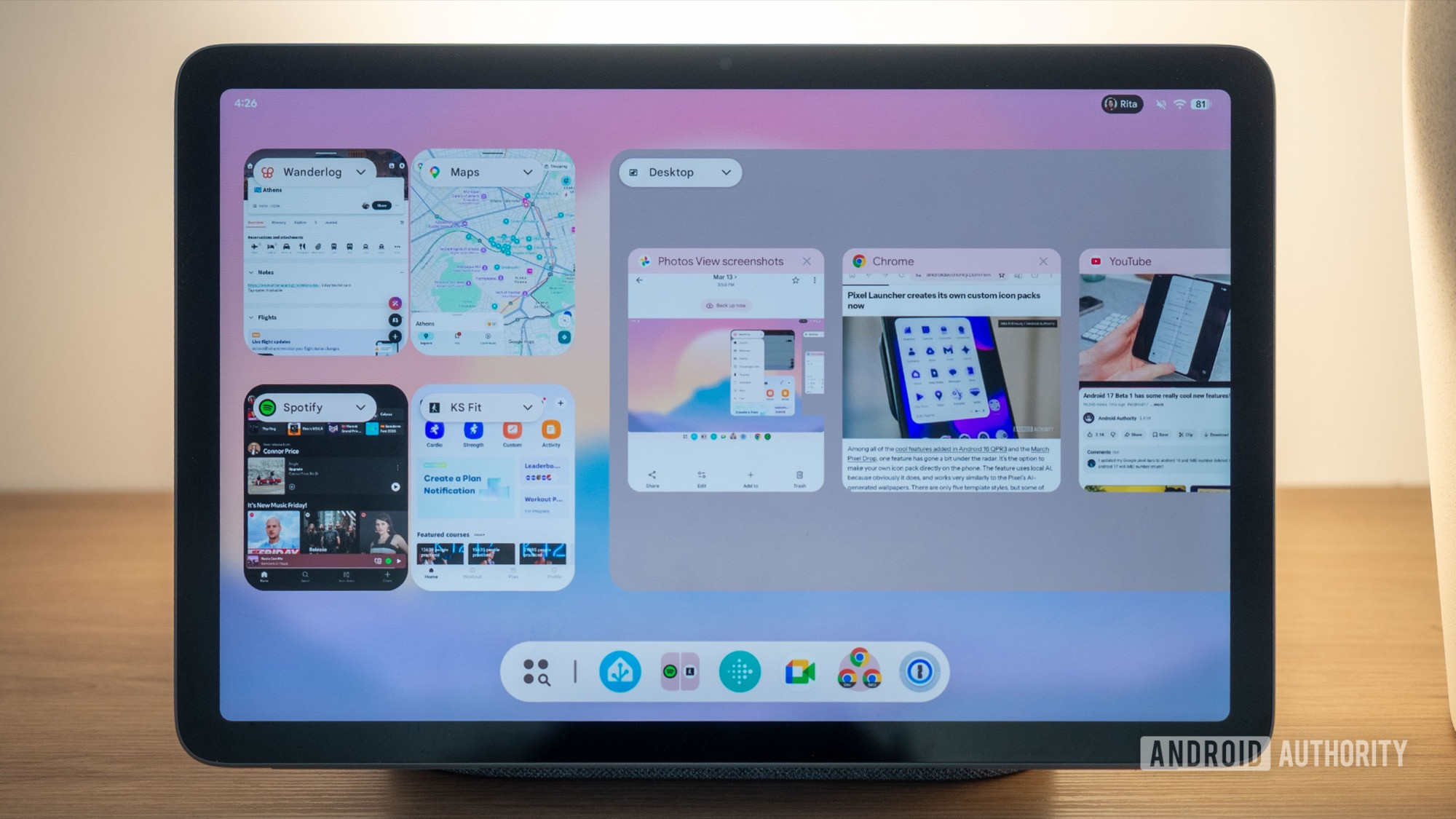
Furthermore, the fidelity of application previews within the app switcher showcases thoughtful engineering. Even when windows are resized to arbitrary, non-standard aspect ratios or stacked haphazardly, the system generates clean, perfectly aligned thumbnails. This attention to visual consistency, even amidst functional chaos, is vital for intuitive navigation. A particularly appreciated detail is the preservation of synchronized resizing when two applications are snapped adjacent to each other. The ability to drag the shared boundary to adjust the dimensions of both windows simultaneously is a nuanced feature directly borrowed from established desktop environments, and its inclusion here validates the depth of Google’s commitment to usability parity.
Beyond gesture-based manipulation, the system maintains accessibility for traditional input methods. Simple taps allow for the creation of new desktops via the app switcher interface, and launching new applications into windowed mode is streamlined through an intuitive app picker. Each floating window is equipped with standard control elements—minimize, maximize, and close—providing familiarity for users transitioning from Windows or macOS. Moreover, contextual menus, accessible via a drop-down near the application title bar or through a top handle on full-screen applications, offer quick shortcuts to revert to the legacy split-screen mode or transition the app into a dedicated desktop workspace. This layered approach—offering both advanced and familiar controls—ensures a lower barrier to entry.
Industry Implications: The Convergence of Form Factors
The maturation of native desktop windowing has profound implications for the broader hardware and software ecosystem. For years, Samsung’s DeX established a blueprint for external desktop experiences, demonstrating consumer appetite for turning mobile hardware into workstation replacements. Google’s integration of this capability natively onto the tablet form factor signals a strategic pivot.
This development directly challenges the traditional segmentation between tablets and entry-level laptops. If a device like the Pixel Tablet, running standard Android, can efficiently manage four or five floating applications across multiple desktops, its utility proposition shifts dramatically. This is particularly relevant in the post-pandemic landscape where hybrid work models demand flexible computing solutions. Devices like the Pixel Tablet, often criticized for being underutilized outside of media consumption, suddenly gain powerful productivity credentials without requiring proprietary overlays or external docking stations.
This native feature places pressure on hardware manufacturers. While premium tablets benefit immediately, manufacturers of budget and mid-range Android tablets will now be expected to deliver a competitive multitasking experience. The OS-level support means that app developers must also adapt. Applications that were previously optimized only for portrait phone screens or simple split-views must now account for variable window sizes, aspect ratios, and window stacking behavior. Success in this new paradigm will hinge on developers embracing responsive design principles that extend beyond simple scaling.
The industry context also involves Apple’s iPadOS, which has been evolving its own Stage Manager functionality. While Stage Manager offers window management, its implementation has often been criticized for being less fluid or requiring specific docking states compared to the promise of Android’s newly matured freeform environment. Google is aiming for a more universal desktop metaphor accessible directly on the device, which could offer a cleaner, more integrated experience if the rough edges are polished.
A Balancing Act: Desktops vs. Traditional Layouts
While the introduction of desktops is celebrated, a critical analysis reveals trade-offs regarding screen real estate utilization. The desktop environment inherently consumes vertical space. The presence of an overarching system bar (likely for desktop management), coupled with the individual title bars for each floating window, and the persistent bottom taskbar, results in significant on-screen real estate being dedicated to chrome rather than content.
For a ten-inch tablet, this overhead is noticeable. When viewing a maximized window in desktop mode, the wasted vertical space contrasts sharply with the traditional full-screen Android experience or the established two-app split-screen layout. The traditional modes are ruthlessly efficient in maximizing the visible data area. Therefore, the choice of multitasking mode becomes context-dependent:
- Single/Dual App Focus (Traditional Modes): For tasks demanding maximum information density—reading long documents, detailed photo editing, or watching video—the traditional full-screen or split-screen modes remain superior due to their minimal UI intrusion.
- High-Volume Task Switching (Desktop Mode): When a workflow requires rapid iteration between numerous tools—e.g., referencing research papers while drafting an email, monitoring a live chat feed, and quickly checking a calendar—the desktop environment’s instantaneous app switching via the taskbar provides an undeniable efficiency gain that outweighs the space sacrifice.
This duality is a strength, not a weakness, provided users understand when to deploy which system. The ability to fluidly transition an application from a desktop workspace back to a dedicated full-screen mode, or vice versa, offers a level of control previously absent in Android’s native toolkit.
Current Limitations and Future Trajectory
Despite the impressive foundation, the initial implementation is not without friction points that signal areas ripe for future refinement. A significant hurdle in workflow management is the current inability to seamlessly move an application instance between virtual desktops post-creation, or at least the lack of an obvious mechanism to do so without keyboard shortcuts. Furthermore, the current behavior upon launching a full-screen application is rigid: it defaults to the primary desktop (Desktop 1), irrespective of the user’s current active workspace. This inflexibility can disrupt complex, spatially organized workflows.
The inability to rearrange the order of desktops is another constraint. In desktop environments, users often create virtual workspaces dedicated to specific projects (e.g., "Communication," "Development," "Media"). The inability to reorder these workspaces upon creation means that the physical layout of the virtual environment may not align with the user’s mental model, reducing efficiency.
A more technical challenge lies in application instantiation across desktops. Specifically, the test environment struggled with reliably opening two distinct instances of the same application (like two different Chrome browser windows) onto separate desktops simultaneously. While preliminary success was noted in beta versions of Chrome, this lack of robust, system-level support for multiple independent windows of a single app across distinct virtual spaces is a major gap for power users accustomed to true desktop multitasking.
Looking ahead, the trajectory suggests Google is laying the groundwork for Android 17 and beyond to become a truly integrated operating system capable of scaling up or down seamlessly. The immediate future will likely see optimizations aimed at:
- Keyboard/Mouse Optimization: As the desktop mode naturally encourages external peripherals, Google must prioritize pointer precision, advanced shortcut integration, and more granular window manipulation controls that are currently clunky with touch input alone.
- Application Compatibility Layer: Developers will need clearer guidelines and potentially new APIs to manage application state across multiple persistent windows, ensuring data synchronization and avoiding conflicts when one app exists in floating, split, and full-screen contexts concurrently.
- Deeper Integration with Foldables: This windowing technology is the logical underpinning for advanced multi-tasking on large foldable devices, allowing the main screen to operate as a persistent desktop canvas while the cover screen handles quick, focused tasks.
Ultimately, the introduction of desktop windowing is less about incremental improvement and more about architectural reorientation. It suggests that Google views the modern tablet—or any device capable of hosting a larger display surface—not as a larger phone, but as a distinct computing category demanding parity with established desktop operating systems. The early iterations are promising, providing a tangible taste of a unified Android future, even if current usage still requires navigating a few early-stage compromises.
