

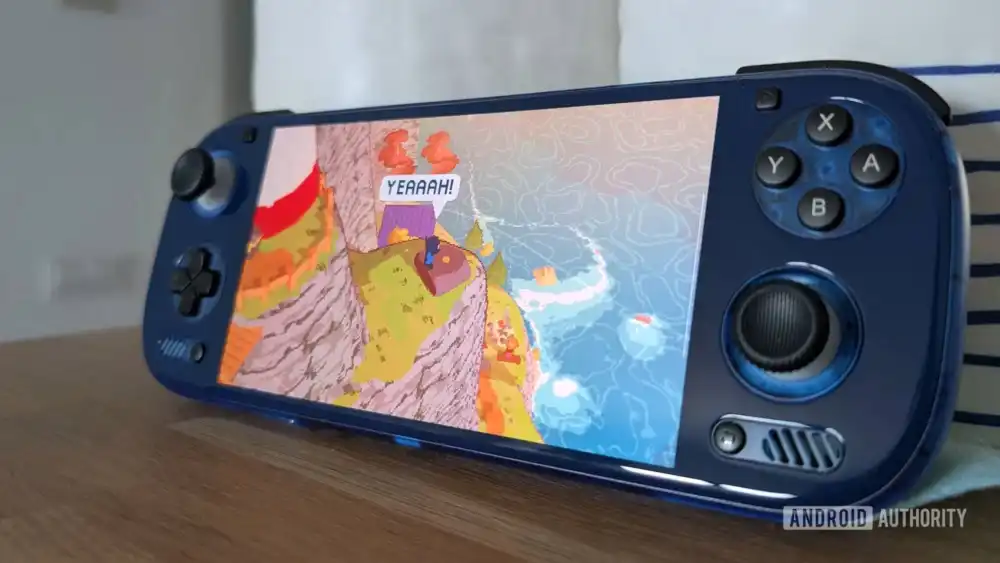
The burgeoning field of playing traditional PC games on mobile operating systems, particularly Android, is rapidly moving from a niche curiosity to a viable consumer proposition. This shift is largely dependent on sophisticated middleware and launcher applications that bridge the gap between desktop executables and mobile hardware/software environments. Central to this ecosystem is GameNative, an open-source project that has just seen a significant evolutionary leap with the release of its 0.8.0 pre-release build. This update is not merely incremental; it represents a fundamental focus on user experience, particularly for the growing segment of users utilizing dedicated Android gaming handhelds, while simultaneously broadening its platform compatibility.
The Context: Bridging the Desktop-Mobile Divide
For years, the dream of true PC gaming on a handheld form factor was constrained by hardware limitations. The advent of powerful ARM-based chipsets—like those found in the latest generation of Android devices and specialized handhelds such as the AYN Odin series, Retroid Pocket devices, and others—has finally brought the necessary computational horsepower to the table. However, raw power alone is insufficient. The primary hurdle remaining is software integration.
PC gaming libraries are fragmented across proprietary launchers (Steam, Epic Games Store, GOG, EA App, etc.), each requiring specific authentication, installation protocols, and often running background services incompatible or cumbersome on Android. Emulation has long dominated the Android gaming scene, but running native x86/x64 applications requires emulation or translation layers like WINE (or its various forks), which GameNative seeks to streamline.
GameNative’s core value proposition lies in its ability to aggregate these disparate PC libraries into a unified, device-native Android interface. By leveraging open-source principles and community contributions, it attempts to provide a seamless front-end experience that makes launching a PC title on an Android device feel less like a technical workaround and more like selecting an app from a standard home screen. Previous iterations focused heavily on core functionality—getting Steam and GOG games running reliably. The 0.8.0 release pivots sharply toward making that functionality pleasant to use, addressing the specific ergonomic challenges inherent in using a PC launcher on a device designed primarily for touch or integrated controllers.
Usability Overhaul: Acknowledging the Handheld Form Factor
The most heralded aspect of the 0.8.0 update is the massive overhaul of the user interface (UI). In the realm of dedicated handheld gaming devices, the primary input method is no longer the touchscreen, but rather the physical gamepad—analog sticks, D-pads, and face buttons. A launcher that necessitates constant, precise touch interaction is fundamentally mismatched to this hardware paradigm.
The developers’ decision to prioritize comprehensive controller navigation is a strategic recognition of the target demographic. Navigating menus, browsing game libraries, accessing settings, and initiating downloads using a physical controller is crucial for maintaining immersion and efficiency on devices like the aforementioned AYN Odin. This shift implies a deep rethinking of menu structures, focus states, and input mapping, moving away from mobile-first design conventions toward console-like navigation paradigms. This enhancement significantly lowers the barrier to entry for users who may be proficient in console ecosystems but less comfortable tinkering with command-line interfaces or complex configuration files often associated with PC emulation and compatibility layers.
Furthermore, the rework of touch controls, specifically the introduction of dynamic on-screen joysticks, addresses scenarios where controller mapping might be inconsistent or unavailable, or when a user switches to a device lacking integrated controls (like a standard Android tablet or phone). Dynamic joysticks, which adapt their position based on finger placement, offer a more intuitive overlay experience than static, fixed virtual controls, enhancing the fallback usability.
Expanding the Ecosystem: The Addition of Amazon Games
While the UI polish is paramount for daily use, the expansion of supported storefronts addresses the breadth of a user’s existing game library. The integration of Amazon Games support in this release is noteworthy. Amazon Games, while perhaps not possessing the sheer volume of Steam, represents a significant chunk of the market, especially considering the frequent free game giveaways the platform offers. For users who have accumulated a substantial library via Amazon Prime Gaming or direct purchases, the ability to consolidate these titles alongside Steam, GOG, and Epic titles within GameNative transforms the application from a niche utility into a genuine cross-platform aggregator.
This continuous expansion highlights a critical trend in the PC-on-Android space: users demand unification. They do not want to boot into one launcher for Steam games, switch to another APK for Epic titles, and then use a browser tab for Amazon Games. GameNative is positioning itself as the single pane of glass, a centralized command center for a user’s entire non-native PC gaming portfolio running locally.
Technical Refinements and Performance Gains
Beyond the visible UI changes, several under-the-hood improvements solidify the application’s stability and functionality:
-
Steam Offline Mode: The implementation of a specific offline mode for Steam games addresses a common frustration. Many DRM-protected or connection-dependent titles insist on checking in with Steam servers upon launch, even if the game itself can run offline. For handheld users often dealing with spotty mobile connectivity or seeking to game away from a reliable Wi-Fi network, forcing unnecessary network checks drains battery and causes launch delays. A dedicated offline mode flag tells the compatibility layer to bypass these checks, improving reliability in transient network environments.
-
Portrait Controller Support: The inclusion of explicit support for portrait-oriented controllers, such as the 8BitDo FlipPad, demonstrates acute attention to hardware diversity. The Android handheld market is inherently fragmented, encompassing everything from horizontal "Switch-like" form factors to unique vertical designs. Ensuring that input mapping correctly interprets controller orientation prevents awkward scaling or inverted controls, a small detail that significantly impacts the perception of polish.
-
GOG and Epic Integration Improvements: Continuous refinement of existing integrations shows commitment to maintenance. As these external storefronts update their APIs or underlying authentication methods, GameNative must adapt. Improvements here suggest better stability for users whose primary libraries reside on these platforms.
Industry Implications and Expert Analysis
The trajectory of GameNative mirrors the broader maturation of the cloud and edge computing segments intersecting with traditional gaming.
Decentralization of PC Gaming: This software’s success signals a demand for local PC gaming on mobile hardware, distinct from cloud streaming services like Xbox Cloud Gaming or GeForce NOW. While streaming offers instant access to the highest fidelity, local execution (via translation layers like WINE/Proton running on Android) offers lower latency, ownership permanence, and the ability to play without constant, high-bandwidth connectivity. GameNative is an enabler for this decentralized model.
The Rise of the "Android PC Hybrid": Devices like the Steam Deck run custom Linux builds, but the proliferation of powerful Android handhelds suggests a bifurcated market. Android devices, often cheaper and more versatile due to their native access to the vast Google Play ecosystem (for native Android titles), rely on third-party solutions like GameNative to unlock their PC gaming potential. Developers of these Android handhelds are essentially outsourcing the complex launcher integration to open-source projects. The better GameNative becomes, the more attractive the entire Android handheld category becomes as a true "PC Lite" alternative.
Open Source as an Accelerator: GameNative’s open-source nature allows for rapid iteration driven by community feedback—as evidenced by the Reddit announcement and GitHub release structure. Commercial competitors often move slower due to internal bureaucracy or proprietary constraints. The speed at which GameNative adopted Epic Games support, and now refines controller usability, showcases the agility of community-driven development in filling market gaps overlooked by major commercial entities.
Future Impact and Trends
The 0.8.0 release sets a high benchmark for what users should expect from PC game aggregation tools on Android. Future development will likely focus on several key areas:
Automated Compatibility Profiling: The next frontier will be moving beyond manual configuration toward automated game detection and optimization. If GameNative can integrate metadata about known compatibility issues (e.g., "This game requires DXVK configuration X") and apply fixes automatically based on the title’s executable hash, the user experience will approach parity with native platforms.
Deeper Android Integration: Future iterations may see tighter integration with Android’s native system services, perhaps leveraging Android’s built-in system-level performance toggles (like high-performance CPU modes) directly within the launcher interface when a specific PC game is selected.
Ecosystem Competition: As Android handhelds become more mainstream, commercial competitors will inevitably arise, potentially offering polished, paid alternatives to GameNative. The success of this open-source project will depend on maintaining a lead in feature adoption and performance optimization, especially regarding new GPU driver capabilities exposed by newer Android versions.
In summary, GameNative 0.8.0 is less about a single breakthrough feature and more about systemic refinement. By prioritizing controller-centric navigation and expanding storefront access, the developers have significantly enhanced the practical utility of running PC games on mobile hardware. This update solidifies GameNative’s standing as a critical piece of infrastructure for the evolving segment of portable PC gaming enthusiasts. While the 0.8.0 build is correctly labeled as a pre-release, its feature set suggests the path toward a stable release that could substantially redefine expectations for Android gaming launchers. The commitment to controller ergonomics signals a deep understanding of the handheld user base, making this one of the most important usability updates in the platform’s short history. The APK availability on GitHub ensures that early adopters and dedicated community members can immediately begin testing and providing feedback, further accelerating the development cycle necessary to mature this complex software solution.
