


The impending arrival of dedicated Extended Reality (XR) hardware running on Android is shifting the paradigm for mobile computing, and the foundational elements shaping this experience are beginning to surface. As the industry anticipates the initial wave of consumer-ready XR glasses this year, critical insights into Google’s vision for this new platform have been revealed through recently accessible developer design documentation specifically tailored for "AI Glasses." This documentation, far from being mere technical boilerplate, functions as a Rosetta Stone, illuminating the mandatory interaction models, physical controls, and visual design philosophies that will underpin the next iteration of the Android operating system in a wearable, heads-up format.
This unveiling confirms that Google is actively engineering a cohesive software experience, recognizing that the constraints and opportunities presented by eyewear—ranging from audio-only smart glasses to full visual-overlay devices—demand a standardized approach to user interaction. The leaked details offer a pragmatic look at how users will physically manipulate these devices and how applications must adapt to a display environment that is inherently context-aware and often semi-transparent.
The Physicality of the Interface: Mandatory Controls Define Interaction
A core takeaway from Google’s design specifications is the rigid standardization of physical input mechanisms. Unlike the highly variable button layouts of traditional smartphones, XR glasses, by their very nature as always-on, ambient computing devices, require predictable tactile feedback points. The documentation delineates two primary form factors for these glasses: one focused on ambient awareness (likely audio and basic notifications) and the other incorporating display capabilities, referred to as Display AI Glasses.
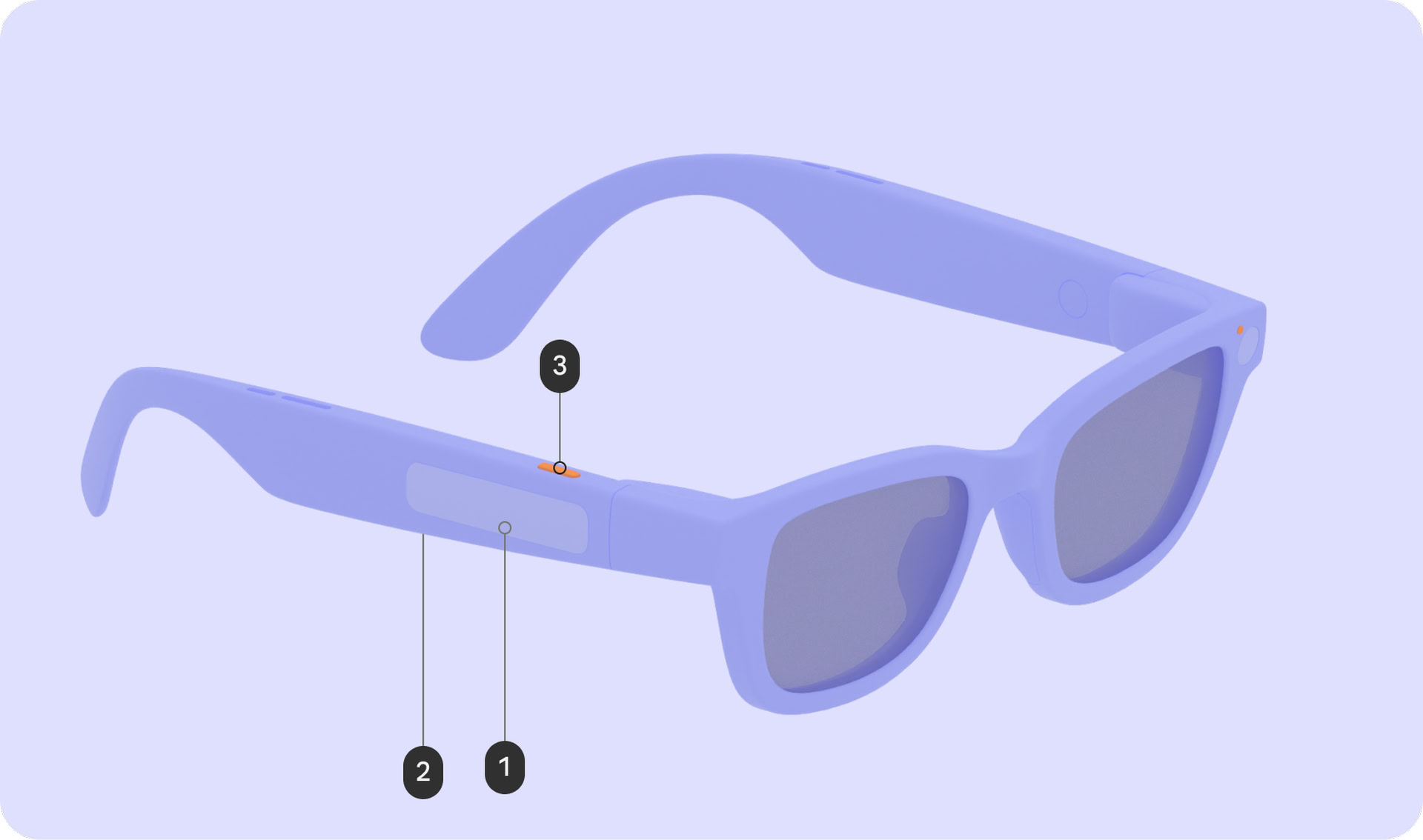
For all XR glasses bearing the Android XR certification, Google mandates a non-negotiable suite of physical controls. This includes the fundamental power switch/button, essential for device lifecycle management. More significantly, the specifications enforce the inclusion of a touchpad (labeled as 1 in reference diagrams). This component serves as the primary localized input method, offering users a means to navigate menus, scroll, and issue discrete commands without relying solely on voice or gaze. Furthermore, a camera button (labeled as 3) is required, streamlining the capture of real-world moments—a cornerstone feature for many AR applications.
For the more advanced Display AI Glasses, an additional physical control is specified: a display button (labeled as 2) situated on the underside of the stem. This likely acts as a dedicated trigger for display-specific functions, perhaps toggling the overlay, activating an on-screen menu, or serving as a primary selection confirmation when gaze tracking is insufficient.
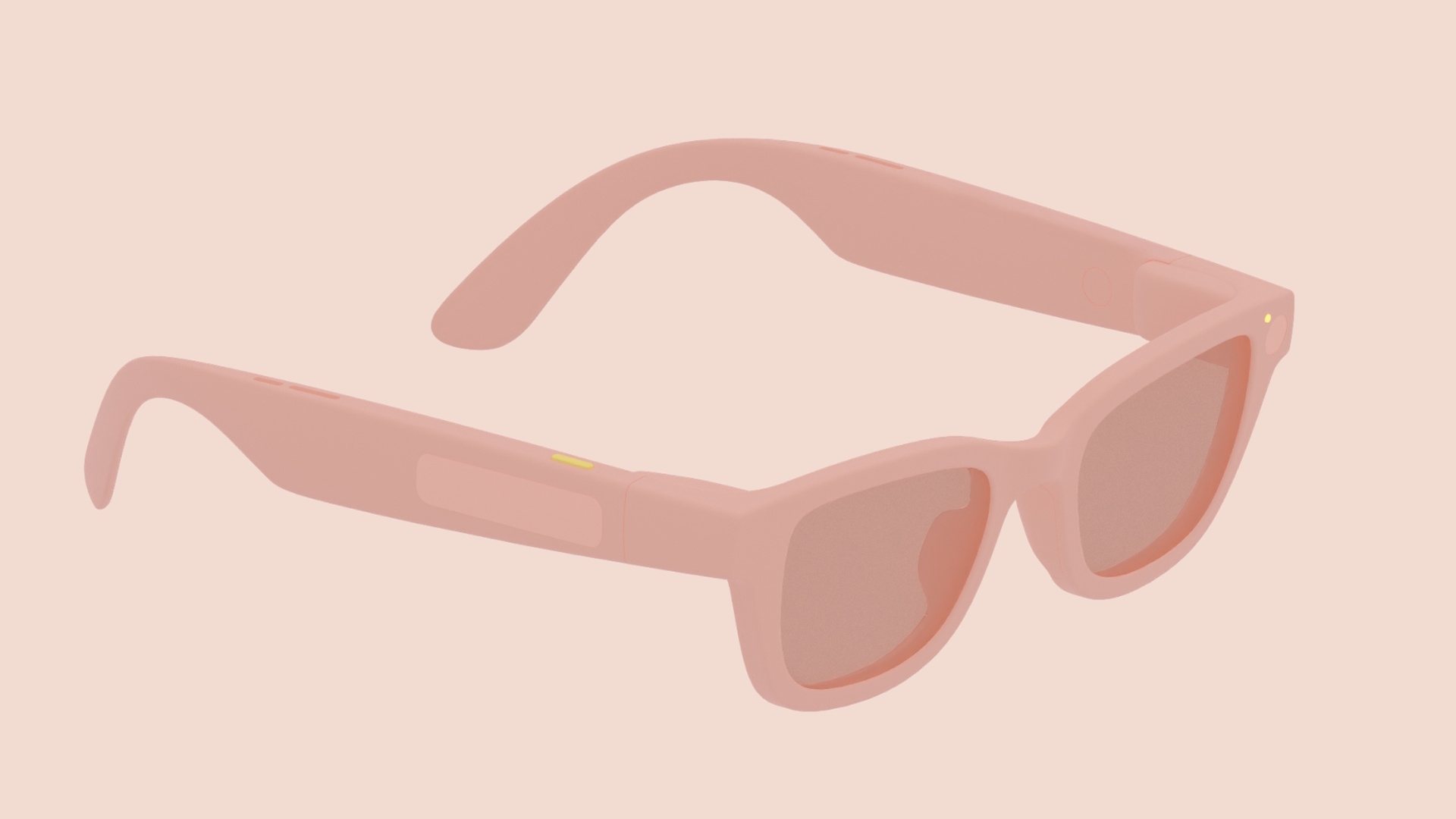
The functional mapping of these controls is highly prescriptive, demonstrating Google’s effort to create muscle memory across disparate hardware from various manufacturers. For instance, the camera button adheres to conventional mobile standards: a single press initiates photo capture, while a sustained press triggers video recording. This consistency is vital for immediate user familiarity.
The touchpad, however, unlocks deeper system functionality. A touch-and-hold gesture on this surface is explicitly mapped to invoke Gemini, Google’s integrated artificial intelligence assistant. This pairs directly with the wake word activation, establishing a dual-pathway for summoning the core intelligence layer of the platform. This hierarchical command structure—physical touch for immediate AI access, verbal command for hands-free invocation—suggests a platform built around rapid context switching between passive observation and active query.
Moreover, basic system navigation is codified through simple gestures. A swipe down on the touchpad on Display AI Glasses is designated as the universal "system back" gesture, mirroring established Android conventions but adapting them for the single-arm control scheme common to wearables. Volume control, a universal necessity, is assigned to a two-finger swipe across the touchpad, a gesture less likely to conflict with single-tap navigation or selection inputs.
Transparency and Privacy: The Role of System UI Indicators
Perhaps the most critical area of standardization revolves around privacy and transparency, particularly concerning the integrated camera systems. In the realm of ambient computing, building and maintaining user trust is paramount, especially when devices are constantly capable of capturing visual data.
Google is mandating the presence of two distinct LEDs on all certified XR glasses. One LED is intended to signal the device status to the wearer, providing immediate, non-intrusive confirmation of internal operations. The second, equally important LED is dedicated to signaling the bystander—the people in the wearer’s environment—that the device is actively recording or processing visual data.
These indicators are explicitly designated as non-customizable "system UI indicators." This means manufacturers cannot choose the color, blinking pattern, or placement outside of Google’s established framework. This centralized control over privacy signaling underscores Google’s recognition that user confidence in always-on capture technology relies heavily on unambiguous, universal visual cues. Any deviation from these standards could lead to user apprehension and regulatory scrutiny, making platform uniformity in this area a strategic necessity.
The Display Layer: Designing for See-Through Context
For devices equipped with optical see-through displays (AR glasses), the user interface (UI) design constraints are far more complex than those governing opaque smartphone screens. The environment remains visible, meaning UI elements must integrate rather than obscure reality.
The documentation reveals that the Android XR Home screen will draw inspiration from the smartphone lock screen paradigm. This suggests a minimalist, glanceable interface designed to present only essential, contextually relevant data and actionable shortcuts. The goal is to keep the user grounded in their physical surroundings while offering immediate access to critical functions. This "glanceable computing" philosophy contrasts sharply with the immersive, full-field-of-view demands of traditional VR.
Notifications are architected as ephemeral, non-intrusive elements, visualized as "pill-shaped chips." This shape is likely chosen for its visual efficiency and minimal intrusion into the central field of view. The system dictates that these chips remain minimized until the user actively focuses on them, at which point they will expand to reveal the full content. This "focus-on-demand" interaction minimizes cognitive load when the user is engaged with the real world.
Beyond layout, Google is providing stringent guidance on visual aesthetics, particularly concerning color palette and power management. Developers are explicitly cautioned to avoid sharp corners in UI elements. This suggests a preference for softer, more organic shapes that harmonize better with the continuous visual stream of the real world, minimizing the jarring effect of hard-edged digital overlays.
The most technically revealing guidance concerns power consumption and thermal management. Given the inherent challenges of fitting powerful processors and micro-displays into a lightweight frame, efficiency is paramount. Google notes that, for see-through displays, green is the least power-hungry color, while blue is the most power-intensive. This is a crucial piece of engineering advice for developers, encouraging them to favor spectral shades that minimize drain on the battery and reduce localized heat generation near the user’s face. Furthermore, the guidance strongly recommends minimizing the number of actively lit pixels. Brighter displays correlate directly with higher thermal output and accelerated battery depletion—a deadly combination for a device meant for all-day wear.
Industry Implications: Standardizing the Wearable OS
The emergence of this detailed design guide signals more than just software preparation; it represents Google establishing the definitive architectural framework for the nascent Android XR ecosystem. This level of prescriptive detail is critical for fostering hardware diversity while ensuring software interoperability.

Hardware Fragmentation Mitigation: A perennial challenge for the Android ecosystem has been hardware fragmentation. By mandating specific physical controls (power, touchpad, camera button) and standardizing key software interactions (Gemini invocation, system back gesture), Google is effectively creating a standardized input layer. This allows accessory makers and OEMs to focus innovation on optics, battery technology, and industrial design, confident that the core user experience layer will function predictably across all devices.
The AI-First Mandate: The immediate linkage of the touchpad long-press and the wake word to Gemini reinforces Google’s strategic pivot toward ubiquitous, context-aware AI. The glasses are positioned not merely as a display, but as a constant, multimodal interface to Google’s generative models. This suggests that core use cases will revolve around real-time information retrieval, summarization, and interaction, rather than just media consumption or complex application multitasking, which are better suited for handheld phones or dedicated headsets.
The Privacy Precedent: By strictly controlling the privacy indicators, Google is setting a high bar for the entire AR/wearable industry. This preemptive standardization attempts to circumvent the "creepy factor" that plagued earlier attempts at augmented reality glasses. For developers, it means camera usage must be intrinsically tied to clear visual feedback; opacity on this point is not an option for platform adoption.
Expert Analysis: Balancing Ambient Utility and Immersive Potential
From a user experience engineering perspective, the design principles reveal a calculated balancing act between ambient utility and the inherent risks of display fatigue and distraction. The lock-screen-inspired Home interface suggests a preference for asynchronous interaction. The user is expected to glance, absorb minimal information (time, weather, high-priority alerts), and return focus to the physical world. This contrasts with the synchronous, all-consuming nature of Virtual Reality (VR).
The emphasis on power-efficient colors (green over blue) is a subtle but profound indicator of the hardware constraints currently facing optical projection systems. Unlike OLED or LCD smartphone screens, where full-color fidelity is expected, see-through AR systems often rely on specific light frequencies or projection methods that have vastly different power profiles. Developers must think like electrical engineers when designing their visual assets. A perpetually bright, vibrant blue notification could drain the battery twice as fast as a muted green one, fundamentally altering the device’s utility curve.
Furthermore, the decision to map the system back gesture to a vertical swipe on the touchpad acknowledges the limitations of the human operator in a heads-up environment. Reaching for a virtual back button via gaze or complex hand gestures is slow and potentially dizzying. A simple, repeatable physical action on the temple or arm of the glasses provides a reliable cognitive anchor for exiting digital layers.

Future Trajectory: The Evolution of Android XR
This design blueprint lays the groundwork for what will likely become a complex, multi-layered operating system environment. We can anticipate the evolution of Android XR evolving along several key axes:
-
Contextual Awareness Depth: As the platform matures, the AI layer (Gemini) will likely move beyond simple reactive commands. Future iterations will demand that applications leverage environmental data (location, time, user activity, detected objects) to proactively present information before the user initiates an input. The minimalist Home screen is merely the starting point; the true power will be in predictive overlays.
-
Multimodal Fusion: While the current documentation focuses heavily on touch and voice, the future of XR is inherently multimodal. We expect subsequent SDK releases to incorporate robust guidelines for hand tracking, gaze confirmation, and potentially even subtle biofeedback sensors. The current touch controls serve as the reliable baseline for early adopters, but advanced applications will require richer, more nuanced input vocabularies.
-
Ecosystem Expansion: If this hardware standard gains traction, we can foresee a segmentation of the Android XR ecosystem. We may see "Pro" glasses with higher fidelity displays and more complex gesture recognition supporting immersive enterprise applications, and "Lite" glasses adhering strictly to the audio/notification model, focusing purely on battery life and discretion. Google’s design guide is the common denominator ensuring that core system features remain consistent across this spectrum.
The specifications detailed in this initial design guide are foundational. They represent Google’s pragmatic effort to shepherd a complex new computing form factor into mass-market viability by prioritizing standardized input, transparent privacy signaling, and performance efficiency tailored to the unique physics of wearable optics. The success of Android XR will depend heavily on how elegantly developers can translate rich mobile experiences into these constrained, ambient realities.
