

The modern mobile computing experience is intrinsically linked to the web browser. For many users, the smartphone is the primary portal to information, communication, and entertainment. This constant digital immersion often translates into an unmanageable proliferation of open tabs. Hours spent navigating complex research threads, engaging in casual link-hopping, or simply forgetting to close windows inevitably leads to a tab count that strains system resources and cognitive load. While some users have cultivated strict digital housekeeping habits, the reality for a significant portion of the user base is a perpetually cluttered tab inventory.
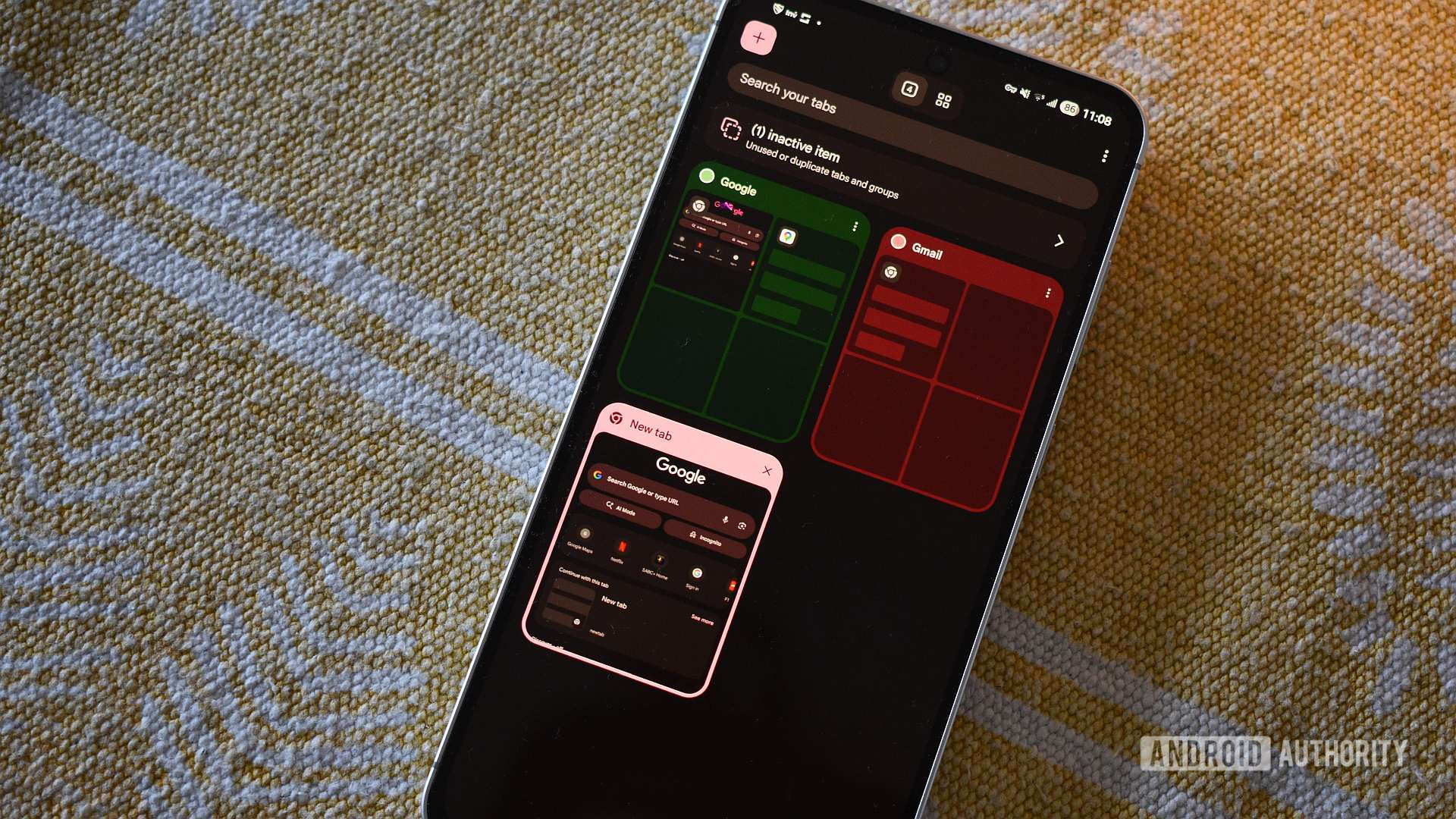
In response to this endemic issue, major browser developers have introduced organizational paradigms. Google Chrome, the dominant force in the mobile browsing landscape, implemented Tab Groups several years ago. This feature allows users to categorize their open web pages under thematic headings, offering a visual and functional layer of separation. While Tab Groups represent a positive step toward mitigating tab sprawl—and are certainly appreciated for their visual appeal and integration into the Chrome ecosystem—a deeper examination reveals significant functional limitations, particularly when juxtaposed against the more robust session management offered by emerging or niche alternatives.
The exploration of these alternatives often leads to lesser-known, open-source projects that prioritize granular control over user experience. One such application, Fulguris Browser, launched in 2020, presents a compelling case study in feature prioritization. Despite possessing a relatively humble presentation in certain UI aspects, Fulguris integrates a suite of powerful, often overlooked functionalities that established behemoths frequently neglect. These include granular controls over orientation settings tailored specifically for portrait versus landscape views, comprehensive global dark mode support, integrated ad-blocking capabilities, support for user scripts (a nod to advanced desktop browser customization), and a dynamic theming engine capable of sampling color palettes directly from the active webpage—a subtle but aesthetically pleasing touch that enhances immersion.
However, among this array of valuable utilities, it is the sophisticated session management system within Fulguris that truly distinguishes itself and exposes the comparative deficiencies in Chrome’s approach.
Deconstructing Tab Management: Groups vs. Sessions
The fundamental difference between Chrome’s Tab Groups and Fulguris’s Sessions lies not merely in nomenclature, but in philosophy and execution. Chrome treats groups as a dynamic subset of the current browsing state, visually collated for immediate access. Fulguris, conversely, treats sessions as discrete, persistent, and manageable environments—akin to saving an entire desktop workspace rather than just grouping open windows on the current one.

When comparing the daily utility, Chrome’s Tab Groups, despite their pleasing visual implementation (the use of color coding is indeed well-executed), falter significantly in mobile usability flow. Once a user enters a specific Tab Group, navigation within that group is relatively fluid, aided by a temporary secondary tab bar that appears. This addresses the immediate need to switch between closely related pages within that category.
The friction arises when attempting to switch between these established groups or returning to a recently used context. In Chrome, activating a different group often requires a deliberate selection process that defaults to the first or a predetermined tab within the newly selected group, rather than the user’s last point of focus. This forces the user to manually locate the specific page they were viewing moments prior within that group, adding unnecessary taps and temporal latency to task switching. In a high-velocity browsing environment, this repeated micro-interruption degrades the overall efficiency.
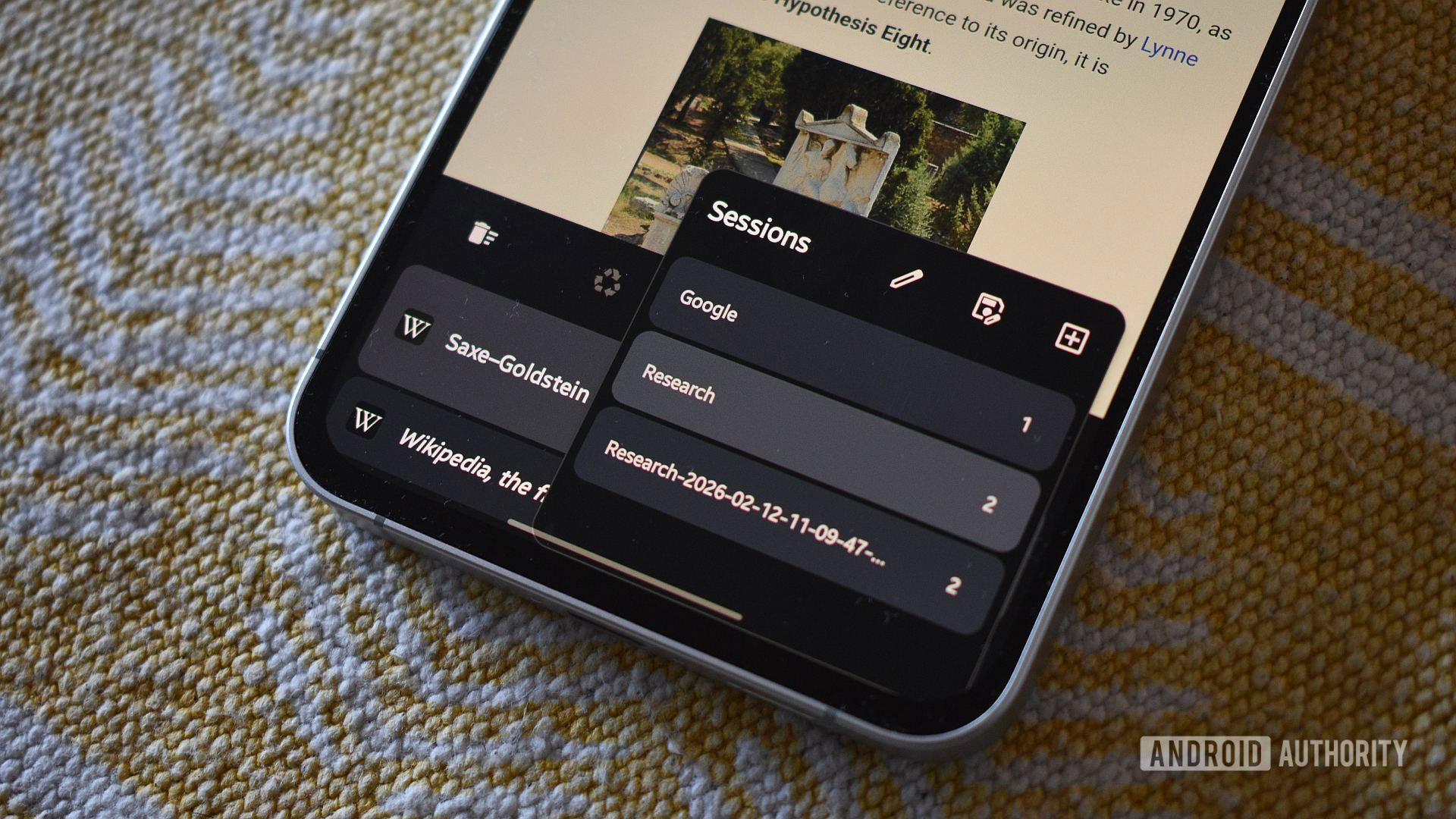
Fulguris’s Sessions feature addresses this directly through superior state retention. The browser meticulously remembers the last accessed tab within every saved session. The workflow is significantly streamlined: a user taps the tab management interface, selects the desired named session (e.g., "Project Alpha Research" or "Weekend Reading"), and is instantly returned to the exact URL they were viewing when they last left that session. This immediate contextual recall eliminates the need to visually scan a list of potentially dozens of tabs. This seemingly minor engineering choice—preserving the active tab state across sessions—represents a massive reduction in interaction friction over the course of a day, showcasing a deep understanding of user behavior persistence.
The Criticality of Persistence and Backup Architecture
Beyond immediate usability, the architectural handling of saved states reveals the most profound divergence between the two systems, which carries significant implications for data integrity and cross-device workflow continuity.
Google Chrome’s Tab Groups are primarily an ephemeral organization tool tethered to the active Chrome profile synchronization. They persist across sessions and can often be accessed via cross-device sync if the user is logged into the same Google account. This synchronization is beneficial for maintaining continuity across a user’s suite of devices (desktop, tablet, phone). However, this relies entirely on the continued functioning and synchronization of the Google cloud infrastructure.
Crucially, Chrome lacks a native, user-initiated, local backup mechanism for these groups as distinct entities. If a user needs to completely reset their device, transition to a different mobile platform, or simply wishes to archive a complex research environment outside the confines of the synced profile, their options are limited. The workaround—manually converting each group into a structured bookmark folder—is cumbersome, visually disruptive, and fundamentally alters the organizational structure from a dynamic session to a static collection. Bookmarks are designed for long-term reference, not for managing active, ongoing, complex browsing contexts.
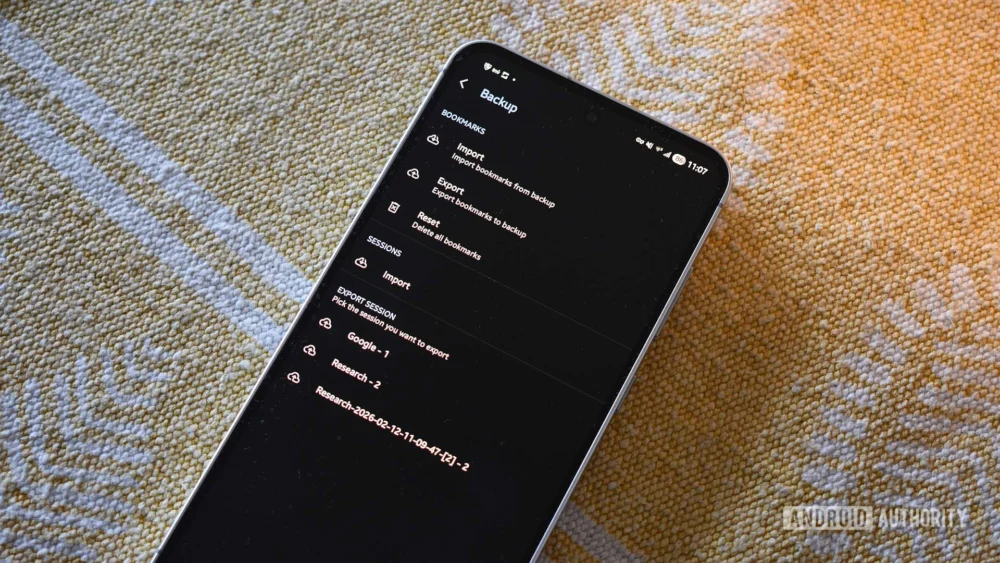
Fulguris, operating within the open-source ethos, provides a far more authoritative approach to data ownership through its comprehensive backup capabilities integrated directly into the Session feature. Users are not just relying on cloud syncing; they possess explicit control over their browsing environments. Fulguris allows for the export of individual sessions or the entire browser state into physical, portable .bin files stored directly on the local device storage.
This local serialization of the browsing state offers several strategic advantages. First, it provides a true disaster recovery mechanism. A system failure or a necessary factory reset does not equate to the loss of complex research states. Second, it facilitates deliberate archival. A user concluding a major project can safely offload the entire context—all associated tabs—into a secure file, removing them from the active, memory-consuming browser environment without discarding the potential need to revisit them later. Reintegration is a simple, explicit process: navigate to Settings > Backup > Import within the Sessions submenu. This explicit control over data archiving is a powerful differentiator, moving session management from a passive organizational feature to an active archival tool.
Industry Implications and the Niche vs. Mass-Market Divide
The comparison between Fulguris Sessions and Chrome Tab Groups highlights a critical tension in the software industry: the trade-off between accessibility for the mass market and deep functionality for the power user.
Google Chrome is engineered for billions of users. Its feature set must be universally intuitive, requiring minimal onboarding and relying heavily on established cloud infrastructure for seamless, if less granular, operation. Tab Groups are a compromise: they are easy to create and understand but offer limited depth in state management because deep customization or complex local file manipulation presents too high a barrier for the average user.
Conversely, Fulguris targets a segment that values explicit control, customizability, and data sovereignty. The inclusion of features like user script support, detailed orientation settings, and robust local backups signals a commitment to the power-user demographic. The success of such niche browsers often lies in identifying these specific pain points—like the lack of session persistence—that are deemed too complex or low-priority for the dominant players to address fully.
From an industry perspective, Fulguris’s session management serves as a blueprint. It demonstrates that users are willing to adopt a slightly less polished UI if the underlying functionality provides tangible, time-saving benefits. If major browsers wish to retain sophisticated users who manage dozens of active projects concurrently, they will eventually need to evolve their tab grouping features into true session managers that include persistence and local backup options. The current iteration of Tab Groups is excellent for quick categorization but insufficient for professional context switching.
Analyzing the Trade-offs and Future Trajectories
It is essential to maintain a balanced perspective. Fulguris, while superior in session management, is not without its shortcomings, as noted. The reported issues—the absence of a user-configurable bottom navigation bar (a significant ergonomic feature popularized on mobile), a potentially cramped or unfamiliar user interface, and potentially redundant menu structures—suggest that development resources have been channeled heavily into core utility functions rather than aesthetic refinement or universal ergonomic standards. For many users, an otherwise excellent feature set cannot compensate for a frustrating daily interface experience.
The future of mobile browsing will likely involve a convergence where core functionality gains depth. We anticipate seeing advancements in several areas:
- Deeper Integration of AI in Session Management: Future browsers may move beyond simple "last visited tab" retention. AI could predict the most likely tab a user wishes to return to based on time spent, recent activity patterns, or even location data, pre-loading that page instantly upon session switch.
- Standardization of Contextual Archiving: The ability to export a session state should become a standard feature, not a niche offering. This speaks to the growing user demand for portable digital workspaces.
- Ergonomic Refinement: The success of features like Chrome’s bottom bar underscores the importance of one-handed operation on modern, large-screen devices. Any advanced feature, like Fulguris’s Sessions, must eventually be paired with accessible, ergonomic controls.
In conclusion, while Google Chrome provides a high-fidelity, integrated, and broadly accessible tab grouping system, it remains functionally shallow when measured against the requirements of rigorous, multi-contextual browsing. Fulguris Browser’s dedication to true session persistence—remembering the exact point of departure—and its provision for tangible, local backups elevates its management system significantly. For the user whose work demands meticulous organization of ongoing research threads, this persistent context awareness provides a tangible advantage that current mainstream solutions have yet to fully replicate. It’s a powerful reminder that innovation in established software categories often originates from the edges, focusing intensely on solving deep workflow problems rather than broad feature parity.
