

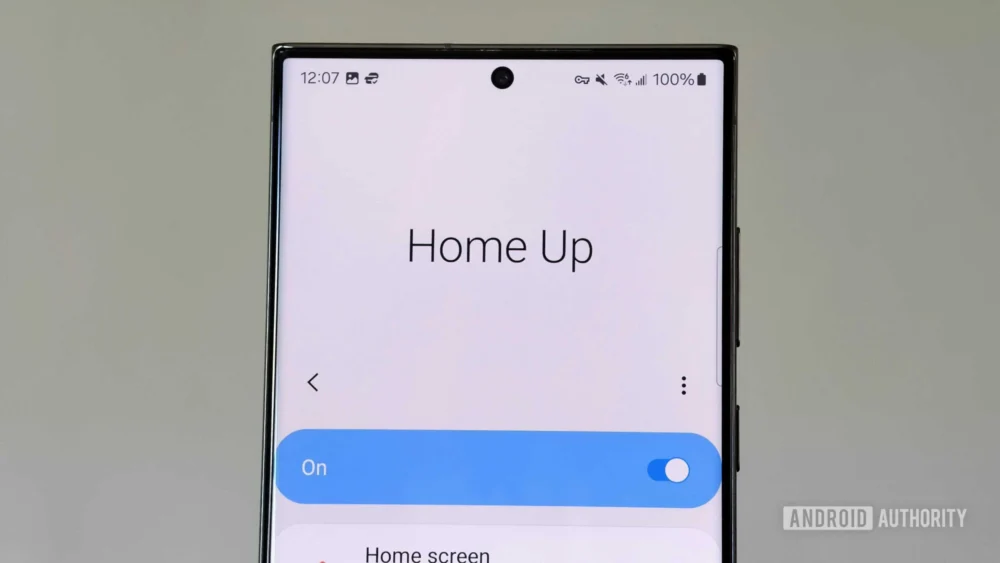
The evolution of Samsung’s One UI software layer is a continuous narrative of refinement, often punctuated by the disruptive yet ultimately beneficial updates to the Good Lock suite. As Samsung pushes the boundaries of its Android experience, typically manifesting in major version releases like the recent One UI 8.5 beta, a familiar pattern emerges: initial instability in third-party modifications followed by essential ecosystem recalibration. Among these critical utilities, Home Up—the module dedicated to granular control over the home screen, recent apps overview, and Edge Panel functionality—stands out. Its recent update transcends mere compatibility fixes for One UI 8.5; it introduces significant feature additions that solidify its status as indispensable for power users seeking true device personalization. Analyzing these novel enhancements reveals a strategic deepening of user control, moving beyond superficial aesthetics into core usability mechanics.
The Context: Good Lock and the Samsung Customization Paradox
To fully appreciate the impact of Home Up’s latest iteration, one must understand the broader architecture of Samsung’s software strategy. While stock Android, and by extension, Samsung’s One UI, offers a baseline level of customization, the manufacturer historically reserves deep-level theming and functional modification for its proprietary Good Lock application. Good Lock operates as a modular framework, allowing users to mix and match extensions—like Theme Park, QuickStar, and crucially, Home Up—to tailor their device experience.
This model creates a dichotomy. On one hand, it allows Samsung to maintain system stability by quarantining deep modifications within a separate, managed application store. On the other hand, every major One UI release necessitates a corresponding update cycle for these modules, often leading to temporary periods of reduced functionality, as seen during the initial rollout of the One UI 8.5 beta. For dedicated enthusiasts, this period is frustrating, underscoring the reliance on these third-party controls to achieve an optimal user interface. The latest Home Up update, therefore, is not just an incremental patch; it’s a re-establishment of trust with the power-user base, demonstrating a commitment to feature parity and, more importantly, feature expansion.
Feature Deep Dive 1: Granular Widget Scaling and Visual Integrity
One of the most immediate and impactful additions within the new Home Up release centers on the Widget setting menu, specifically addressing scaling inconsistencies. For users who optimize screen real estate by minimizing display zoom settings—a common practice among those who prefer dense information displays or have smaller hands—standard widgets often render poorly. They default to an unintended, minuscule size, disrupting the intended visual hierarchy and usability.
This update bridges the gap between icon scaling (a long-standing feature of Home Up) and widget scaling. Expert analysis suggests this is a direct response to user feedback regarding display density management. When a user reduces the global screen zoom in One UI, the operating system often applies a blanket scaling factor that fails to account for the internal layout definitions of specific widget implementations, particularly those from Google services, such as the ubiquitous Search Bar widget.
The new Home Up mechanism allows users to surgically adjust the scaling factor applied only to home screen widgets, effectively counteracting the overly aggressive downscaling caused by the global zoom setting. This restores visual proportionality, ensuring that elements like the Google Search bar maintain their expected footprint and legibility. Furthermore, this dedicated widget control introduces the ability to deactivate the background blur effect applied to first-party Samsung widgets. This seemingly minor aesthetic toggle has significant implications for users committed to specific dark modes or minimalist, high-contrast themes. By removing the blur, users achieve sharper, more integrated widget designs that align perfectly with their chosen wallpaper and icon packs, enhancing visual continuity across the home screen canvas. This granular control over visual artifacts demonstrates a maturation in the development philosophy, focusing on micro-adjustments that drastically alter the perceived quality of the user experience.
Feature Deep Dive 2: Refining the Share Sheet with Direct Share Exclusions
The Android share menu, designed to facilitate seamless content distribution across applications and contacts, frequently becomes cluttered and inefficient in practice. Samsung’s implementation, featuring Direct Share, attempts to leverage machine learning to predict and present the most likely recipients. While the theoretical benefit is speed, the practical application often devolves into noise, presenting irrelevant contacts or application shortcuts.
Home Up has historically addressed this by allowing users to "pin" favorite Direct Share targets, effectively curating a personalized shortlist. The critical evolution in this update is the introduction of an exclusion list. This functionality represents a significant shift from positive curation (pinning favorites) to negative filtering (blocking unwanted suggestions).
From a UX perspective, this is crucial for maintaining the efficiency of the share sheet. If a user consistently shares documents with a work colleague via a specific messaging app, but the system repeatedly suggests an old, inactive contact, the entire sharing workflow is slowed down. The exclusion list empowers the user to permanently prune these irrelevant suggestions. This capability is vital in enterprise or multi-account environments where the system’s predictive algorithm may conflate personal and professional sharing patterns. By allowing users to block specific contact/app pairings, Home Up is providing a necessary layer of data hygiene over the operating system’s social graph, ensuring that the "fast path" of sharing remains truly fast and accurate for the individual user’s established habits. This move signals an industry trend where customization tools are moving beyond simple reordering to active data stream management within core OS functions.
Feature Deep Dive 3: Consolidating and Optimizing the Edge Panel Experience
The Edge Panel remains a hallmark of Samsung device usability, offering quick access to applications, smart tasks, and contact shortcuts via a subtle handle on the screen’s periphery. Previous iterations of Home Up provided extensions to this feature, but the latest release targets a major structural friction point: the segregation of content types.
Traditionally, Samsung forces users to dedicate separate physical panels for Apps, Shortcuts, and Contacts. Navigating between these three distinct slides adds unnecessary cognitive load and physical swiping effort, often leading users to disable the Shortcuts and Contacts panels entirely, reducing the feature’s utility.
The introduction of the Integrated Panel toggle fundamentally restructures this experience. By enabling this feature, Home Up merges the three disparate categories into a unified, navigable interface. When activated, the panel initializes, ready to accept user-defined content. Critically, it provides a synchronization function to pull existing application shortcuts over, preventing users from having to manually rebuild their app list within the integrated view.
This integration transforms the Edge Panel from a set of segmented drawers into a cohesive, powerful command center. Users can now strategically place high-frequency actions—such as creating a new task in a specific to-do list application or launching a direct chat with a critical contact—side-by-side with frequently used applications, all accessible with a single, consistent swipe gesture. This streamlining elevates the Edge Panel from a secondary launcher to a primary multitasking utility.
Complementing this structural change is the refinement of the Edge Panel touch width control. While Samsung’s native settings allow users to adjust the width of the active swipe zone, this adjustment invariably widens the visible handle element on the screen, potentially obscuring on-screen content—a significant issue on modern devices with minimal bezels. Home Up’s implementation isolates the change: it modifies the invisible touch detection area without altering the physical visibility of the handle.
This separation is a sophisticated solution to a modern hardware challenge. In an era of edge-to-edge displays, users often employ rugged cases that create a pronounced lip around the screen. Such cases can impede the precise, razor-thin swipe required to trigger the native Edge Panel. By allowing a user to maintain a minimal, unobtrusive handle size for aesthetic reasons while simultaneously expanding the touch target significantly, Home Up ensures reliable activation, even with obstructive cases, optimizing accessibility without sacrificing screen real estate.
Industry Implications and Future Trajectories
The continuous enhancement of Home Up within the Good Lock ecosystem carries significant implications for the wider mobile operating system landscape. Firstly, it illustrates the growing maturity and demand for power-user tooling that extends beyond OEM promises. While core Android developers focus on mass-market accessibility, third-party tools like Home Up address the edge cases and granular control desired by a highly engaged, vocal segment of the user base. Samsung’s tacit support for Good Lock signals an understanding that retaining these advanced users is crucial for brand loyalty, even if it means hosting tools that fundamentally alter the intended UI behavior.
Secondly, these updates highlight the industry’s slow but steady shift toward decoupled customization. Rather than bundling every potential UI tweak into the main OS release—which increases complexity and slows down adoption cycles—Samsung delegates specialized, highly configurable features to modular apps. This approach allows for rapid iteration on features like widget scaling or share sheet management without requiring a full firmware update cycle for every minor improvement.
Looking ahead, the features introduced in this Home Up update foreshadow potential future native OS developments. The ability to fine-tune widget scaling independently of display zoom, for instance, could eventually be integrated directly into One UI if Samsung determines the feature achieves critical mass appeal. Similarly, the intelligent filtering of system menus (like Direct Share exclusions) suggests that predictive UIs will increasingly require user-defined override mechanisms to remain relevant and non-intrusive. The trend points toward more adaptive, context-aware interfaces that are simultaneously more configurable at the deepest levels.
The One UI 8.5 experience, bolstered by these Home Up revisions, is shaping up to be one of Samsung’s most flexible iterations yet. The combined effect of these three enhancements—visual coherence via widget control, functional efficiency via share sheet management, and superior multitasking access through the integrated Edge Panel—provides a compelling argument for any Galaxy user invested in maximizing their device’s potential. These aren’t mere cosmetic changes; they are architectural improvements that redefine the daily interaction paradigms on Samsung hardware.
