

The landscape of dedicated e-readers, dominated by E Ink technology, is fundamentally centered around minimalist functionality and distraction-free reading. For years, devices like those manufactured by Kobo have offered a sanctuary from the notifications and visual clutter inherent in modern tablets. However, even in this haven of focused consumption, a subtle but persistent issue has plagued users: the automatic display of the current book cover as the screensaver. This feature, while intended to be aesthetically pleasing, often translates into an unintended, public declaration of one’s current reading material—a privacy vulnerability that keen users have long sought to circumvent.
My own journey through the rigorous testing of numerous E Ink devices has instilled a healthy skepticism toward the typical "hacks" circulating online. Most are either trivial adjustments easily found in the standard settings menu or overly complex modifications requiring deep system manipulation, rendering them impractical for the average consumer. Yet, occasionally, a specific user-driven modification surfaces that provides disproportionately high utility for a minimal investment of effort. The ability to define a bespoke, static image as the device’s idle display fits squarely into this category of "unreasonably useful" enhancements, particularly for individuals who value discretion or simply wish to inject a layer of personal expression into their hardware.
The Visibility Conundrum and the Need for Camouflage
The core issue lies in the default behavior of Kobo firmware. When a user closes a book or allows the device to enter sleep mode, the screen defaults to displaying the cover art of the last active novel. While this showcases the device’s color capabilities (especially on newer models like the Libra Colour) or the sharp contrast of monochrome displays, it presents a significant social dynamic challenge. E-readers are frequently used in public spaces—commutes, waiting rooms, coffee shops—where the content being consumed might be intensely personal, academically sensitive, or simply something the user prefers to keep private. A vibrant cover advertising a niche genre, a controversial non-fiction title, or even a lengthy textbook can invite unwanted scrutiny or commentary.
This is not merely about hiding controversial material; it is about maintaining digital autonomy. In an era where personalization is expected across all electronics, the e-reader remains oddly rigid. The screensaver is the most frequently displayed static interface element, making it a critical point for user customization. The appeal of this particular workaround, as widely discussed across enthusiast forums, is that it bypasses manufacturer limitations without requiring the risky, warranty-voiding process of jailbreaking or installing complex third-party firmware modifications. It leverages existing system pathways, making it a stable and relatively safe enhancement.
Deconstructing the Unofficial Customization Protocol
The process for installing a custom screensaver is, in essence, a form of file system manipulation. It relies on the device presenting itself as a standard mass storage device when connected to a host computer (Windows, macOS, or Linux). The key lies in identifying the correct directory structure where the firmware searches for override images.
Step 1: Host Preparation and Image Formatting
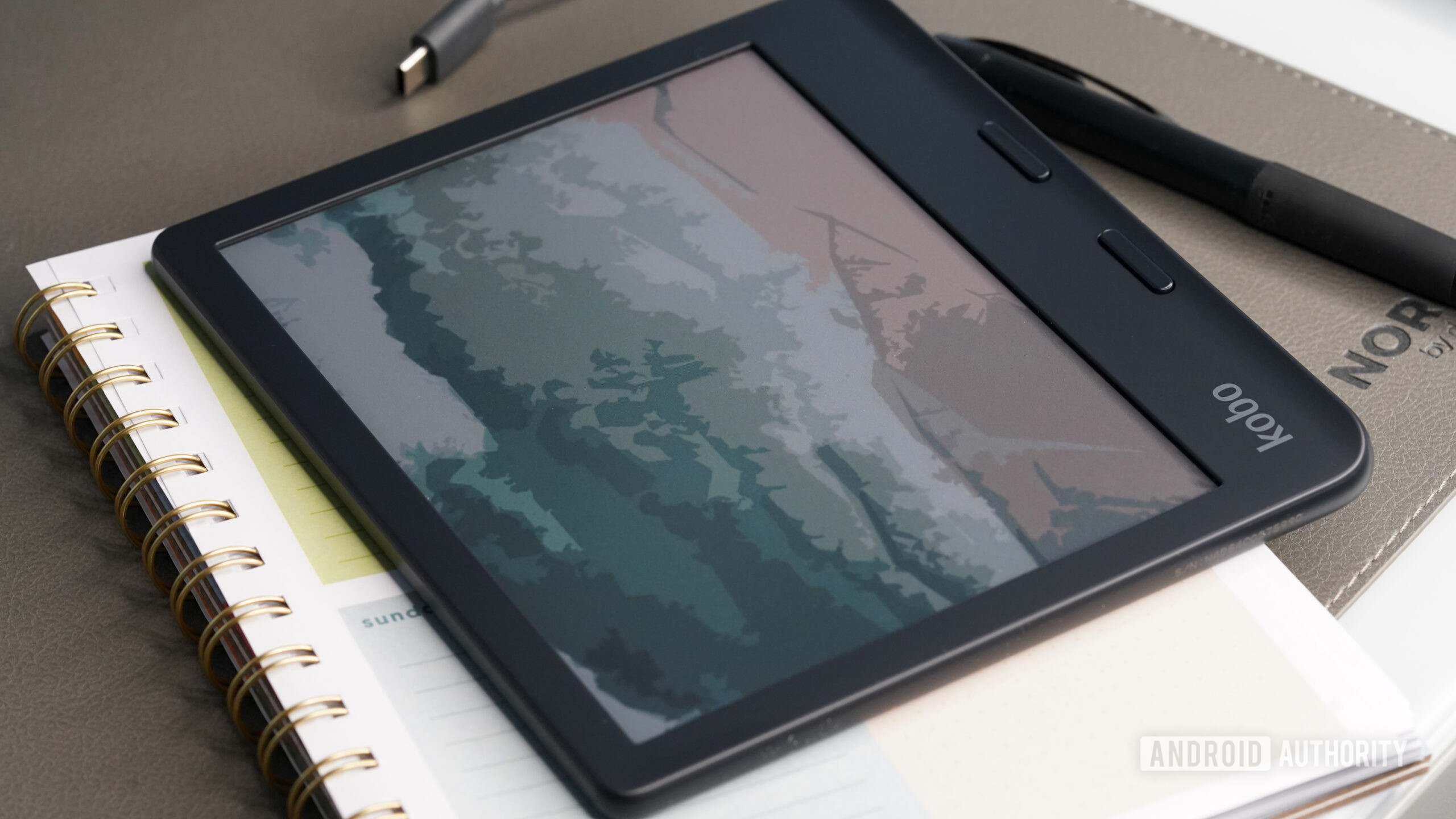
The first prerequisite is selecting the appropriate image. E Ink screens have specific resolution requirements that, if ignored, can lead to distorted displays or outright failure of the override. For optimal results, the image resolution should precisely match the native resolution of the specific Kobo model being used (e.g., 1448 x 1072 for some models). Furthermore, the file format is crucial; JPEG or PNG are generally accepted, but ensuring proper color space compatibility is important, especially when dealing with newer color E Ink panels which necessitate careful calibration.
Step 2: File System Access and Directory Location
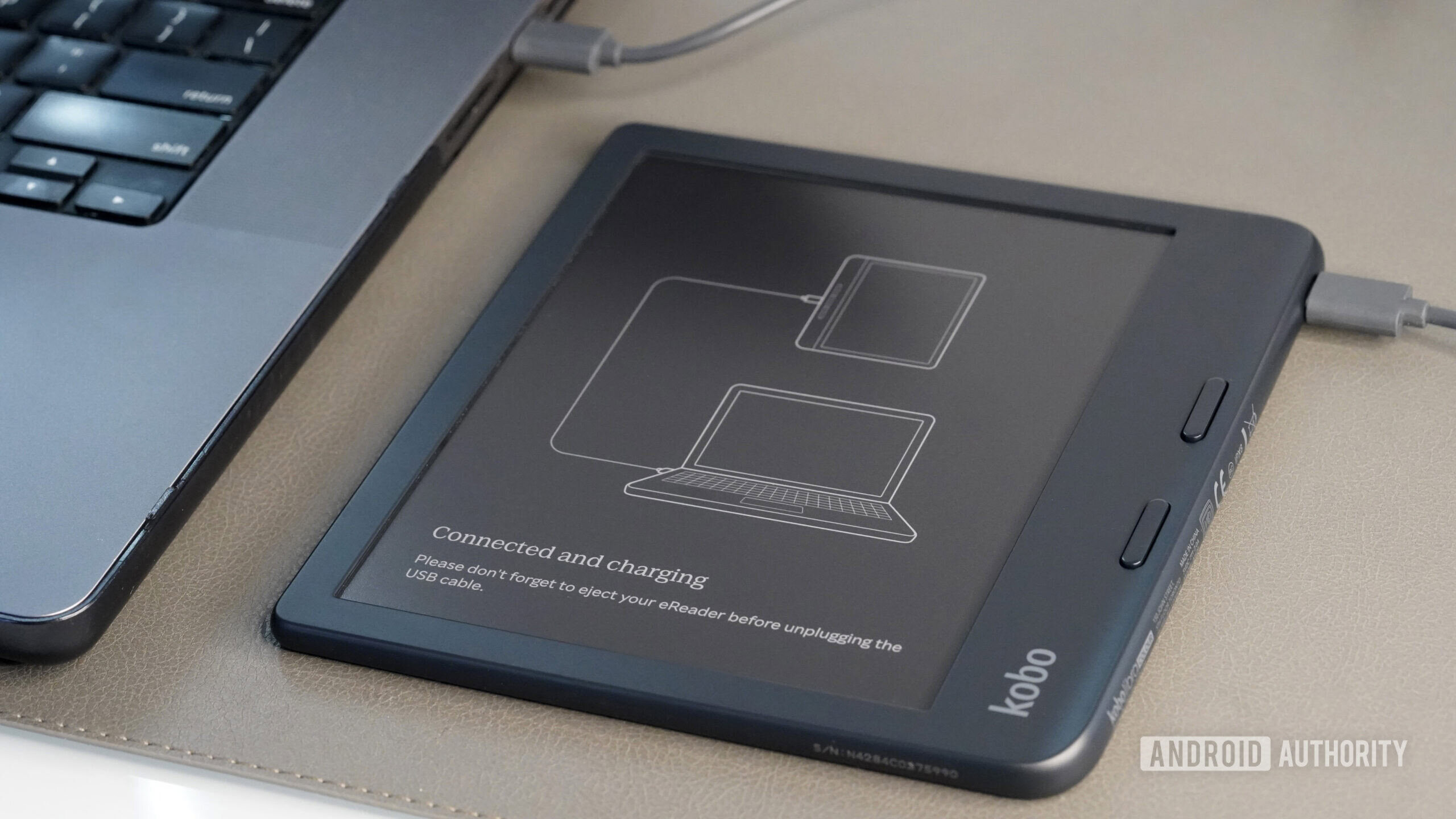
Once the image is prepared, the user must connect the Kobo device to their computer via USB-C. This is where platform-specific nuances arise. On Windows systems, the device typically mounts as a standard drive, making the root directory easily accessible. On macOS, however, Kobo devices often mount in a way that conceals certain system folders. As reported by numerous users, the critical directory, often named .kobo or similar internal structure, is hidden by default in macOS. Accessing this requires invoking the "Show Hidden Files" command—on a Mac, this is commonly achieved via the keyboard shortcut Command + Shift + . (period) in Finder. Navigating to this specific, often obscure, folder is the linchpin of the entire operation.
Step 3: Image Placement and System Override
The prepared image file must be placed within the designated screensaver folder within the hidden system directory. This placement signals to the operating system’s idle routine that an external image should be prioritized over the dynamically generated book cover.
Step 4: Firmware Synchronization and Toggling Settings
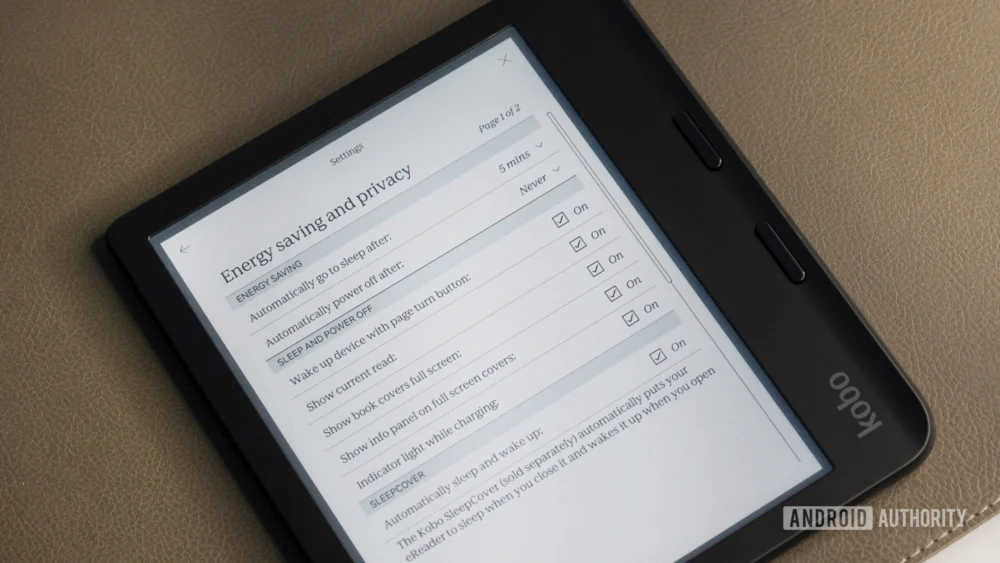
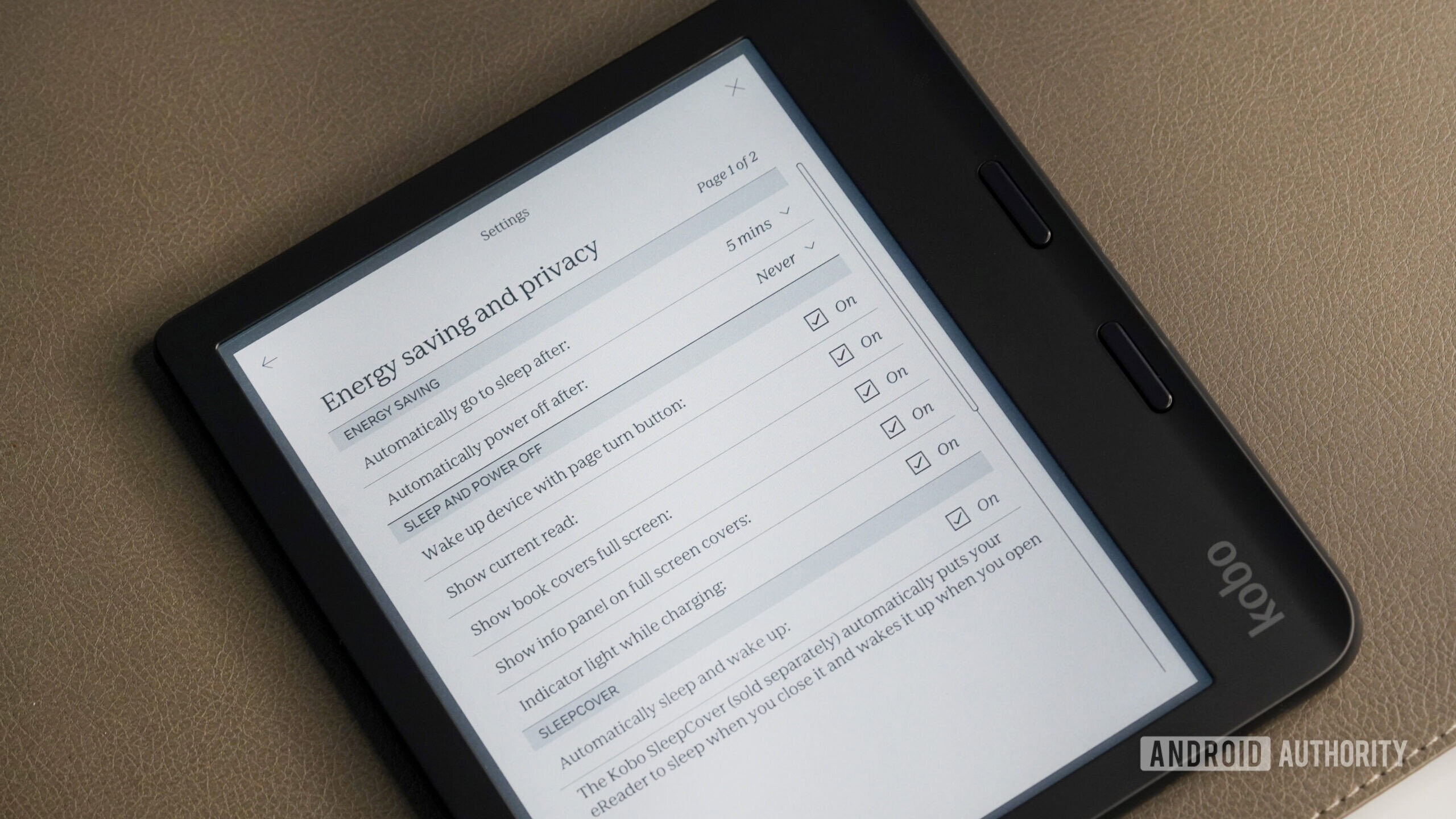
The final, and sometimes most temperamental, step involves ensuring the firmware recognizes the change. While simply disconnecting the device might sometimes suffice, many users report needing to manually interact with the device settings menu. Specifically, locating the display settings and toggling the option related to "Show book covers full screen" (or similar wording) is often necessary. Interestingly, for some firmware versions, users have found success by disabling this setting, counterintuitively allowing the custom image to take precedence over the disabled default function. This highlights the non-standard, community-validated nature of the hack—it works because it exploits a loop or prioritization error in the system logic.
Expert Analysis: Firmware Stability and User Empowerment
From a technological standpoint, this customization is fascinating because it demonstrates the inherent tension between proprietary software ecosystems and user desire for control. Kobo, like most hardware manufacturers, aims for a curated, stable user experience. Allowing arbitrary file placement for system visuals introduces variables that could potentially lead to display errors, memory conflicts, or issues during future over-the-air (OTA) updates. Therefore, concealing the necessary directory structure is a form of preemptive control designed to maintain device integrity for the majority of users.
The fact that this hack persists across multiple firmware iterations speaks to a fundamental structure within the operating system that remains untouched by standard updates. It is an embedded functionality, not a brittle software exploit. This longevity is what generates such strong community endorsement; users invest the minimal time required knowing the modification is unlikely to break with the next security patch or feature rollout.
Furthermore, this process exemplifies the ongoing evolution of the dedicated reading device market. While Kindle has historically maintained a tighter, more locked-down environment, Kobo has traditionally offered slightly more latitude to its user base, perhaps recognizing the high technical literacy of its core demographic. The custom screensaver is a soft concession—a feature that is technically achievable through the existing file system but not explicitly advertised or supported by the manufacturer.
Industry Implications: The Value of Personalization
The widespread adoption of this simple screensaver modification carries broader implications for the digital reading industry. It underscores a significant gap in the current product offerings: personalized idle state visualization.
In the modern consumer electronics sphere, personalization is not a luxury; it is a baseline expectation. Consumers customize wallpapers, widgets, notification sounds, and lock screens on every other device they own. Denying this on an e-reader, which is often held closer and for longer durations than a smartphone, feels archaic.
For hardware manufacturers, the ability to integrate a standardized, easy-to-use custom screensaver feature could become a quiet competitive differentiator. Imagine a Kobo update that formally allows users to select an image from their device storage to use as the screensaver, perhaps with resolution and format guidance built into the settings menu. This would shift the narrative from "hidden hack" to "intentional feature," improving user satisfaction without compromising system stability. It transforms the device from a generic reading tool into a personalized digital artifact.
The market segment that seeks out this hack is generally one that values aesthetics, privacy, and control. By offering a built-in solution, manufacturers could capture the loyalty of these power users, who often become vocal advocates for the brand within online communities. The current situation forces users to undertake a small act of digital defiance, which, while successful, highlights a manufacturer oversight.
Beyond Privacy: Expression and Subversion
While privacy is the primary driver—avoiding public display of sensitive or embarrassing reading material—the secondary use case is pure self-expression or playful subversion. The original content mentions users deploying the hack to upload fake, provocative book covers. This taps into a long tradition of technology modification used for humor and mild anarchy.
When the screensaver defaults to a book cover, the user has limited control over the resulting impression. By substituting this with a personal photograph, a piece of digital art, or a subtly branded image, the user transforms the passive display into an active statement. For the introverted user, this statement might be a calming landscape; for the more extroverted or humorous user, it becomes a low-stakes prank canvas. This duality—privacy enforcement on one hand, creative expression on the other—is why the trick resonates so broadly. It serves both the reader who wants to disappear and the reader who wants to make a quiet point.
Future Trends in E Ink Interface Design
Looking ahead, the evolution of E Ink technology, particularly the maturation of color E Ink displays (like Kaleido and soon-to-be-released generations), will make the screensaver function even more critical. As color fidelity improves, the visual impact of the idle screen increases exponentially. If a device can render beautiful, high-resolution color art, the default book cover—often low-resolution or poorly cropped—becomes an even greater aesthetic liability.
The industry trend is moving toward seamless integration of digital and physical. E Ink devices are becoming premium hardware designed to be held and displayed. Future firmware updates across the industry will likely need to address these idle-state customizations formally. We may see manufacturers adopting metadata standards that allow book covers to be rendered in higher fidelity when used as screensavers, or, conversely, formalizing the custom image folder structure to ensure stability and ease of use, thereby eliminating the need for community workarounds entirely.
For now, the manual method remains a testament to user ingenuity. It’s a reminder that even in the most streamlined and closed hardware environments, dedicated users will find the backdoors to reclaim control over their personal technology. Implementing this simple file transfer and toggle sequence offers a tangible return on investment: a permanently personalized, more private digital companion, making it one of the few "hacks" that feels less like troubleshooting and more like essential feature activation. The minimal effort required contrasts sharply with the significant boost in user satisfaction and control it delivers, solidifying its status as a genuinely favored community tip.