

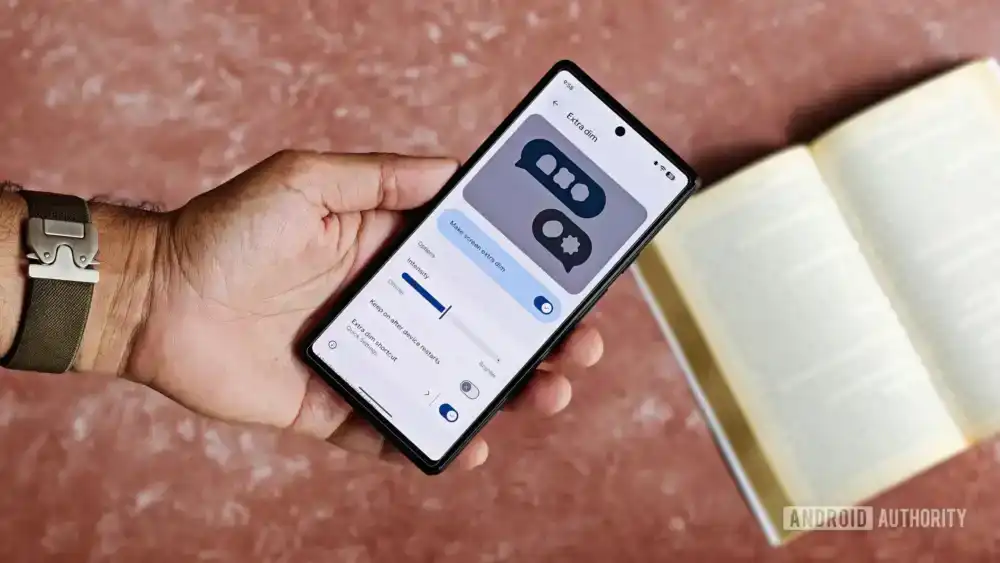
The integration of mobile operating systems into vehicular infotainment systems represents one of the most significant technological shifts in modern automotive history. Android Auto, Google’s platform for projecting smartphone capabilities onto a car’s dashboard display, has become indispensable for navigation, communication, and media consumption on the road. However, this seamless integration often exposes friction points where platform-level accessibility features conflict with the specialized requirements of driving environments. A particularly persistent and potentially dangerous conflict arises from the interplay between Android’s "Extra Dim" feature and the visual demands of Android Auto, especially during daylight operation.
The Extra Dim function, a crucial accessibility aid introduced with Android 12, serves a vital purpose: it permits users to push screen brightness levels below the device’s standard minimum threshold. For individuals sensitive to light, or for prolonged nighttime use, this feature transforms a blinding screen into a comfortable visual interface. When coupled with system-wide Dark Mode settings, Extra Dim offers a highly optimized experience for low-light conditions. The inherent flaw in this design, however, is its lack of inherent scheduling flexibility, particularly concerning other system states. Unlike Dark Mode, which can often be tied to sunset/sunrise or a fixed timetable, Extra Dim typically requires manual toggling, creating a usability vulnerability that is easily overlooked in the rush of daily routines.
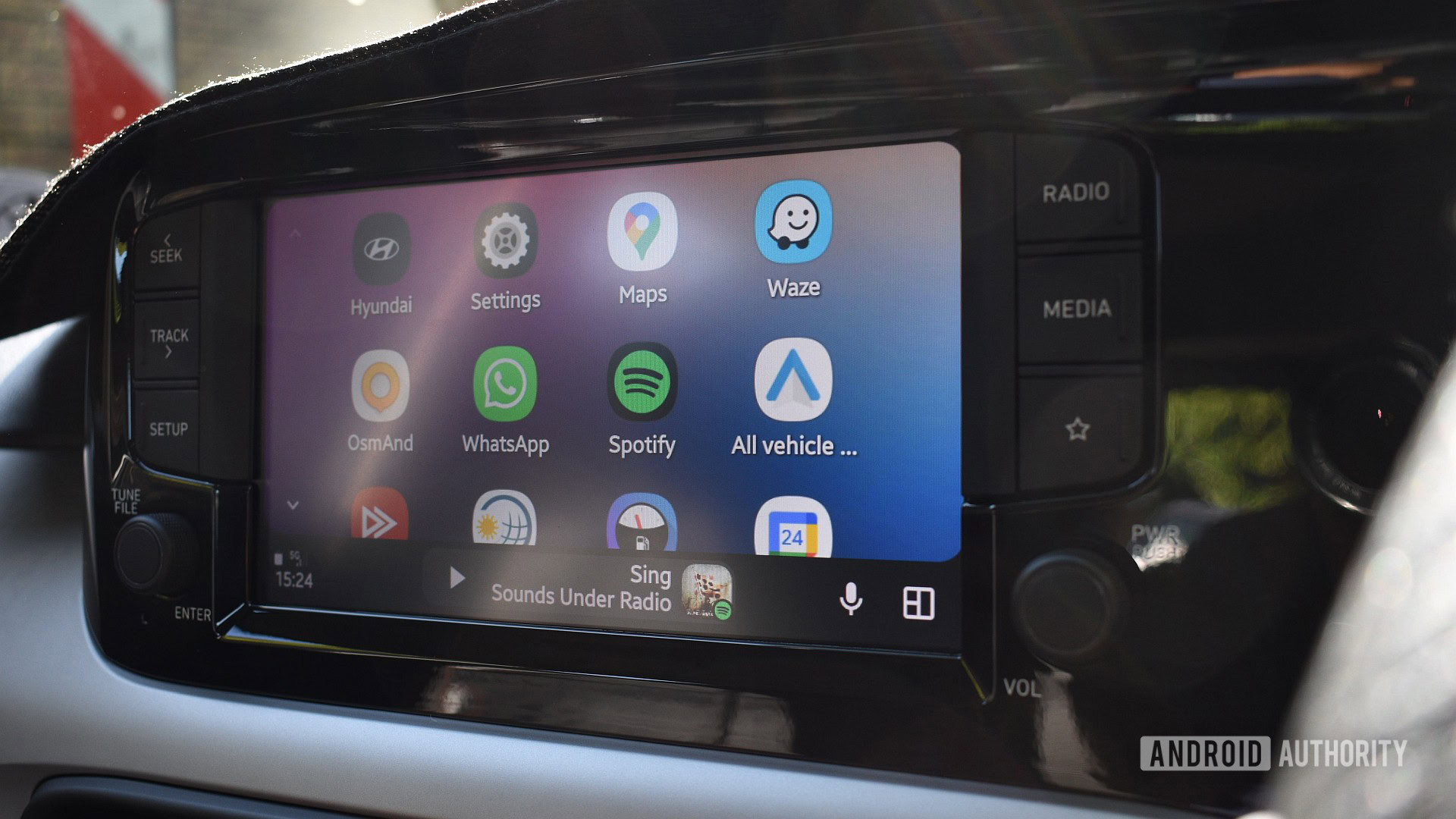
This manual oversight becomes critically amplified upon engaging Android Auto. Since Android Auto functions fundamentally as a mirrored or projected interface mirroring the host phone’s state—a design choice that simplifies development but complicates nuanced control—any active state on the phone is immediately reflected in the vehicle. When Extra Dim is engaged on the phone, the vehicle’s infotainment screen suffers an immediate, artificial reduction in luminance.
Consider the scenario of driving on a bright, sun-drenched afternoon. Drivers often rely on maximum screen brightness, potentially augmented by polarized sunglasses, to overcome intense solar glare refracting off the dashboard. Extra Dim, by its very definition, directly counteracts this necessity. It forces the display into a state of near-invisibility precisely when maximum visibility is paramount for safety. Reports across various driver forums spanning several years confirm that this clash between night-time comfort settings and day-time driving requirements is not an isolated frustration but a recurring architectural oversight in the Android ecosystem concerning in-car projection standards.
The immediate, instinctive solution—"Just turn it off"—is obstructed by the very architecture of Android Auto. Because the projection environment is restricted, the user is generally prevented from accessing the underlying phone’s accessibility settings directly through the car’s interface. This forces a dangerous sequence of events: the driver must either safely pull over, physically retrieve the phone, navigate through several layers of settings menus to locate and deactivate Extra Dim, or simply continue driving with a dangerously dimmed screen. Both options represent significant safety compromises, violating fundamental principles of distracted driving prevention. The ideal resolution, from a user experience and safety perspective, would involve Google engineering Android Auto to intelligently override or ignore Extra Dim when ambient light conditions (as perceived by the vehicle or phone sensors) indicate high daylight, or simply allowing Extra Dim to adhere to a user-defined schedule that respects high-brightness contexts. Absent this systemic fix, recourse must be sought in device-specific automation tools.
The Power of OEM Automation: Leveraging Samsung’s Modes and Routines
For users operating on specific Android hardware, particularly those utilizing Samsung Galaxy devices, a powerful, preemptive solution exists within the operating system’s proprietary automation suite: Modes and Routines. This framework allows for the creation of highly contextualized system behavior adjustments, effectively bridging the gap left by standardized Android limitations.
Modes and Routines functions on an IF-THEN logic structure: IF a specific condition (trigger) is met, THEN execute a set of prescribed actions. This capability has proven versatile, enabling users to manage everything from network connectivity profiles based on location to enforcing specific app update policies. For the Extra Dim and Android Auto conflict, this tool becomes a highly effective workaround, transforming a manual, dangerous adjustment into an invisible, background process.
The core strategy involves setting up a dedicated Mode—often built upon the existing "Driving" Mode template for convenience—that activates solely when the phone establishes a connection with the Android Auto head unit. The critical action within this routine is the explicit command to toggle the Extra Dim feature OFF.
Detailed Implementation Analysis for Samsung Users:
- Establish the Trigger: The most reliable trigger for this scenario is the connection event itself. Navigate to the Modes and Routines settings (often found under Settings > Modes and Routines). Create a new Mode or select the existing Driving Mode for modification. The trigger condition must be set to the establishment of a specific Bluetooth or USB connection associated with the vehicle’s head unit, or, more broadly, the detection of the Android Auto application launching.
- Define the Action: Once the trigger is established, the subsequent actions must be configured. While the standard Driving Mode might handle notifications or Do Not Disturb, the crucial addition here is overriding the display state. Within the "Other Actions" section of the routine setup, the user must explicitly select the accessibility setting for Extra Dim and mandate its state be set to Off.
- Managing Precedence: A sophisticated implementation requires considering time-based overrides. For example, a user might have a general "Sleep Mode" routine set to activate Extra Dim automatically every evening at 10:00 PM. If a drive occurs after 10:00 PM, the Android Auto connection trigger must be programmed to possess higher operational precedence. In Samsung’s framework, Modes generally supersede general time-based schedules when their specific triggers are met, ensuring that the immediate requirement of daylight driving visibility takes priority over nighttime eye comfort.
This routine effectively creates an automated safety buffer. The moment the phone handshake initiates Android Auto, the system registers the driving context and neutralizes the potentially hazardous dimming effect, restoring full display potential for combating glare. Upon disconnection, the routine deactivates, and the phone reverts to its standard accessibility settings, potentially reactivating Extra Dim if the user’s general scheduled mode allows it.
Industry Implications and Architectural Gaps
This recurring user struggle highlights a broader architectural dichotomy within the mobile and automotive software landscape. On one hand, OEMs (Original Equipment Manufacturers) and Google strive for deep integration via platforms like Android Auto to deliver modern software experiences in the vehicle cabin. On the other hand, the rigid mirroring approach often fails to account for the highly specific, safety-critical variations in the physical environment of a moving vehicle.

From an industry perspective, this points toward a necessary evolution in how connected car standards manage user preferences. The current model treats the connected phone as a general-purpose computing device, whereas the in-car display must be treated as a specialized, safety-critical instrument panel.
Expert Analysis of the Disconnect:
- Contextual Awareness Deficit: The core issue is a lack of granular contextual awareness transfer. A system like Android Auto should receive not just the phone’s screen content, but also metadata regarding the reason for the current accessibility setting. If Extra Dim is on, the system should know if this is due to a manual toggle or a scheduled event. If it’s manual, the car interface might prompt the user; if it’s scheduled, the car system should possess the authority (granted by user permission) to temporarily suspend that specific setting for the duration of the drive.
- Accessibility vs. Safety Hierarchy: There is a clear tension between accessibility mandates and driving safety regulations. While Extra Dim is vital for sight-impaired or light-sensitive users, presenting a significantly dimmed display during peak daylight hours compromises the visibility of critical safety information (navigation cues, speed alerts, incoming call notifications). Automotive interfaces should inherently possess a higher safety priority level than non-critical mobile accessibility features.
- API Limitations: The constraint often lies in the public APIs provided for Android Auto development. If Google does not expose a method for a connected application (Android Auto) to programmatically query and override specific, non-standard accessibility flags like Extra Dim, developers are forced to rely on manufacturer-specific workarounds like Samsung’s Routines, leaving users of other device brands stranded.
Future Trajectories and Expected Evolution
The longevity of this problem suggests that a formal, platform-level resolution from Google is overdue. Future iterations of Android Automotive OS or even the core Android Auto projection protocol must address this visibility conflict proactively.
Potential Future Trends:
- Vehicle Profile Integration: Future Android Auto versions could incorporate a "Vehicle Profile" that is distinct from the general phone profile. When connected, the phone hands off display control parameters to the vehicle’s established safety profile, which automatically disables any setting that reduces daytime visibility below a safety baseline.
- Granular Accessibility Hooks: Google could introduce a specific API that allows Android Auto to request a temporary exemption from certain accessibility features during active use, requiring explicit, one-time user consent when the exemption is first requested. This maintains the integrity of the accessibility feature for phone use but acknowledges the unique constraints of driving.
- Head Unit Intelligence: As modern vehicles incorporate more sophisticated sensor arrays (ambient light sensors, GPS location awareness), the head unit itself could become smart enough to flag the phone connection as a "High-Glare Environment" and send a command back to the connected device to temporarily suspend low-light optimizations.
Until such comprehensive updates materialize, the reliance on OEM-specific automation tools remains the most robust and immediate mitigation strategy for affected users. For those utilizing brands outside of Samsung, alternative automation solutions like Tasker or Macrodroid offer similar contextual scripting capabilities, albeit requiring a steeper learning curve compared to the streamlined Modes and Routines interface. These third-party tools can monitor the USB/Bluetooth connection to the car stereo and execute the necessary command to disable the problematic screen dimming effect upon connection.
In conclusion, the persistent failure of Android Auto to gracefully manage the Extra Dim state during daylight driving is a tangible example of the challenges inherent in blending personal device accessibility with mission-critical automotive safety interfaces. While the immediate frustration is palpable, the workaround utilizing system-level automation—as demonstrated effectively through Samsung’s Modes and Routines—provides a necessary, albeit manufacturer-dependent, pathway to ensuring clear visibility and safe operation while leveraging the connectivity benefits of Android Auto. The industry awaits a unified, cross-platform solution that prioritizes visual clarity when the vehicle is in motion under bright conditions.