

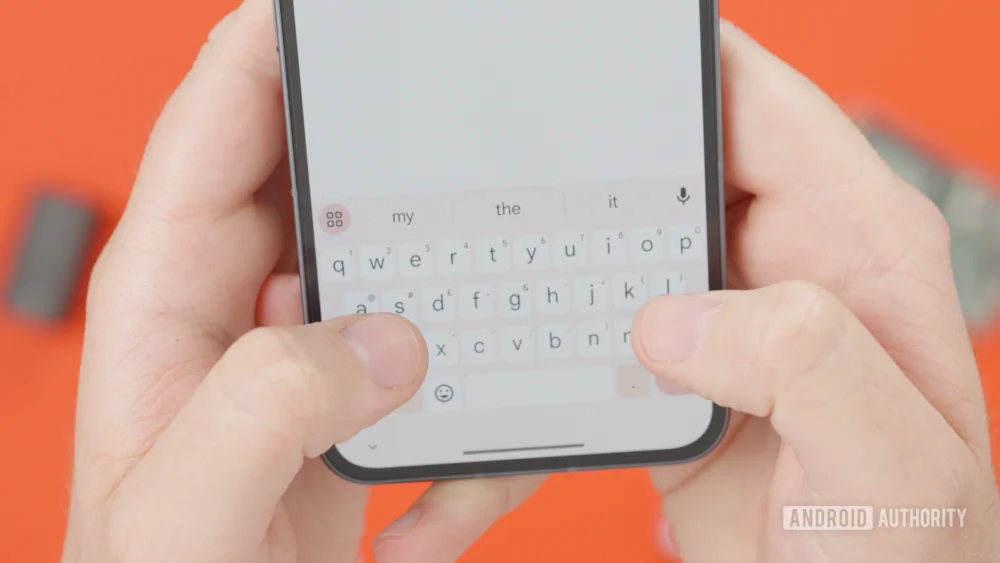
The landscape of mobile text input is perpetually evolving, driven by the necessity for speed, accuracy, and ergonomic efficiency on increasingly expansive touchscreens. For years, Google’s Gboard has stood as a dominant force in this arena, offering a rich suite of predictive text, gesture-based typing—including the ubiquitous glide typing—and established methods for text selection and cursor manipulation. However, navigating the insertion point within lengthy documents or complex code snippets on a standard virtual keyboard has remained a persistent friction point for power users. The current mechanism, which typically involves a tap-and-hold to activate a rudimentary, linear cursor movement, often falls short when fine-grained, two-dimensional control is required, especially on devices pushing the boundaries of screen real estate, such as modern phablets and foldables.
Recent deep-dive analysis of Gboard’s internal architecture, specifically within a beta iteration identified as version 16.8.2.867538971-beta-arm64-v8a, reveals that Google engineers are actively developing a significant enhancement designed to resolve this long-standing usability challenge: a dedicated, trackpad-emulating cursor mode. This potential feature promises to transform the keyboard interface itself into a precision input surface, fundamentally altering how users interact with text positioning.
Deconstructing the Current Cursor Limitations
To fully appreciate the significance of this emerging trackpad mode, it is crucial to examine the existing toolkit. Gboard currently offers what is commonly termed "glide cursor control." This function, usually activated by pressing and holding the space bar, allows the user to slide their finger horizontally across the space bar to move the text cursor left or right across the current line. While this is a marked improvement over the older method of precisely tapping a small insertion point, its utility is severely constrained by its unidirectional nature.
The primary limitation lies in vertical navigation. If a user needs to move the cursor from the end of one line to the beginning of the line two paragraphs below, the current glide control necessitates a laborious process: dragging the cursor to the end of the current line, releasing, tapping again to advance to the next line (if the system allows), and repeating this until the target line is reached. This linear progression is antithetical to efficient text editing, particularly when working with dense data, emails, or messaging threads where non-sequential jumps are common. This deficiency positions Gboard’s existing method as functional for minor adjustments but wholly inadequate for substantial positional editing.
The Emergence of the Virtual Trackpad
The nascent cursor mode discovered through code inspection points toward a paradigm shift. Upon activation—reportedly triggered by the same space bar press-and-hold gesture—the entire key area of the Gboard interface is set to transform into a dynamic, virtual trackpad. Instead of restricted horizontal swiping, the user gains full two-dimensional control over the text insertion point.
This mechanism operates much like the integrated trackpads found on laptops, allowing for fluid, unrestrained movement. Initial observations suggest that the virtual cursor can be dragged across the entire screen area, not just confined within the boundaries of the keyboard layout itself. This ability to escape the keyboard’s footprint is a critical differentiator, enabling users to precisely target text located near the top edge of the display without needing to temporarily dismiss the keyboard or rely on clumsy on-screen scrolling mechanisms.
The implications for user experience are immediate and profound. This feature essentially borrows the precision input model of a computer mouse and maps it directly onto the mobile keyboard surface. For tasks requiring meticulous editing—such as correcting a single character deep within a long string of code or adjusting spacing in a complex table—the current system demands patience; the trackpad mode promises speed and accuracy previously unattainable in this mobile context.
Contextualizing the Innovation: A Response to Hardware Evolution
This developmental focus on enhanced cursor control is not occurring in a vacuum; it reflects a direct response to the evolution of Android hardware. The proliferation of large-format devices, including the rise of foldable phones that present users with both compact and expansive screen states, has amplified the difficulty of single-thumb navigation.
On a standard 6.7-inch slab phone, the top margin of the screen is significantly further from the resting position of the thumbs than it was a decade ago. Requiring users to physically shift their grip or employ a second hand just to nudge the cursor a few inches vertically represents a significant usability tax. Foldables introduce further complexity, as the user might be editing text across the hinge gap or on the vastly larger inner display, where the keyboard occupies only a fraction of the available space.
By integrating a high-fidelity trackpad experience directly into the input method, Google is future-proofing Gboard for these larger form factors. It is an acknowledgment that touch-and-hold targeting is inherently limited when the target area (the entire document) is significantly larger than the input surface (the space bar).
Expert Analysis: Differentiating from Existing Gestures
It is vital to distinguish this proposed trackpad mode from Gboard’s existing gesture vocabulary. Glide typing (or flow typing) is for text entry; it dictates what characters appear. The existing glide cursor control is for linear movement; it dictates where the next character will appear along a single axis. The anticipated trackpad mode is for spatial navigation; it dictates the cursor’s precise (x, y) coordinates within the text buffer.
From a development standpoint, implementing this requires sophisticated integration with the underlying text rendering engine and the operating system’s input handling services. The software must dynamically map the touch coordinates on the keyboard area to the corresponding pixel coordinates in the active text field, calculating the correct character index based on font metrics and line breaks—a significantly more complex rendering task than simple linear tracking. The fact that the cursor appears to be permitted to leave the Gboard area suggests a deep integration with the system’s text input layer, potentially bypassing some of the traditional input method editor (IME) sandbox limitations for this specific function.
Industry Implications and Competitive Landscape
While Gboard is currently leading the way with this specific implementation, the pursuit of superior text editing on mobile is a constant competitive battleground. Competitors like SwiftKey (now owned by Microsoft) have historically focused heavily on predictive accuracy and robust theme customization. However, if Gboard successfully deploys a superior, fluid cursor control mechanism, it could seize a significant advantage in the productivity segment of the mobile market.
For enterprise users, developers, and writers who spend substantial time crafting and refining text on their mobile devices, this feature moves Gboard from being merely a fast typing tool to a genuine editing tool. This subtle shift in categorization carries substantial weight for application choice. The industry trend is increasingly toward "mobile-first" productivity, and enabling desktop-level precision input on mobile hardware directly supports this trend.
Furthermore, this innovation could influence accessibility standards. While traditional screen readers and voice commands are essential, users with fine motor skill challenges or those who prefer direct manipulation might find a large, virtual trackpad far easier to manage than attempting to tap a single pixel within a crowded paragraph.
Unanswered Questions and Future Trajectory
Despite the compelling evidence gathered from the beta build analysis, several critical questions remain regarding the final public release.
First, integration strategy: Will this new trackpad mode function as an addition to the existing space bar glide control, or will it replace it? A layered approach, where a short press on the space bar triggers the linear glide and a long press activates the full trackpad, offers maximum flexibility. Conversely, a simplified interface might be preferred, where the trackpad becomes the default behavior after activation.
Second, customization and activation: Is this feature toggleable within Gboard settings? Power users often demand granular control over input methods, and forcing the trackpad mode onto users who prefer the older, simpler control could generate backlash. The ideal scenario involves making it a prominent, easily accessible option within the gesture settings menu.
Third, rollout timeline: APK teardowns are predictive, not definitive. Code for features can be shelved, heavily modified, or abandoned before ever seeing a public release. While the feature appears relatively complete based on the observed behavior, there is no guarantee of its imminent availability or final form.
Regardless of the timeline, the development effort clearly signals Google’s intent to elevate Gboard’s text manipulation capabilities beyond simple sequential input. The integration of a dedicated, spatial cursor control system marks a significant evolutionary step, suggesting that the era of imprecise mobile text editing may soon be coming to a close, replaced by an intuitive, trackpad-like experience that brings desktop efficiency to the palm of the hand. This development underscores a broader commitment to refining the core user interface elements that govern daily mobile interaction, prioritizing precision input as much as predictive output. The success of this feature could set a new baseline expectation for all third-party mobile keyboards.