

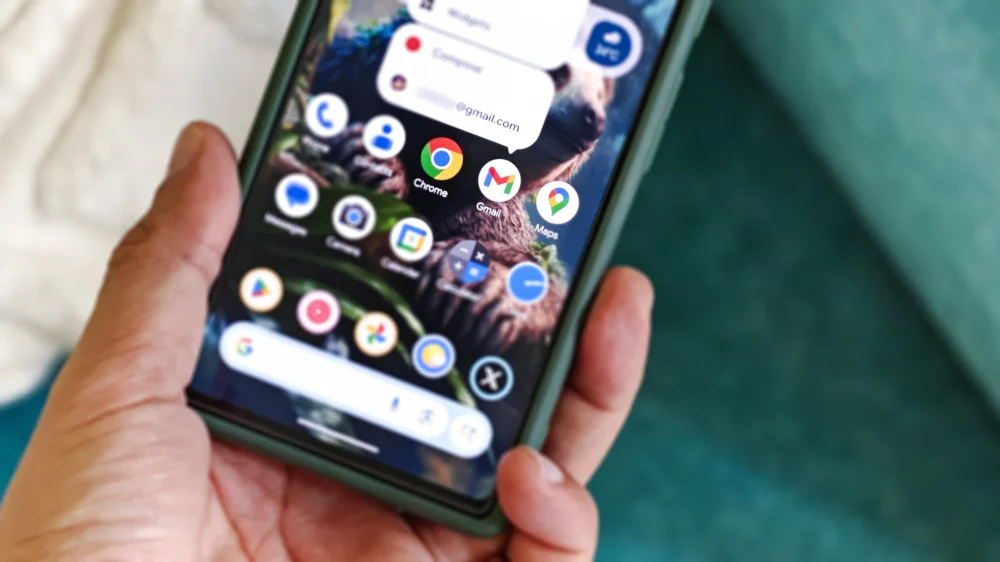
The organizational backbone of the Gmail ecosystem—the labeling system—has long represented a significant functional asymmetry between its various client applications. For years, desktop users have enjoyed the granular control to create, modify, and purge custom labels directly within the web interface, a power that mirrors the capabilities available to iOS users. Yet, the vast, diverse, and arguably most widely used segment of the user base, those accessing Gmail via Android devices, has been conspicuously excluded from this fundamental capability. This oversight, where users could apply existing labels but were barred from managing the taxonomy itself, stands as a curious footnote in the development history of one of the world’s dominant email platforms, especially when contrasted with the recent introduction of more complex, AI-driven features. However, forensic examination of the latest iteration of the Gmail application for Android (specifically identified in build version v.2025.12.29.855765709.Release) suggests that this prolonged functional disparity is nearing its resolution.
This analysis, derived through the meticulous inspection of application package (APK) code, reveals dormant but clearly implemented user interface elements and corresponding logical hooks designed to introduce full label lifecycle management directly onto the Android platform. The implications for power users who rely on sophisticated folder structures—effectively creating a personalized, nested filing system atop Gmail’s foundational architecture—are substantial.
The Anatomy of the Overdue Update
The evidence points toward a straightforward implementation strategy, leveraging existing navigation paradigms familiar to long-time users. The crucial addition appears to be a dedicated "Create label" option surfaced within the primary navigation drawer—the hamburger menu that houses the main account switcher and system folders like Inbox, Sent, and Spam. Placing this creation tool directly within this centralized hub signifies Google’s recognition that label management is a core, frequently accessed function, not a peripheral setting. Tapping this option is expected to invoke a clean, modal dialog requiring only the input of the desired label name before committing the change to the server-side configuration.
The process for editing and deleting existing custom labels, conversely, appears to follow a pattern established by the iOS counterpart, suggesting a commitment to cross-platform consistency in the backend management layer. This pathway necessitates a brief journey through the application’s settings hierarchy: navigating to the main Settings menu, selecting the relevant Inbox configuration, and subsequently accessing a "Manage labels" interface. Within this section, users will presumably gain the ability to rename or permanently erase custom labels.
It is vital to underscore the scope of these impending controls. They are explicitly designed to govern user-defined organizational structures—labels created by the individual or synchronized from the web interface. The foundational, non-customizable system labels imposed by Google (such as Primary, Social, Promotions tabs, or the default Drafts and All Mail designations) will remain locked down, consistent with current operational logic across all platforms. Furthermore, the necessary safeguards are already coded: the deletion process explicitly communicates that removing a label is a metadata operation only; it does not archive, trash, or otherwise affect the underlying emails tagged with that classification, preserving the integrity of the message history.
Historical Context: The Labeling Quagmire
To appreciate the significance of this change, one must revisit the evolution of Gmail’s organizational tools. Labels, introduced as a more flexible alternative to traditional, mutually exclusive folders, became the defining feature for users managing high volumes of correspondence. Unlike a rigid folder structure where an item can reside in only one location, Gmail’s labels allow a single email to wear multiple tags simultaneously (e.g., "Project X," "Client A," and "Urgent"). This flexibility demands robust management capabilities across all access points.
The prolonged absence of native creation/deletion tools on Android created a workflow bottleneck. A user might receive an email on their phone, decide it belongs to a new category, yet be forced to either apply an existing, perhaps imperfect, label or wait until they could access a desktop browser or an iOS device. This friction runs counter to the philosophy of mobile-first computing, where immediate, context-aware organization is paramount.
The irony, as noted by many users over the years, is that Google has prioritized the integration of sophisticated, potentially resource-intensive features—like the experimental AI Inbox designed to automatically prioritize correspondence—over this foundational housekeeping tool. This suggests that development resources were allocated toward perceived "innovation" rather than addressing core usability deficiencies for the platform representing the largest mobile user base. The emergence of these codes suggests a recent pivot or perhaps the graduation of a long-stalled usability project.
Industry Implications: The Standard of Feature Parity
This development holds important implications for the broader tech industry, specifically concerning the expectations surrounding platform parity for major software services. When a feature like label management exists on the web and a competing mobile OS (iOS), its absence on Android is not merely an inconvenience; it’s a competitive liability and a signal of uneven product commitment.
For Google, restoring this functionality is about closing the gap and mitigating user frustration that can drive adoption of third-party mail clients offering more comprehensive management tools. In a market segment where users often seek alternatives that better integrate with complex workflows (e.g., power users moving to clients that strictly adhere to IMAP folder standards, which closely mirror Gmail labels), retaining users within the first-party ecosystem requires eliminating such obvious friction points.
Expert analysis suggests that this overdue feature addresses a basic expectation for any modern productivity application: the ability to manage the structural elements of the data it presents. If a platform encourages users to build complex organizational schema (like labels), it must provide the tools to maintain that schema wherever the user accesses the service. Failure to do so fragments the user experience and undermines the utility of the feature itself.
Expert Analysis of the Implementation Strategy
The discovered implementation strategy—creation via the main sidebar, management via deep settings—is telling. The placement of the "Create label" function suggests Google intends for this to be a relatively frequent action, accessible with minimal taps. Conversely, the "Edit/Delete" function being nested within Settings implies that these are less frequent, administrative tasks. Renaming or deleting a label is an action typically performed once for a specific label, often when a project concludes or a organizational standard shifts. Burying it slightly deeper prevents accidental deletion or modification while maintaining accessibility for necessary housekeeping.
Furthermore, the reliance on the existing iOS management structure for editing signals a preference for maintaining a unified backend management API for custom labels across mobile platforms. This simplifies development overhead; once the Android team built the interface to call the existing "Manage Labels" endpoint, the functionality is instantly consistent with the established iOS behavior.
From a technical perspective, the fact that these elements are present but not yet active suggests they are in the final stages of quality assurance or are being staged for a slow, regional rollout. Google often employs A/B testing or phased rollouts to monitor server load and user feedback before a global activation. The polished appearance of the UI snippets indicates that this is not a beta or experimental flag but rather production-ready code waiting for the official feature toggle.
Future Impact and Trends in Email Management
The re-introduction of robust label management on Android is a necessary step toward modernizing the mobile Gmail experience, but it sets the stage for future developments. This parity opens the door for more advanced, mobile-native organizational features, such as:
- Nested Labels on Mobile: While Gmail on the web supports nesting labels (e.g., "Clients/Client A/Follow Up"), mobile clients have historically struggled to render this hierarchy effectively. With a foundational management layer now in place, the next logical evolution would be the introduction of hierarchical browsing within the Android navigation pane.
- Rules and Automation: Full label management parity is a prerequisite for introducing advanced, mobile-accessible filtering rules. Users could potentially set up automated actions (e.g., "If email contains X, apply label Y and archive") directly from their phone, moving beyond simple AI categorization toward user-defined automation.
- Integration with Workspace: As Gmail becomes increasingly intertwined with Google Workspace, the ability for mobile users to manage the organizational schema governing shared inboxes or project spaces becomes crucial for enterprise adoption.
In conclusion, the discovered code within the latest Gmail Android release signifies the imminent correction of a long-standing functional deficit. While the path to parity has been unnecessarily protracted, its arrival confirms Google’s commitment to ensuring that the Android client is not a second-class citizen in the management of its core features. Users can anticipate a substantial enhancement to mobile email workflow efficiency, allowing for true, end-to-end organizational control without needing to pivot to a desktop environment. The era of being unable to manage one’s own digital filing cabinet from one’s primary mobile device appears finally to be drawing to a close.
